

Many people ask how to listen to Spotify on airplane mode, well, you will find the answer here.
Modern smartphones, cell phones, and most other mobile devices come equipped with a feature known as Airplane Mode, or Flight mode. This function is designed to disable Bluetooth, Wi-Fi, cellular, and data connections on your device. This prevents potential interference with the sensitive sensors and equipment found on commercial airplanes.
However, using Airplane Mode also disables your data network, which prompts a common question: how can you listen to Spotify tracks while flying?
For those with Spotify Premium memberships, the most straightforward method is to use Spotify’s offline mode. This allows you to download songs, albums, and playlists prior to your flight. Once you’ve done so, you can enjoy your music while in Airplane Mode.
If you’re a Spotify free user, you can download podcasts for offline listening, but not music tracks. Or you can download Spotify songs, albums, and playlists as MP3 files using a specialized Spotify music downloader. This way, you can play the downloaded songs on various devices like phones, tablets, or MP3 players without requiring an internet connection.
Contents
You can download as many as 10,000 tracks on each of up to 5 different devices. I guess it is enough for your airplane trip.
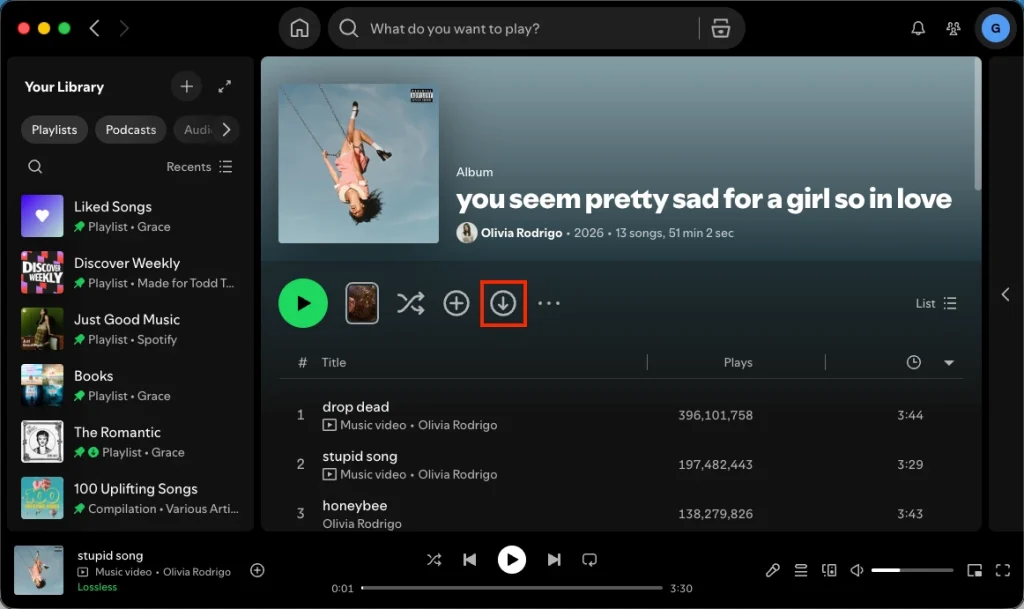
You can see how much space they’re taking up within Spotify settings. If Spotify is taking up too much space, you can safely clear your temporary app cache without deleting your downloaded offline tracks:

You can set the quality of the audio you download. Higher quality will take longer to download and will take up more space on your phone, but will sound better. To change this:
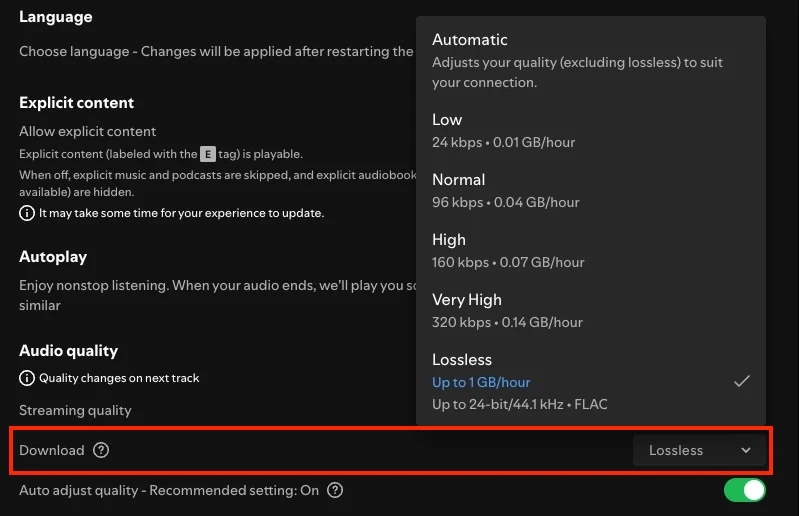
After downloading, turn on offline mode on Spotify before enabling Airplane Mode. The downloaded songs are still playable even if you don’t have an internet connection.
On mobile and tablet
On laptop
 at the top and select File.
Anything you haven’t downloaded is now grayed out and unavailable.
However, some users complain that downloaded music won’t play on airplane mode. If you encounter the same issue, try enabling offline mode or restarting Spotify while in airplane mode.
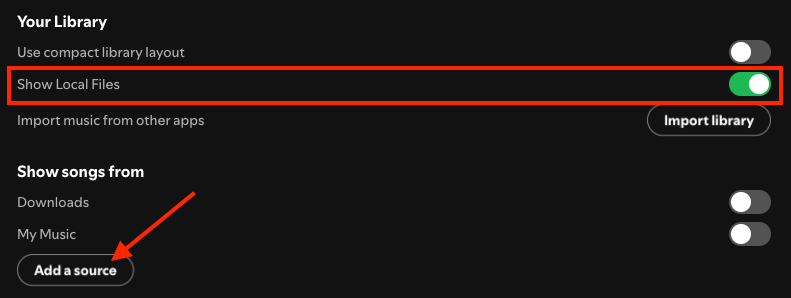
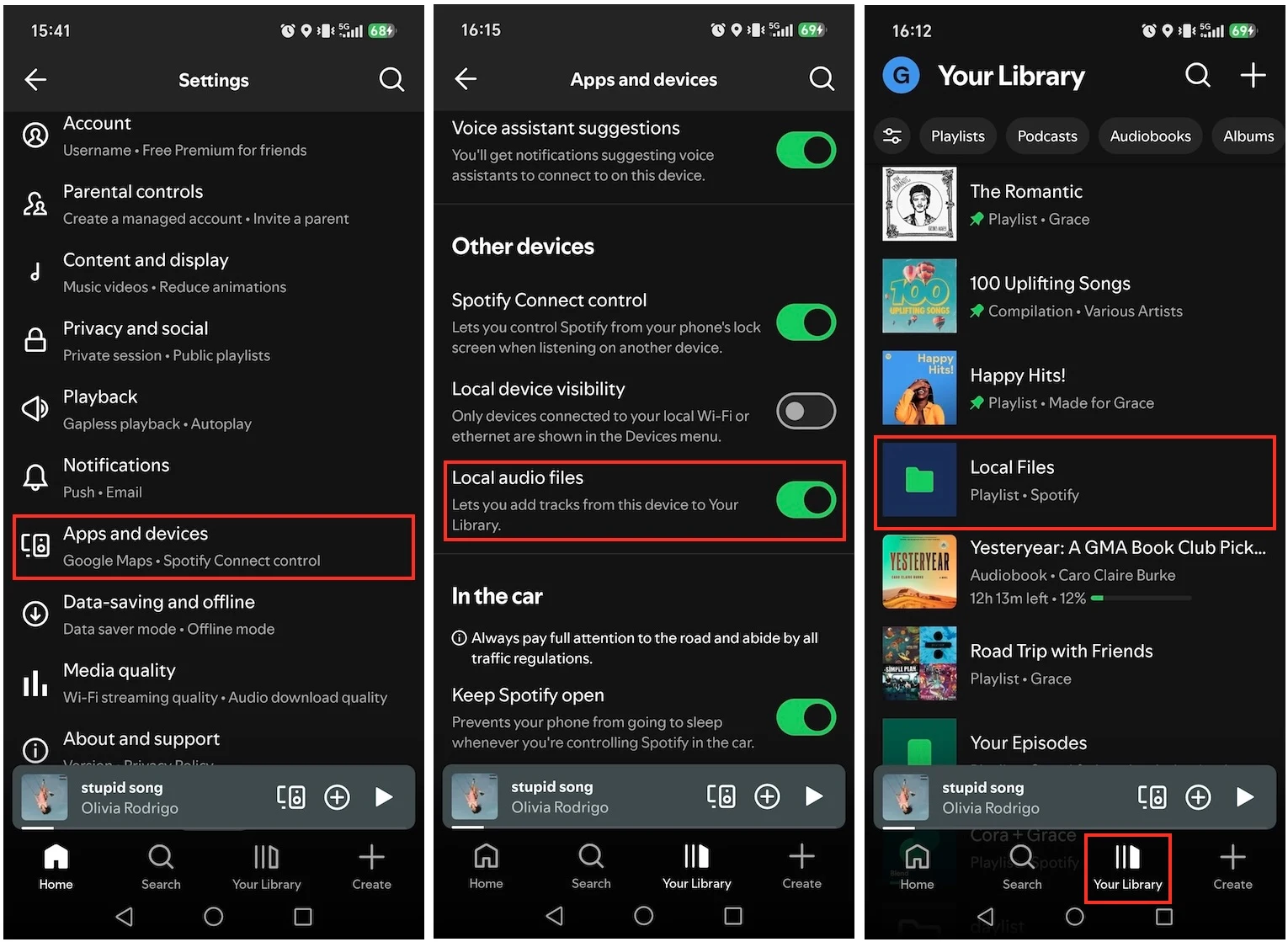
Besides the millions of tracks Spotify offers, you can also use the app to play any of the audio files legally stored on your device, even on Airplane Mode.
On Desktop
On Mobile
Now you can listen to your local music with Spotify even on Airplane Mode.
Don’t worry if you don’t have Spotify Premium. Pazu Spotify Converter allows you to download Spotify music to listen offline even with a Spotify free account. So you can also listen to local files in airplane mode even without Spotify Premium.
Pazu Spotify Converter is a top-notch tool designed to download Spotify songs, albums, playlists, and podcasts in various common formats, such as MP3, M4A, AAC, FLAC, WAV, and AIFF. With Pazu, the original audio quality is maintained at 100%, and all ID3 Tags and metadata, including title, artwork, artist, album, and track number, are preserved. You can download unlimited songs from Spotify. Follow this step-by-step tutorial to download Spotify music to your computer and enjoy Spotify Premium benefits indefinitely.
Key features of Pazu Spotify Converter:
Download, install and run Pazu Spotify Converter on your Mac or Windows. Log in your Spotify account with the built-in web player.

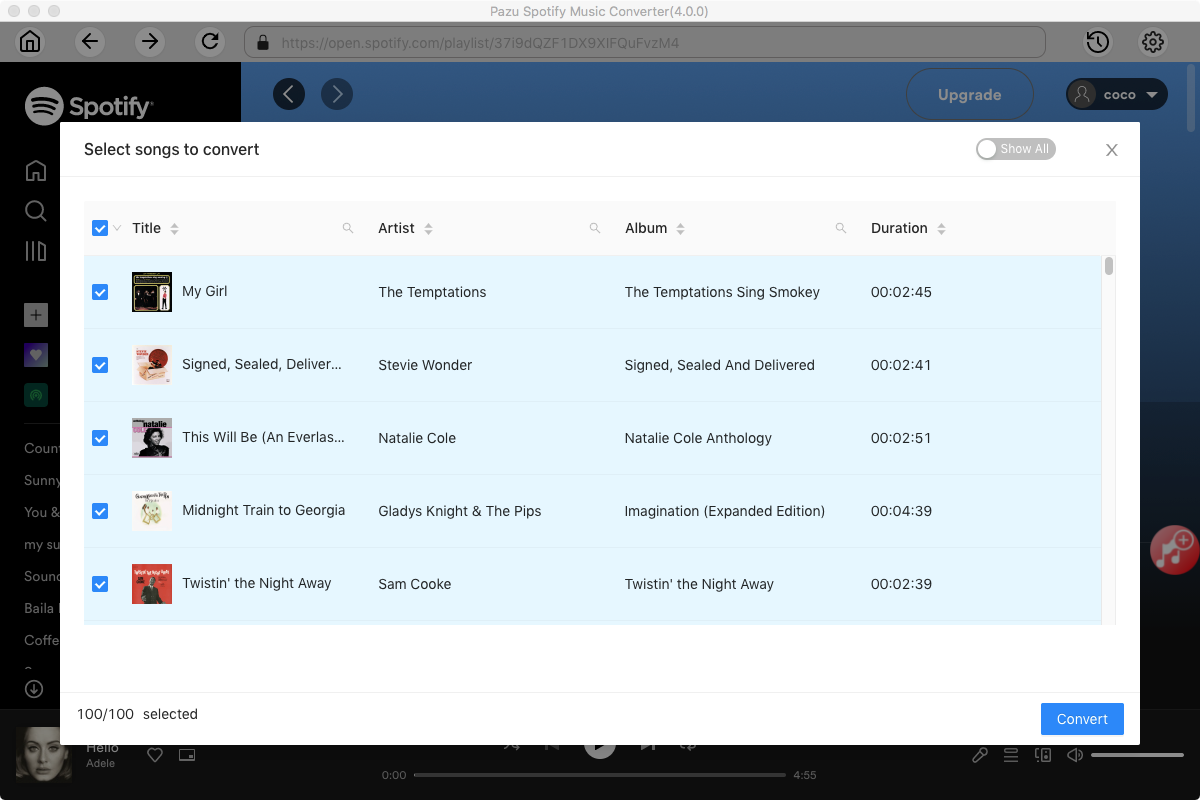
Select the songs, album, or playlist you want to download. Click the red “Add” button to add the tracks to the download list. Uncheck any songs you don’t want to download. Click “Show All” icon to toggle “Hide Converted” on in case some songs have been downloaded before.
Click the gear button in the top right corner. Here you can select output format (MP3/M4A/AAC/FLAC/WAV/AIFF), output quality, customize the output path, organize the output files in various ways, rename output files and more.

Click Convert button to start downloading the Spotify songs to your local computer. After downloading, transfer the songs to your phone, tablet or MP3 player, then you can listen to Spotify music even on Airplane mode.


Download and convert any Spotify songs, albums, playlists to MP3/M4A etc.