

Spotify users can easily access their favorite music through smartphones. However, there are situations where a more portable music player is needed, such as jogging outdoors, working out in a gym, or traveling on a plane without an internet connection. In this article, we have picked out the top 6 best MP3 players with the Spotify app for you to choose from, including the best mini Spotify player, the most cost-effective MP3 player, the top smartwatches for Android, iOS, and workout purposes, as well as the best hi-res music player. With these options, you can ditch your bulky phone and enjoy your favorite tunes with the small and lightweight Spotify MP3 players.
Price: $119.99
Why We Picked It: The Best Mini Spotify Player
Update: Mighty devices will stop supporting Spotify on April 21, 2027.
Mighty 3 (2026 Edition) is the latest version of the dedicated Spotify and Amazon Music player, with 8 hours of playback time compared to 5 hours on the Mighty Vibe (Gen 2). Compared with the 2025 version, the Mighty 3 (2026 Edition) retains the same physical design, but its internal performance and user experience have been significantly improved.
This Spotify music player is so tiny that you need to hold it with your fingertips. However, the MP3 player is highly functional, making it the best mini Spotify player.
Mighty 3 can play Spotify music without a phone, screen, or Internet connection. The 8 GB of internal storage makes it easy to store over 1,000 songs in Premium audio quality. It can be paired wirelessly with your Android or iPhone through Bluetooth and WiFi. Once connected, you can sync your Premium Spotify playlist to the player. In addition, it is compatible with both Bluetooth and wired headphones.
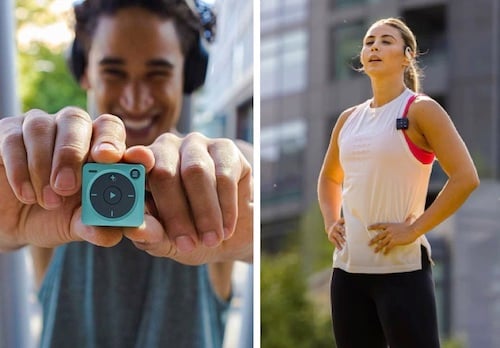
Please note that Mighty 3 only works with Spotify Premium plans, including Spotify Family, Spotify Students, and Spotify Kids. After importing your music to the player, you can listen to Spotify offline. However, it does not support uploading local music or online streaming.
Pros
Cons
Price: $62.99
Why We Picked It: The Most Cost-Effective MP3 Player
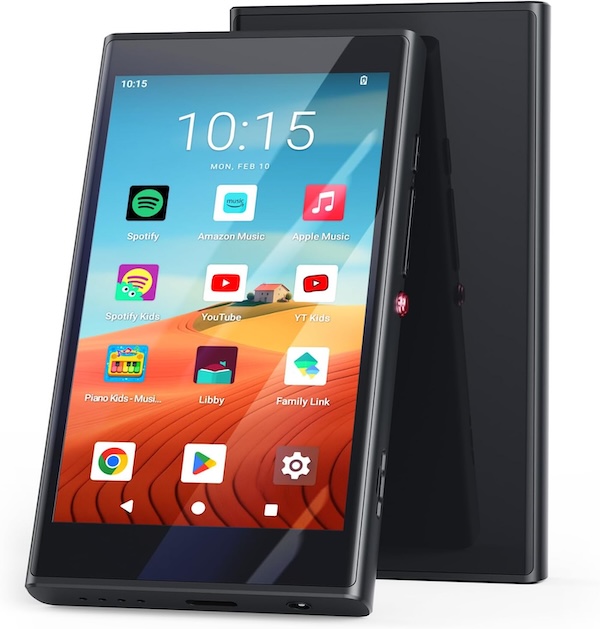
The PECSU G4 comes with 96GB storage (32GB built-in memory with an extra 64GB memory card). The microSD card slot supports storage expansion up to 512GB. It features a 4″ Touch Screen with Android 14 operating system and pre-installed offline music apps, as well as popular online music apps like Spotify, Pandora, Apple Music, Amazon Music, etc. It also allows custom installation of applications.
The player also supports playing local audio files in various formats, including MP3, FLAC, AAC, WAV, M4A, and more. You can also play videos on the player. With the high-capacity battery, it can continuously play music for about 20 hours or video for about 5 hours. With the affordable price, this Spotify player offers excellent value for its versatility and functionality.
Pros
Cons
Price: $249.99 – $699.99
Why We Picked It: The Best Smartwatch for Android with Spotify
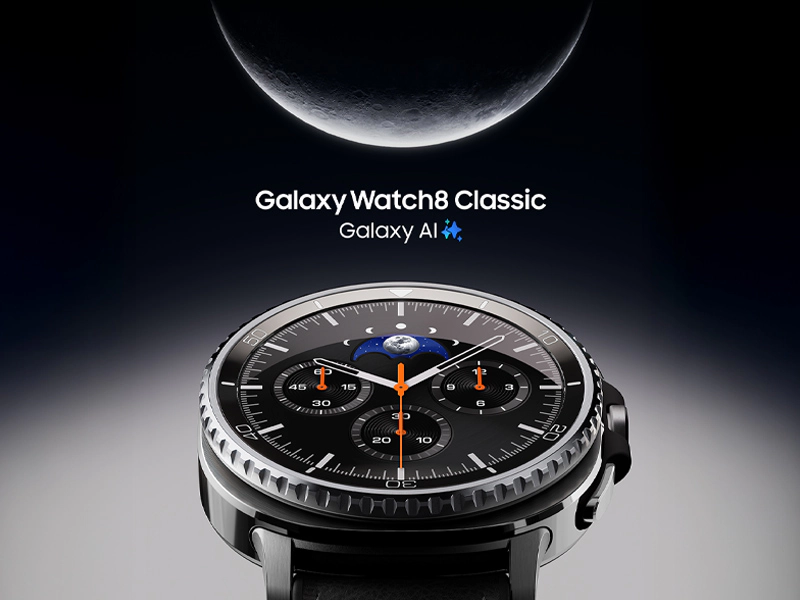
With a Samsung Galaxy Watch, you can play Spotify directly from your wrist or use the watch to control Spotify on your phone. Just download the Spotify app from the Google Play Store on your smartwatch and connect the watch to your phone with a Spotify account. If you’re a Spotify Premium member, you can even download playlists on your Galaxy Watch and listen offline without your phone nearby.
Galaxy Watch Ultra 2/Ultra and Watch 9/8/7 are currently available on the Samsung website with prices ranging from $249.99 to $699.99. While earlier versions may still be found online, the latest versions always offer larger storage capacity, better performance, and greater compatibility with the newest Spotify app.
Pros
Cons
Price: $249- $899
Why We Picked It: The Best Smartwatch for iOS to Play Spotify
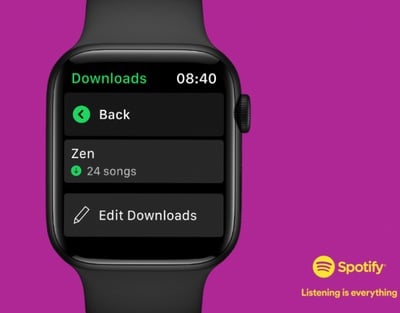
If you want to listen to Spotify directly from your Apple Watch, a Spotify Premium account is needed. With it, you can enjoy Spotify both online and offline, storing up to 10 hours of downloaded music and podcasts (depending on the watch model) on your Apple Watch.
On the other hand, Free Spotify users can control their phone’s Spotify app from Apple Watch, or manage playback on another device with Spotify Connect.
To use Spotify on your Apple Watch, you need an Apple Watch Series 4 or later with watchOS 10 or later. However, we recommend you choose at least the Apple Watch 7. The Series 5 is no longer supported by Apple, and the Series 6 is the last generation eligible for new software updates, which may lose support with the release of newer models.
The latest Apple Watch version is the Series 11. If you’re seeking essential features at a budget-friendly price, the Apple Watch SE 2 or SE 3, starting from $249, is worth considering. Please note that Apple Watch SE is no longer supported by Apple.
Pros
Cons
Price: $399.99 – $899.99
Why We Picked It: The Best Hi-res Music Player
For Spotify users seeking higher-quality sound from MP3 players, the Sony Digital Media Player is worth considering. If you are a Premium user, you can enjoy Spotify at Lossless quality, up to 24-bit/44.1 kHz FLAC. Sony’s high-resolution MP3 players can deliver more stable, clearer sound and solid bass, making your Spotify sound quality even better.
Two popular models from Sony are the Walkman NW-A306 (32GB) and NW-ZX707 (64GB). These players run on Android 12 and come pre-installed with the Google Play Store. The long battery life enables up to 26 hours of continuous playback with a music service app.

Pros
Cons
Price: $129 – $179
Why We Picked It: The Best Workout Smartwatch with the Spotify App
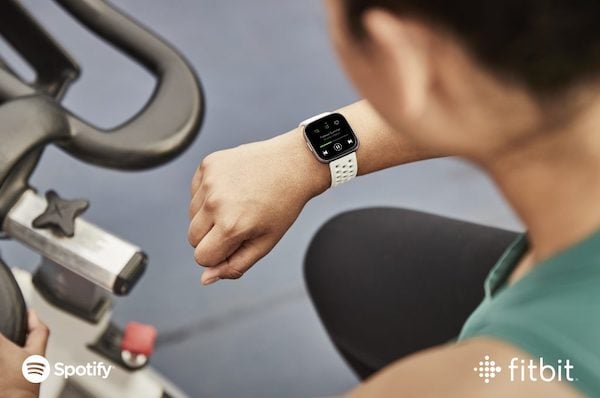
Another option for controlling Spotify from your wrist is the Fitbit smartwatch and tracker, including the Fitbit Versa 2, Fitbit Versa 3, and Fitbit Charge 4. With the Spotify app on your Fitbit, you can control your Spotify music on your paired phone, see what’s playing, save your favorites, and control playback on another device via Spotify Connect.
However, Spotify on Fitbit doesn’t support offline playback, so you’ll need to have your paired phone nearby and connected to the internet. In addition, a Spotify Premium account is required to use Spotify on the Fitbit smartwatch.
Pros
Cons
In this comparison table, we’ve outlined the key features of the 6 best Spotify MP3 players, including price, storage capacity, battery life, offline playback, and more. Additionally, each product is assigned an overall rating for your reference. However, the best product is always the one that best suits your needs.
| Spotify Music Player | Price | Internal Storage | Battery Life | Playback Mode | Play with Spotify Free | Play Local Music | Ratings |
| Mighty 3* | $119.99 | 8GB | 8 hours | Offline | No | NO | ⭐⭐⭐⭐ |
| PECSU MP3 Player | $62.99 | 96GB | 20 hours | Online Offline | YES | YES | ⭐⭐⭐⭐ |
| Samsung Galaxy Watch | $249.99 – $699.99 | 16GB-32G | 15 hours | Online Offline | YES | YES | ⭐⭐⭐ |
| Apple Watch | $249 – $899 | 32-64GB | 10 hours | Online Offline | YES | YES | ⭐⭐⭐ |
| Sony Walkman | $399.99 – $899.99 | 32-64GB | 26 hours | Online Offline | YES | YES | ⭐⭐⭐ |
| Fitbit | $129 – $179 | 4GB | 12 hours | Online | NO | YES | ⭐⭐ |
All 6 players support Spotify, allowing you to easily listen with either a Free or Premium account. However, there are MP3 players that do not support Spotify. In such cases, you can download Spotify music to MP3 files and upload them to the players for offline listening.
To save Spotify playlists or single tracks to MP3 files with a free Spotify account, you can use Pazu Spotify Converter. This professional downloader enables both Spotify Free and Premium users to download all Spotify songs, playlists, or albums for offline enjoyment. It can extract Spotify music and convert it to various formats, including MP3, M4A, AIFF, WAV, FLAC, and AAC. Then you can transfer the downloaded tracks to any supported MP3 player for offline enjoyment.
Key features of Pazu Spotify Converter:
Follow these steps to download Spotify music and enjoy it offline on any MP3 player.
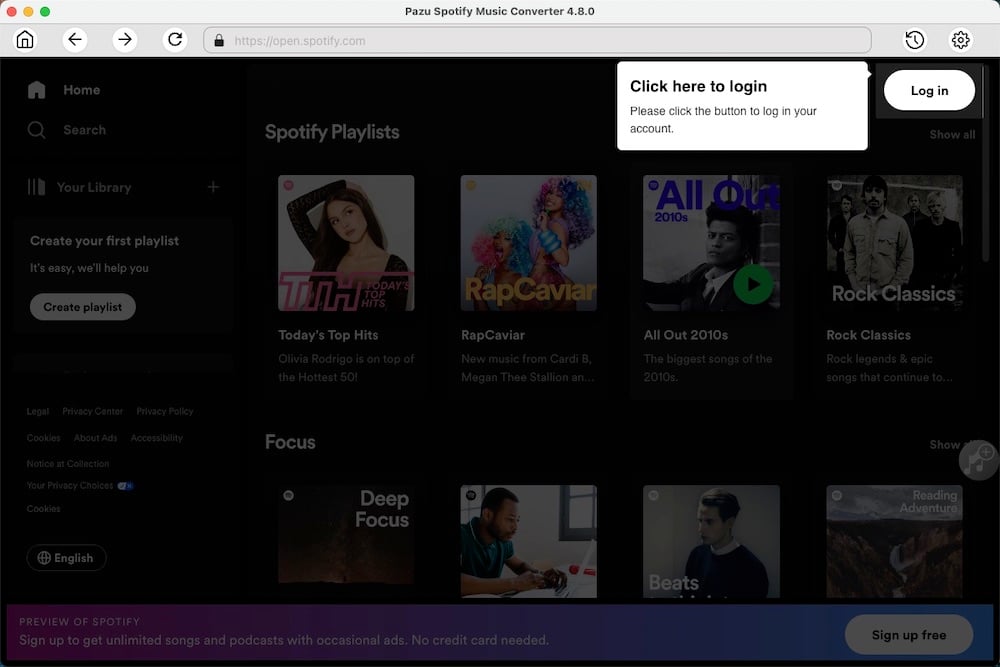
Download, install, and run Pazu Spotify Converter on your Mac or Windows. Log in to your Spotify account with the built-in web player.
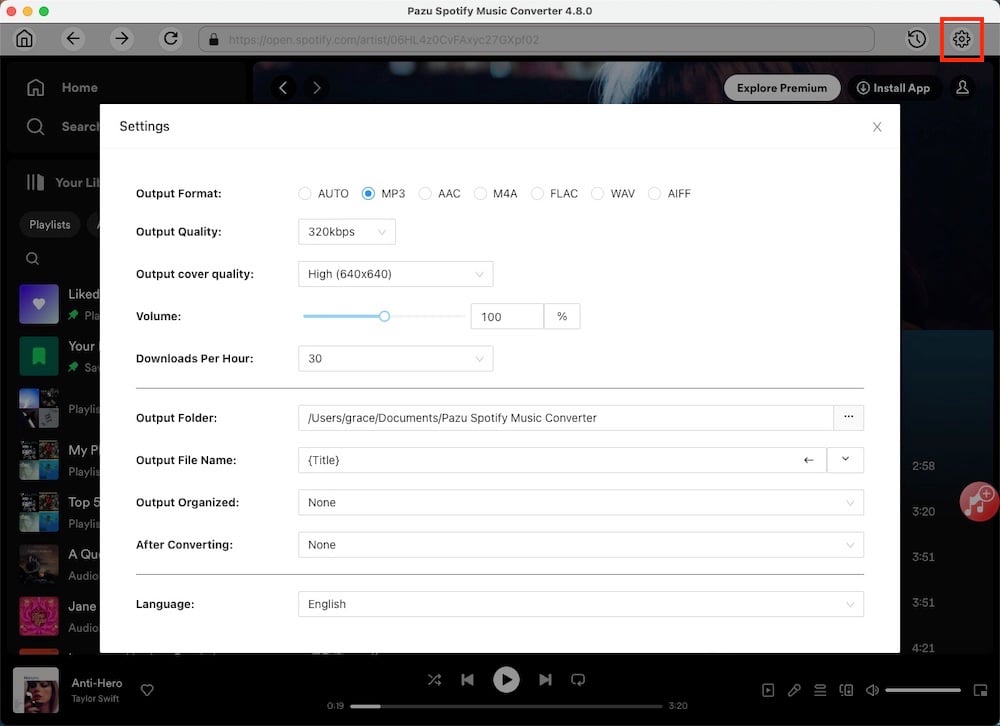
Click the gear icon in the top right corner. Here you can select the output format (AUTO[M4A], MP3, AAC, FLAC, WAV, or AIFF), choose output audio quality, customize the output path, organize the output files in various ways, rename output files, and more.
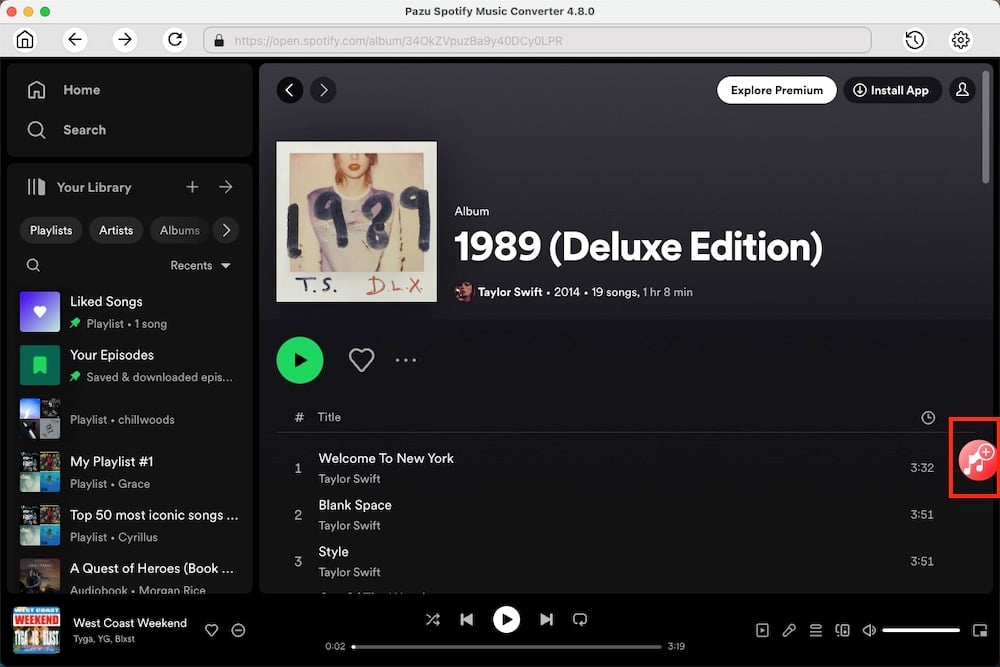
Use the integrated Spotify web player to search for the songs, albums, or playlists you want to download. Click the Add to List button to load all songs in the album or playlist.
You can download individual songs or batch-convert the entire playlist. To download individual songs or specific songs of your choice, simply uncheck the ones you don’t want to download.
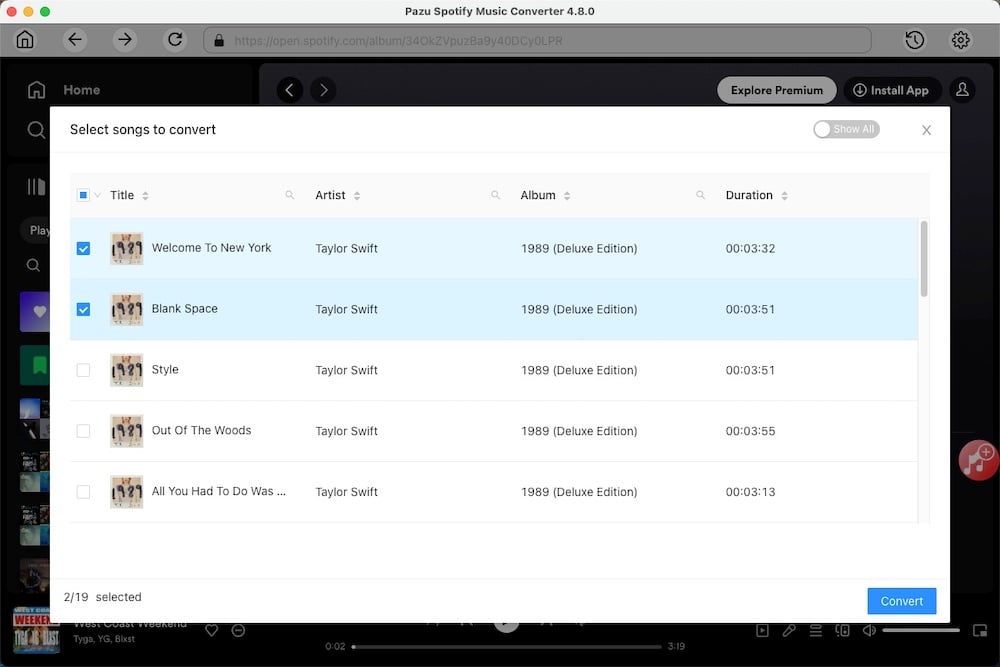
Click the Convert button to start downloading the Spotify songs to your local computer.
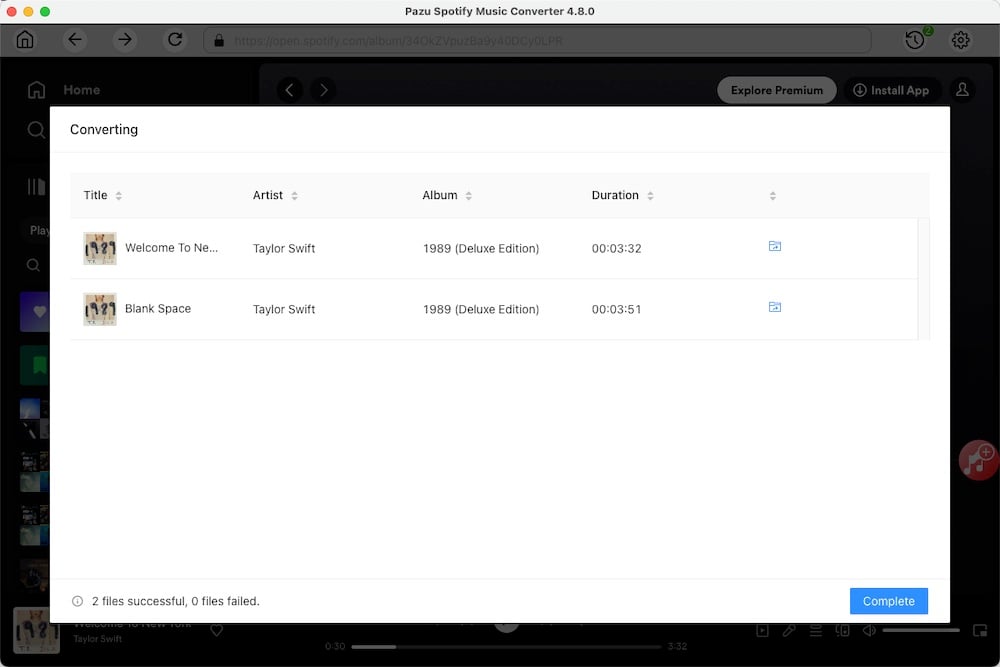
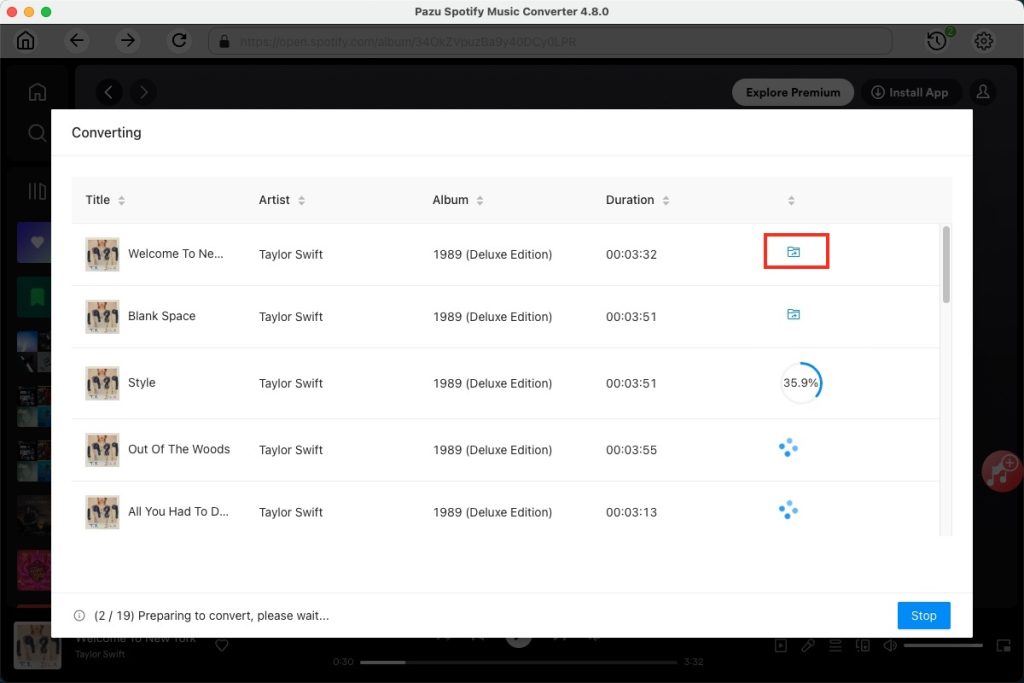
Once the conversion is complete, you can find your Spotify songs downloaded as local files by clicking the folder button or by going directly to the output folder you customized in the previous step.
Connect your computer and transfer the downloaded Spotify tracks to the MP3 player. Then you can enjoy your favorite tunes on the go.
Note: The free trial version of Pazu Spotify Converter enables you to convert the first three minutes of each song. You can remove the trial limitation by purchasing the full version.
Download and convert any Spotify songs, albums, playlists to MP3/M4A etc.