

Spotify is one of the most popular music streaming services, offering free and premium options to meet all needs. Spotify Premium offers 4 plans: Premium Individual($12.99/month, 1 account), Premium Duo($18.99/month, 2 accounts), Premium Family($21.99/month, 6 accounts), Premium Student($6.99/month, 1 account). With any premium plan, you can enjoy ad-free music, offline playback, and unlimited skips.
One difference between Spotify Premium and the free plan is that only Premium users can download music for offline listening. Does this mean Spotify free users can’t listen to Spotify offline? Of course not. With the professional Spotify music downloader, you can download any Spotify songs. albums and playlists to MP3 and listen to Spotify offline without Premium.
Contents
To listen to Spotify offline without Premium, you need a professional Spotify music downloader that allows you to download music without Premium. What’s more, it will save Spotify music in MP3, M4A, and WAV formats, so you can listen to Spotify music offline anywhere you want.
Pazu Spotify Converter is here to help you. It is designed for Spotify users to download music to MP3 with either a free or premium account on Mac/Windows. After downloading, toggle on Local Files in Spotify. Spotify app will automatically scan and load downloaded songs and show them in the Local Files folder. You can play the songs offline even without Spotify Premium.
Download Spotify songs/albums/playlists to MP3, M4A, WAV, FLAC, AIFF, AAC.
Follow the steps below to download Spotify music offline without Premium on your computer.
Download, install, and run Pazu Spotify Converter on your Mac or Windows. Log in to your Spotify account with the built-in Spotify web player.

Click the gear icon in the top right corner. Here you can select the output format (AUTO (M4A), MP3, AAC, FLAC, WAV, or AIFF), choose the output audio quality, customize the output path, organize the output files in various ways, rename the output files, and more.

Use the built-in Spotify web player to find the playlist, album, or song you want to download, and click Add to display all songs in that playlist or album.
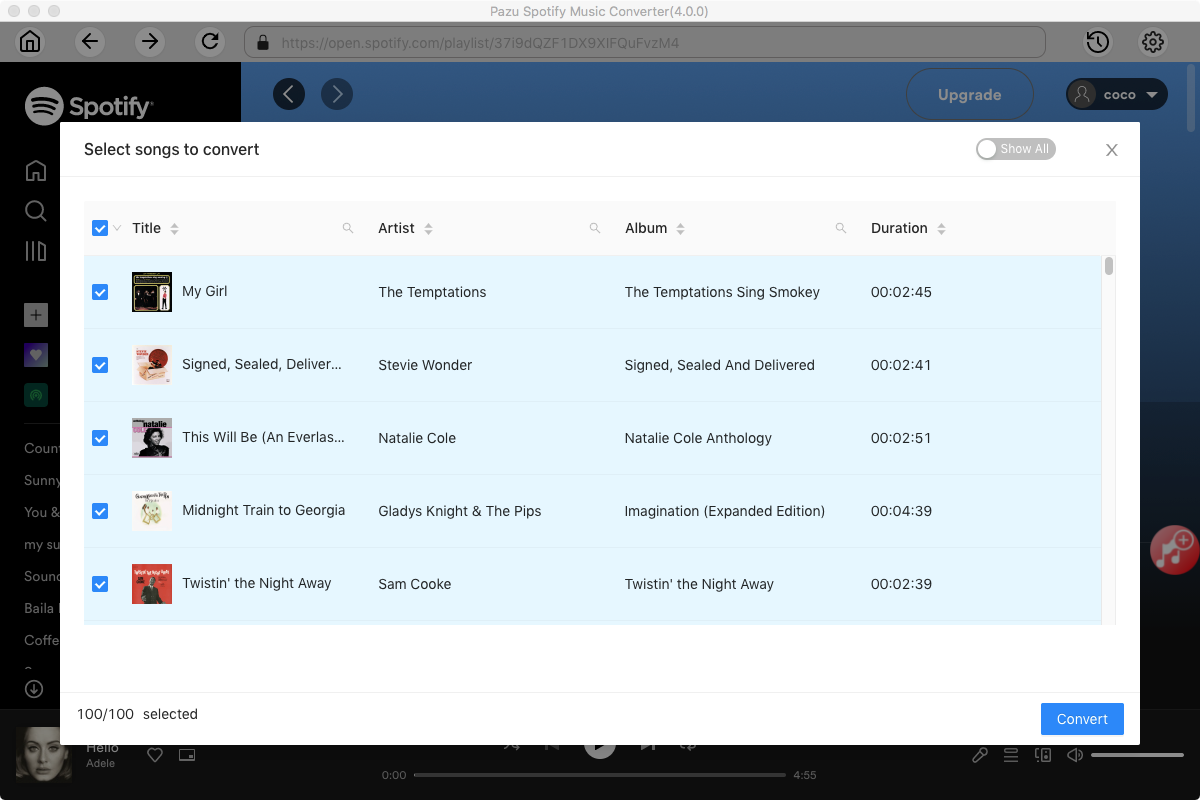
Uncheck any songs you don’t want to download, then click Convert.
Once the conversion is done, you can find your downloaded music in the format you selected by clicking the folder icon directly or going to the output folder you customized in the previous step.

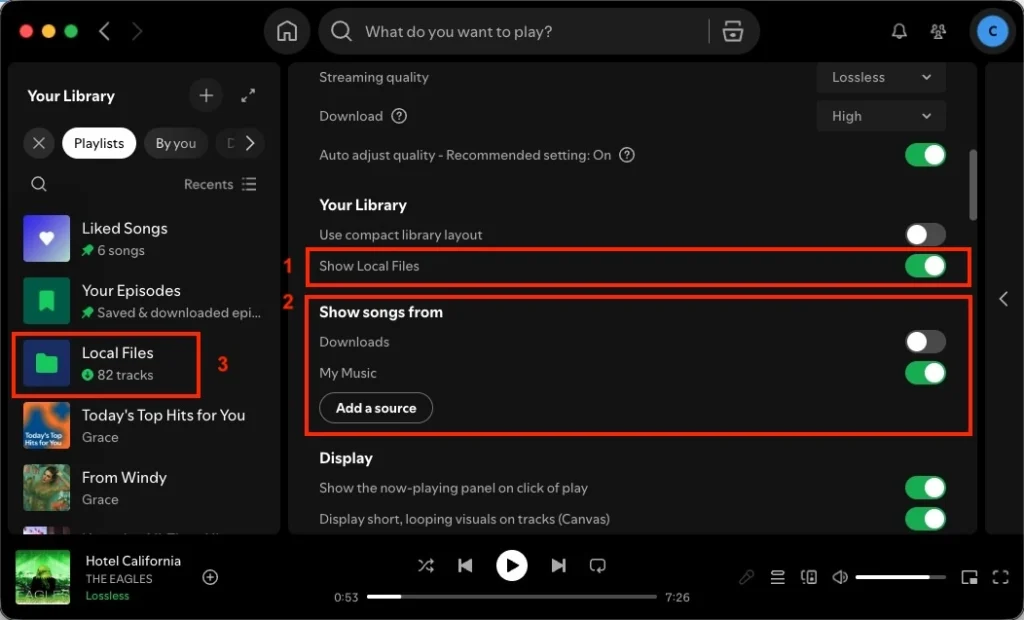
Now open the Spotify app and go to Settings. Toggle on Local Files. Click Add a source and choose the above output folder. The Spotify app automatically scans, loads downloaded songs, and displays them in the local files folder, which you can play offline even without Spotify Premium.
Note: The free trial version of Pazu Spotify Converter enables you to convert the first three minutes of each song. You can remove the trial limitation by purchasing the full version.
Spotube is an open-source client for macOS, Windows, Linux, and Android. It leverages Spotify’s Data API for browsing and metadata, while pulling audio streams from sources like YouTube, Piped, or JioSaavn.
While you need to log in with your Spotify account to access your library playlists, Spotube functions essentially as a YouTube client with Spotify descriptions. Downloads are saved as 128 kbps M4A. Because the audio is fetched from YouTube rather than Spotify, tracks may occasionally feature incorrect audio matches or longer songs with additional noise.
If you download entire playlists in bulk, your IP can get blocked on YouTube due to excessive download requests. IP block means you can’t use YouTube (even if you’re logged in) for weeks or months from that IP device. And Spotube doesn’t hold any responsibility if this ever happens.
Fildo is an Android app that allows you to listen to and download MP3/FLAC on your Android devices. One of the major advantages of Fildo over similar applications is that it allows you to import and download playlists from Spotify and NetEase. Fildo does not host any MP3 files. It matches your Spotify songs to MP3 versions from third-party search engines and lets you download them. However, the download speed is very slow.
How to download MP3 songs from Spotify on Android with Fildo?
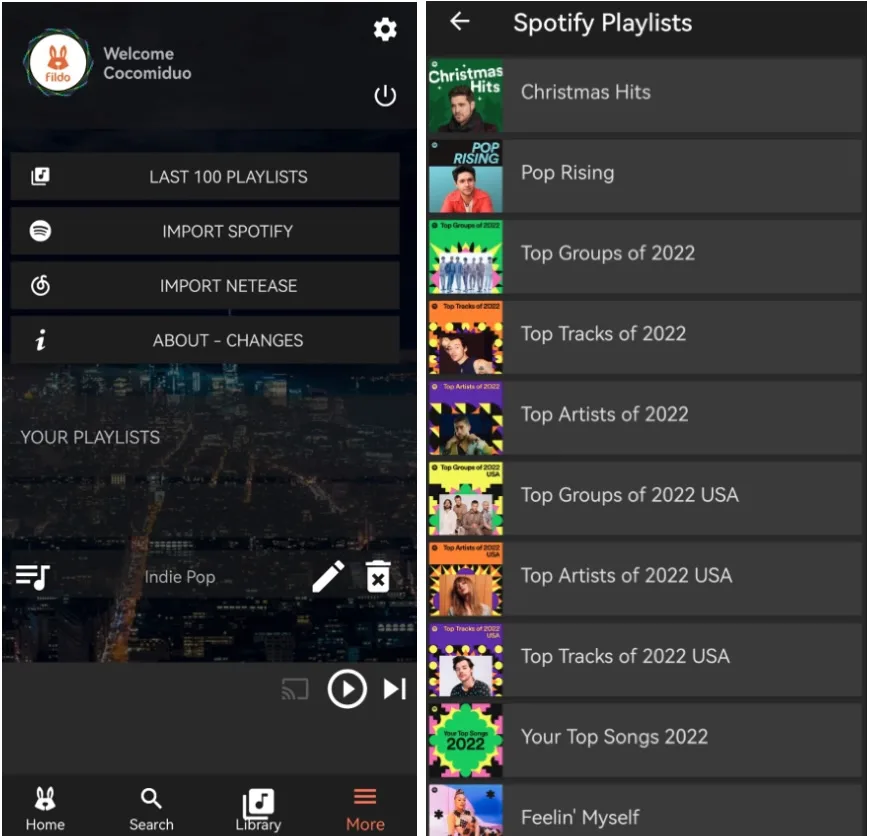
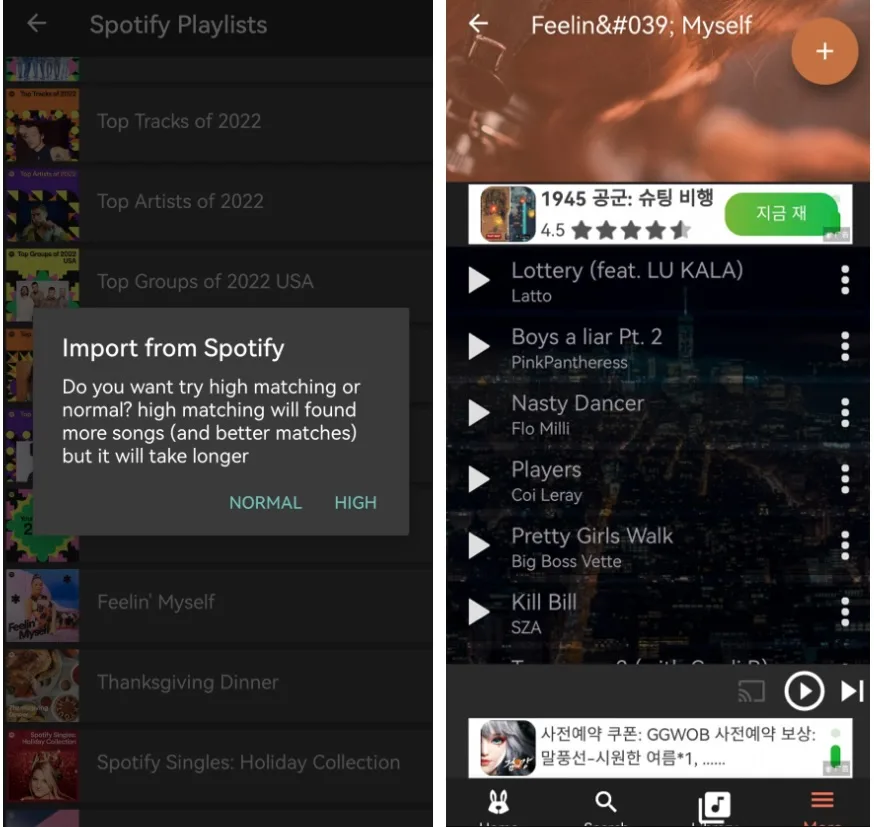
If Spotify Local Files is enabled, the downloaded songs will appear here automatically, allowing you to play them offline without Premium.
SpotiFlyer is a music downloader available for Android, Mac, Windows, and Linux that allows you to download music from Spotify, JioSaavn, Gaana, and YouTube Music. Mac version no longer works, but the Android version still works. Download any album or playlist to your device’s folder and save data by listening to music online every day. Songs are downloaded at 128 kbps and saved to Files > Audio on your Android device. There are no advertisements in this app.

Spotify Premium APK (also known as Spotify MOD APK) is a modified version of the official Spotify app created by third-party developers. The Spotify mod version offers premium features such as ad blocking, unlimited skips, and offline playback for free. However, these apps are not authorized by Spotify, and using them is against the company’s terms of service.
xManager is an Android app manager that lets users install Spotify mod apps and access Spotify premium features for free. Installing xManager will allow you to download a premium, ad-free version of Spotify at no cost.
The Spotify Mod you installed from xManager allows you to download songs to play offline. However, some users complain that music downloads are not working. You may try an earlier version or wait for updates. Or download Spotify to MP3 with Pazu Spotify Converter.
There are no third-party iOS apps like SpotiFlyer or Fildo that allow you to download Spotify music offline on iOS devices. If you want to listen to Spotify offline without Premium on iOS, you can use free online Spotify download tools.
spotifydown.com is a free online tool for downloading songs, albums, and playlists from Spotify directly in your browser. As long as you can access the internet via a browser on your device, you can use this online tool to download Spotify music offline.
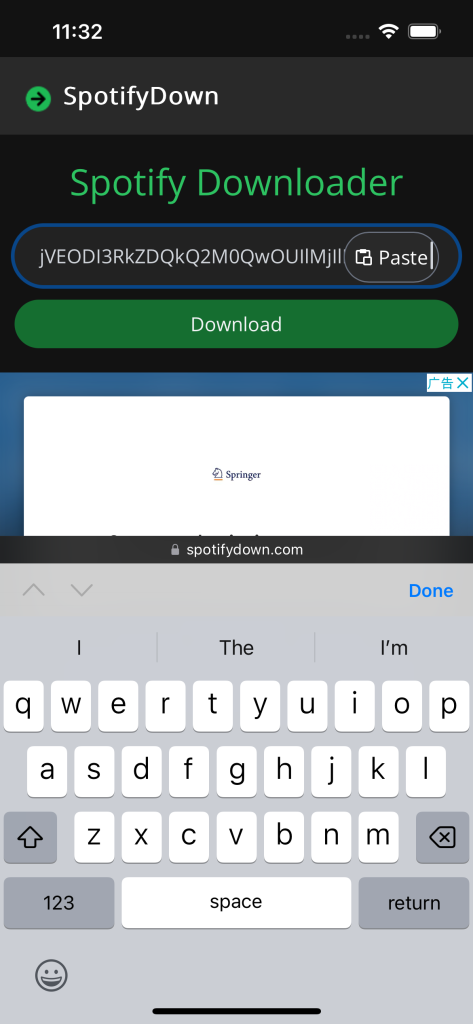


When you download Spotify music on iOS with similar online tools, you can only download songs one by one, which is very inconvenient and time-consuming. The best alternative is to download Spotify tracks as MP3s on Mac/Windows with Pazu Spotify Converter, then sync the songs to your iOS device to listen to Spotify offline.
You can listen to Spotify on TV via the native Spotify app or using streaming players and gaming consoles. However, the Spotify apps on these TV devices don’t support offline listening. If your TV is not connected to the internet and you want to listen to Spotify offline, the best workaround is to download Spotify to MP3 on Mac/Windows with Pazu Spotify Converter, then transfer the songs to a USB drive for playing on TV.

Download and convert any Spotify songs, albums, playlists to MP3/M4A etc.