

Spotify offers immediate access to an extensive library of songs, ranging from classics to recent releases, and even provides a Free plan that lets you stream music online without any cost. However, there might be times when you wish to download your favorite Spotify songs to your computer for offline enjoyment. The challenge arises when you realize that downloading songs from Spotify isn’t straightforward.
Downloading music for offline playback is exclusive to Spotify Premium users. Free users are limited to streaming music online. Is there an alternative method to download Spotify music for offline listening, apart from upgrading to a Premium plan? Certainly, if you are a Spotify Free user who wants to save music offline, read on to discover an alternative approach to achieve this.
Contents:
What can you download with Spotify Premium?
Steps to download Spotify albums/playlists to a computer:
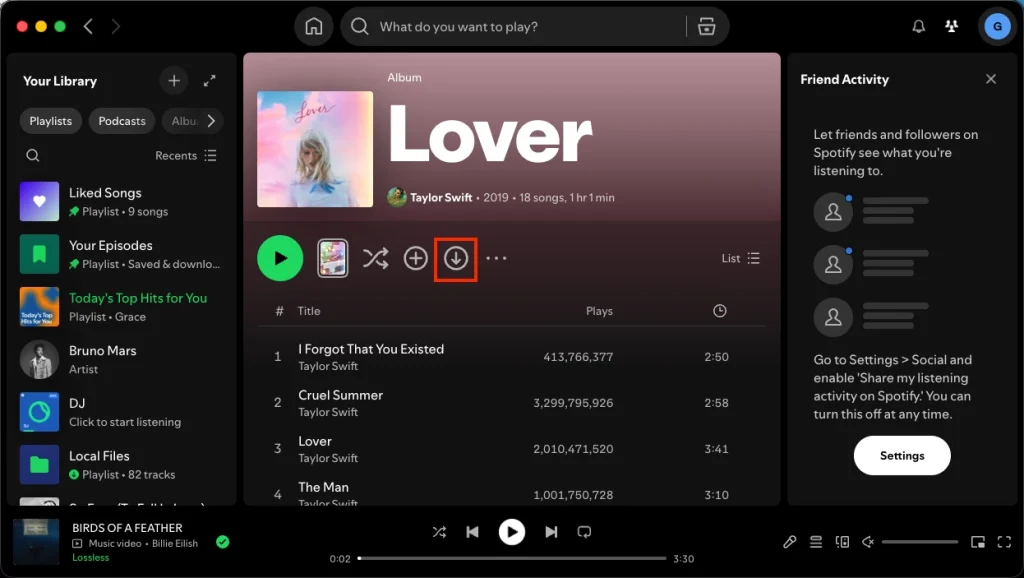
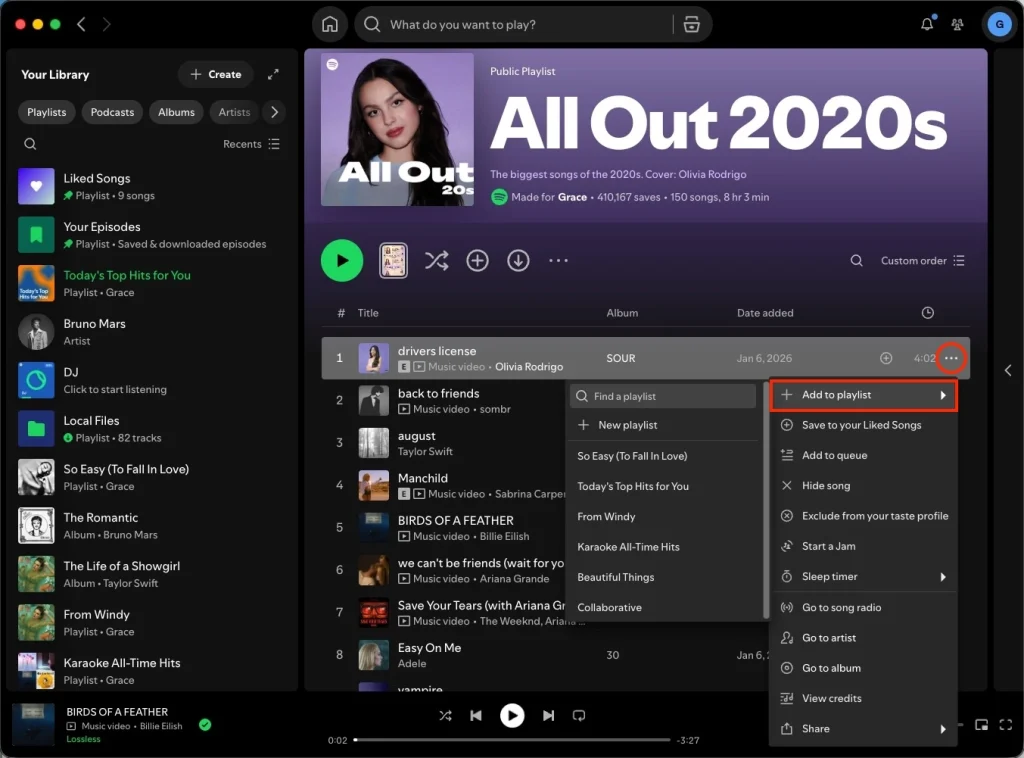
A playlist may contain more than 100 songs, sometimes you may not want to download all of them. To download songs you like from a playlist or album, click the 3-dots icon to the right of the songs you want to download and add them to a new playlist, then download the playlist as above steps.
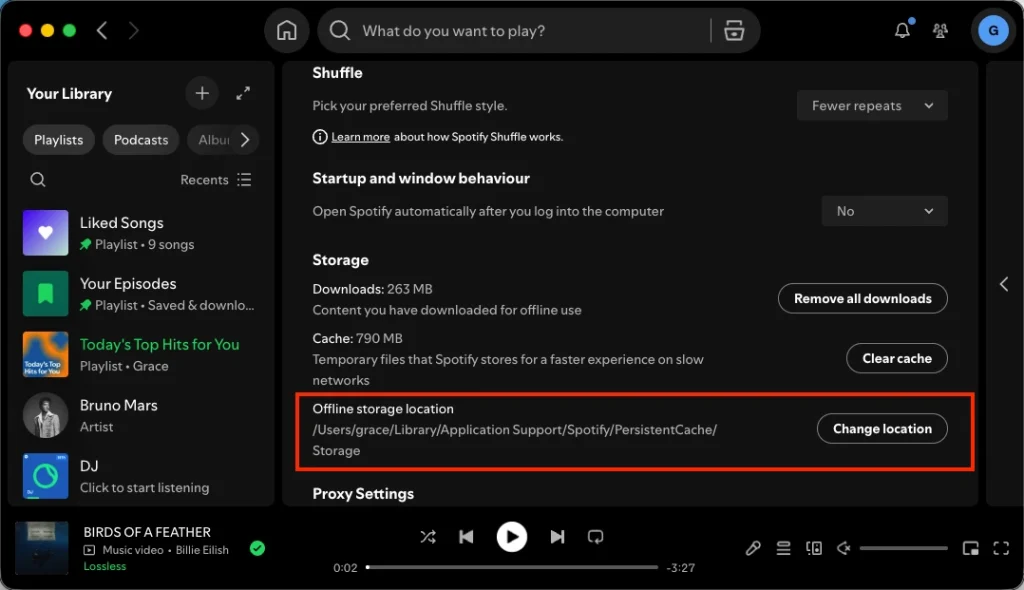
To access your downloaded Spotify songs/albums/playlists on your computer, go to Settings > Offline storage location. From there, you can see the location of your downloaded songs. Also you can change the location.
However, when you open the location folder, you won’t find playable audio files. This is because Spotify songs are DRM protected, the downloaded songs can only be detected and played by Spotify app. You can’t transfer them anywhere or play them with any other music app.
Pazu Spotify Converter is a professional Spotify music downloader for you to download Spotify songs, albums, playlists, and podcasts to common formats, including MP3, M4A, AAC, FLAC, WAV, and AIFF, with the 100% original quality kept. After downloading, all ID3 Tags and metadata, including title, artwork, artist, album, and track number, will be preserved. To learn how to download Spotify to MP3 to computer with free account, here is a quick and short tutorial that you need to follow.
Key features of Pazu Spotify Converter:
Download, install and run Pazu Spotify Converter on your Mac or Windows. Log in to your Spotify account with the built-in web player.

Click the ” Options ” button in the top right corner. Here you can select output format (MP3/M4A/AAC/FLAC/WAV/AIFF), output quality, customize the output path, organize the output files in various ways, rename output files and more.

Select the songs, album or playlist you want to download. Click the Add songs button and Spotify Converter will detect and display all songs. Uncheck the songs you don’t want to download if there are any.
You can click “Show All” icon to toggle “Hide Converted” on in case some songs have been downloaded before.
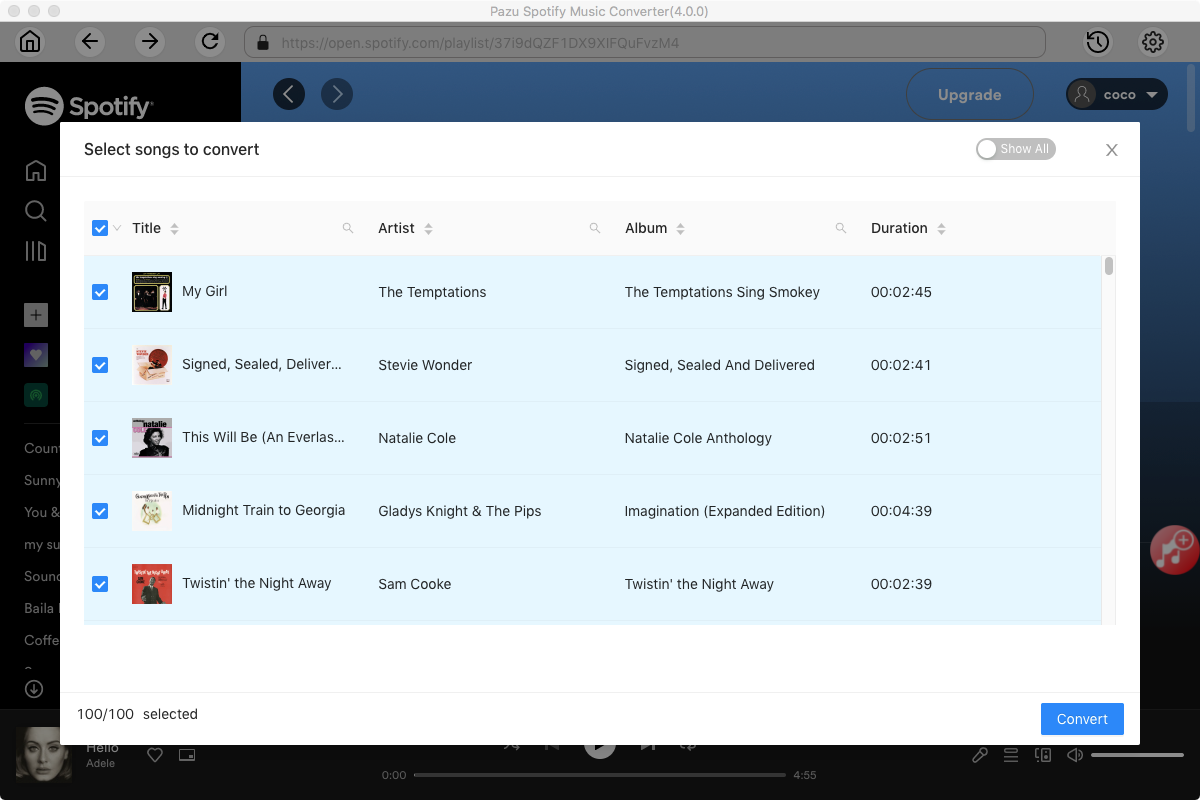
Click Convert button to start downloading the Spotify songs to your local computer.

Related articles

Download and convert any Spotify songs, albums, playlists to MP3/M4A etc.