

Besides a large catalog of music and podcasts, Spotify also offers a vast collection of audiobooks across a range of genres in certain countries. Whatever your preference, you are sure to find an audiobook that interests you. In this guide, we’ll cover how you can access audiobooks, including free ones on Spotify, and download them for offline listening.
Spotify audiobooks are not available in each market. Actually, they are only available in 22 countries as of 2026, including:
If your Spotify is in a country or region where audiobooks are available, you can directly access them by clicking the “Audiobooks” button on the Home page. Here you’ll find the recommended audiobooks for you.
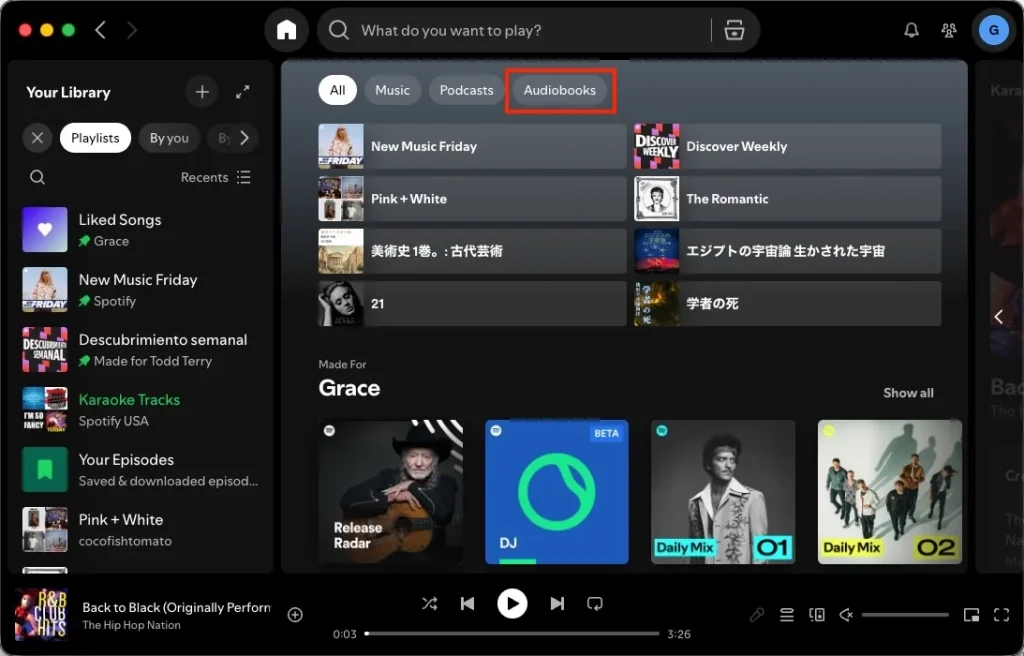
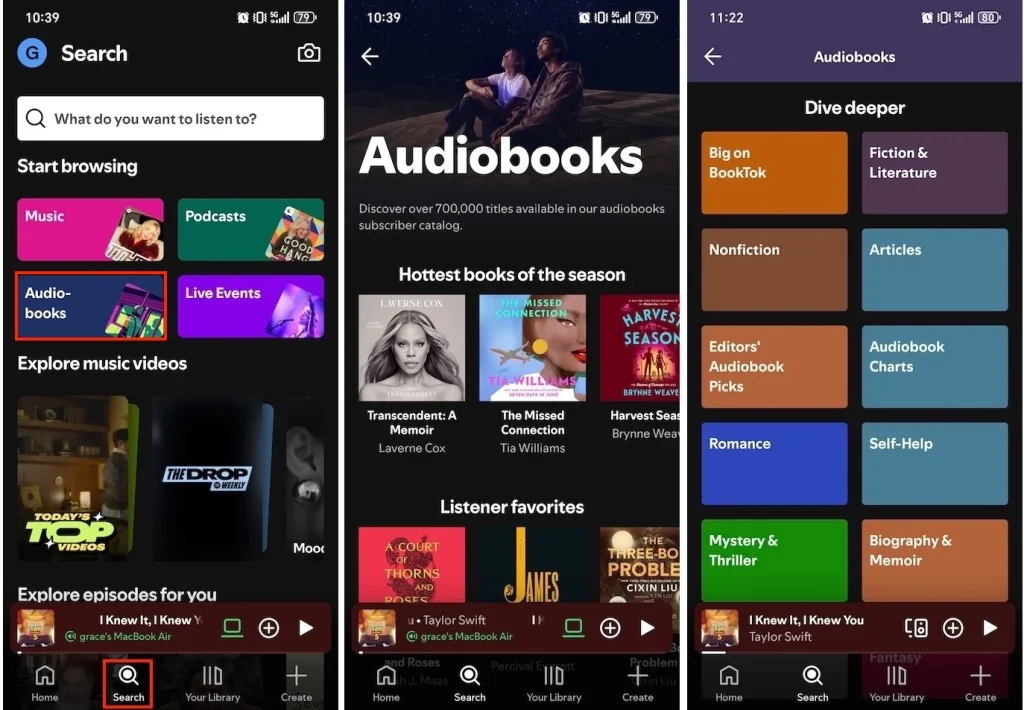
Alternatively, you can also go to the Search (mobile) or Browse (desktop) and select the “Audiobooks” category. Here you can explore more by genre.
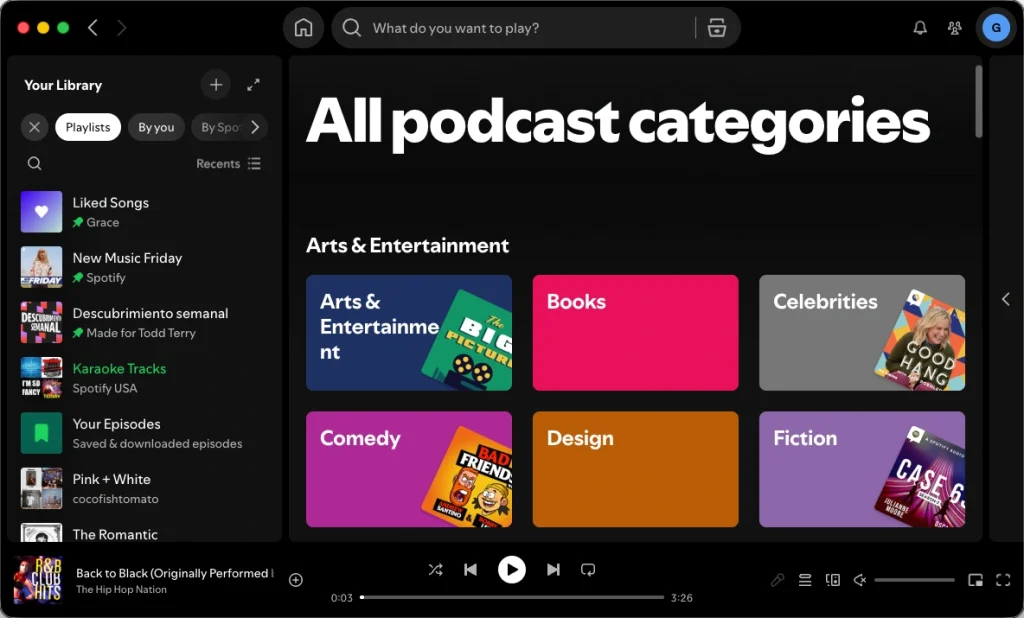
Some audiobooks are marked as podcasts. Click the Books button on the podcast page, and you will find more books:
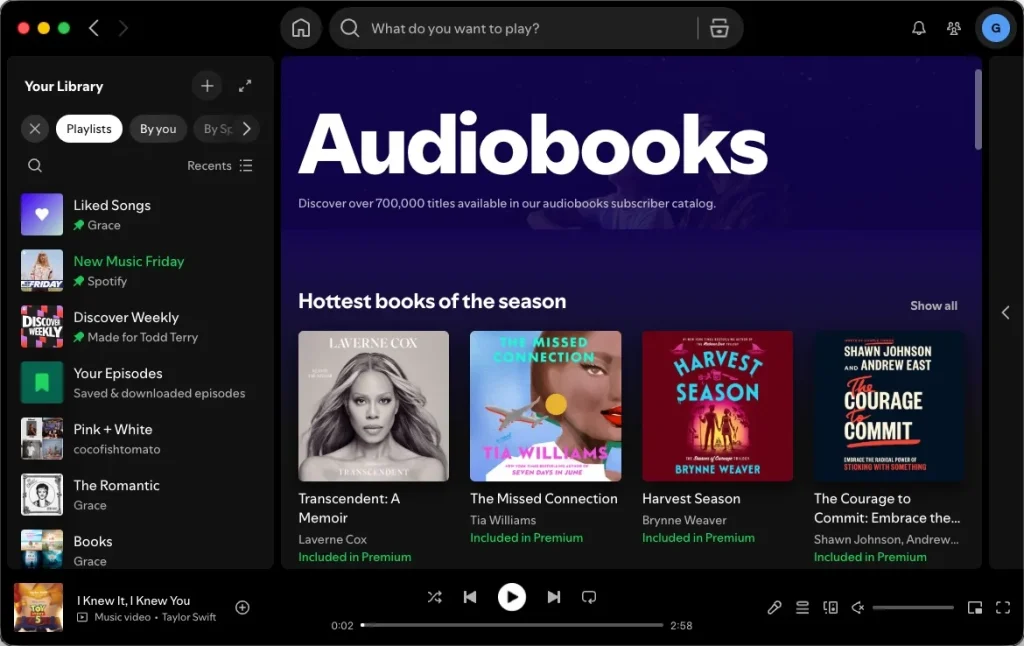
Spotify Premium members can enjoy 12-15 hours of free audiobook listening each month (depending on the country you are in). This benefit is only available to the plan manager. You can see “Included in Premium” labels for available titles.
In addition, we have compiled a list of the best free audiobooks available on Spotify. These are available for free for both free and Premium users.

Spotify audiobooks are available to both Spotify Premium and free users. However, only Premium users can download them for offline playback. To download audiobooks on Spotify without Premium, all you need is Pazu Spotify Converter.
Pazu Spotify Converter is designed for Spotify users to download music, podcasts, and audiobooks to common formats with either a free or premium account on Mac/Windows. Pazu Spotify Music Converter allows you to convert Spotify songs to the most popular audio formats, such as MP3, M4A, WAV, FLAC, AAC, and AIFF. With the adoption of advanced encryption technology, it’s able to keep all the converted audio files with 100% lossless audio quality and the original ID3 tags and metadata information. For more details, you can check them below.
Key features of Pazu Spotify Converter:
Download, install and run Pazu Spotify Converter on your Mac or Windows. Log in your Spotify account with the built-in web player.

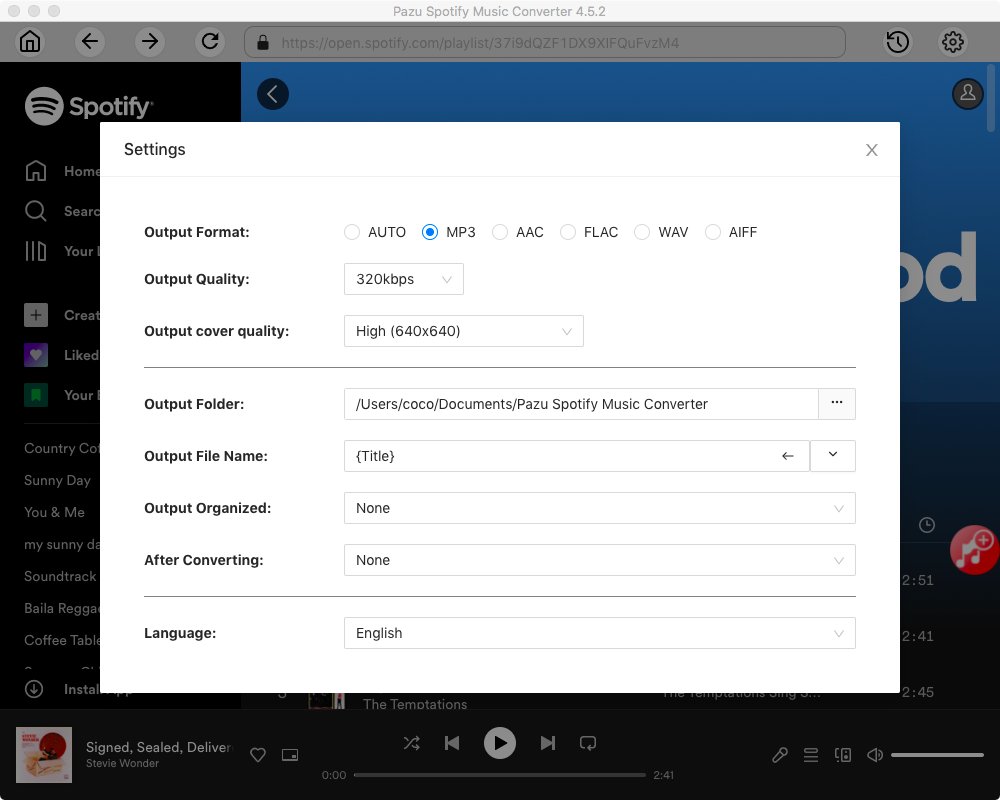
Click the gear icon in the top right corner to open the Settings window. Here you can choose:
Select the songs, album or playlist you want to convert to MP3. Spotify Converter will detect and select all songs in the playlist or album by default. Uncheck the songs you don’t want to download if there are any. Click “Show All” icon to toggle “Hide Converted” on in case some songs have been downloaded before.
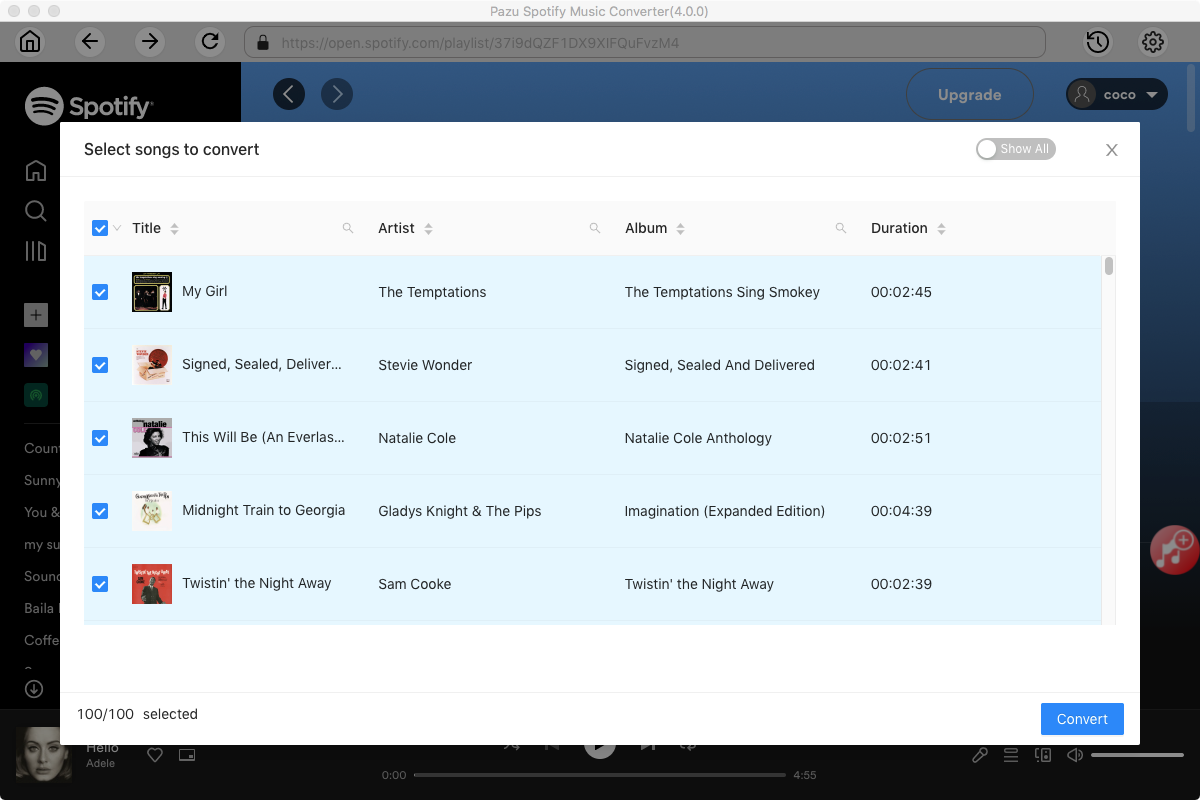
Click the Convert button to download Spotify songs to MP3.

Once the conversion is done, click the folder icon to find the downloaded MP3 songs. You can then play them with any supported device or player.
Note: The free trial version of Pazu Spotify Converter enables you to convert the first three minutes of each song. You can remove the trial limitation by purchasing the full version.

Download and convert any Spotify songs, albums, playlists to MP3/M4A etc.