

Yes, Spotify does offer free audiobooks, but how you access them depends on your account tier.
While Premium subscribers get 15 hours of monthly audiobook listening included in their subscription at no extra charge, ad-supported users are restricted to a small catalog of free audiobooks (mainly public-domain classics) or must buy books individually on a pay-per-book basis.
In this guide, we’ll break down exactly how to find these free titles, how to track your Premium listening hours, and how to download books to listen offline on any device.
* Please note that the Spotify Audiobooks feature is currently available in 22 countries.
Related: Free and Paid Ways to Get Spotify Audiobooks
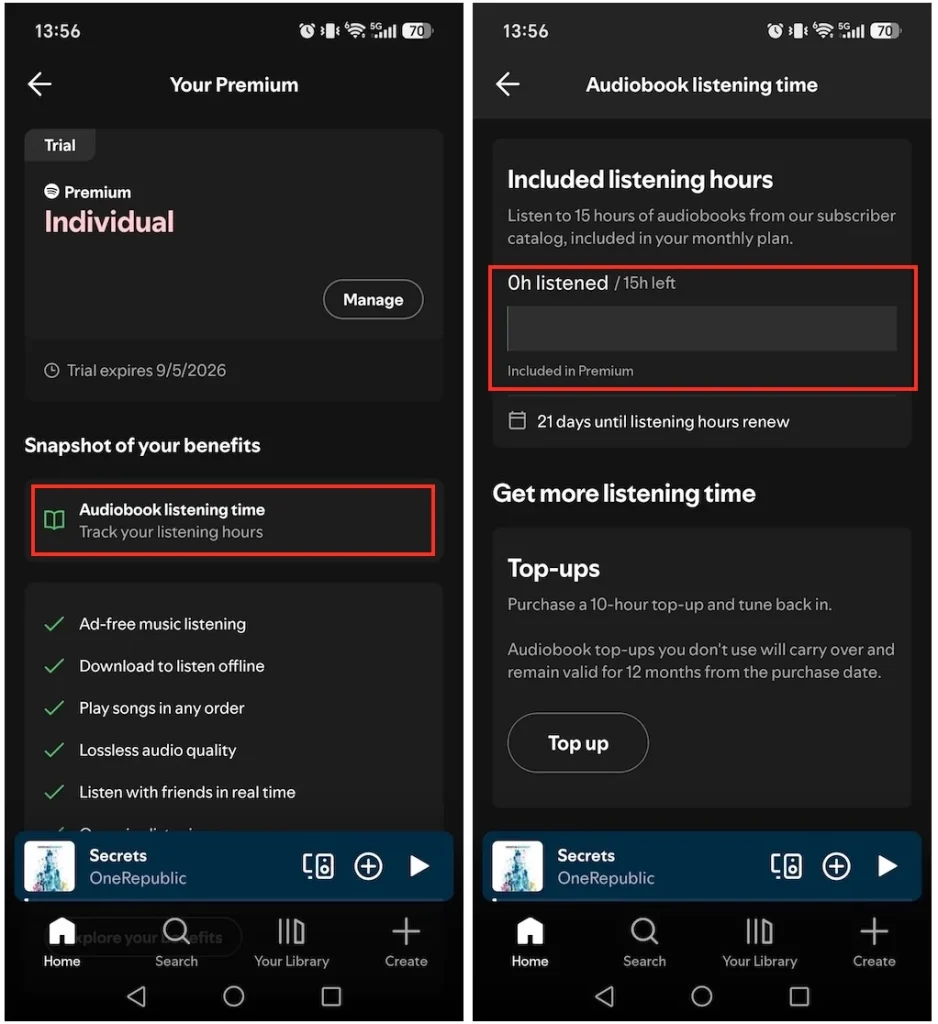
When subscribing to a Spotify Premium Individual, Duo, or Family plan, the account holder can enjoy 12-15 hours of free audiobook listening each month, depending on the account’s country (e.g., 12 hours in Germany and 15 hours in the U.S.). However, please note that unused listening hours expire at the end of each month and do not carry over.
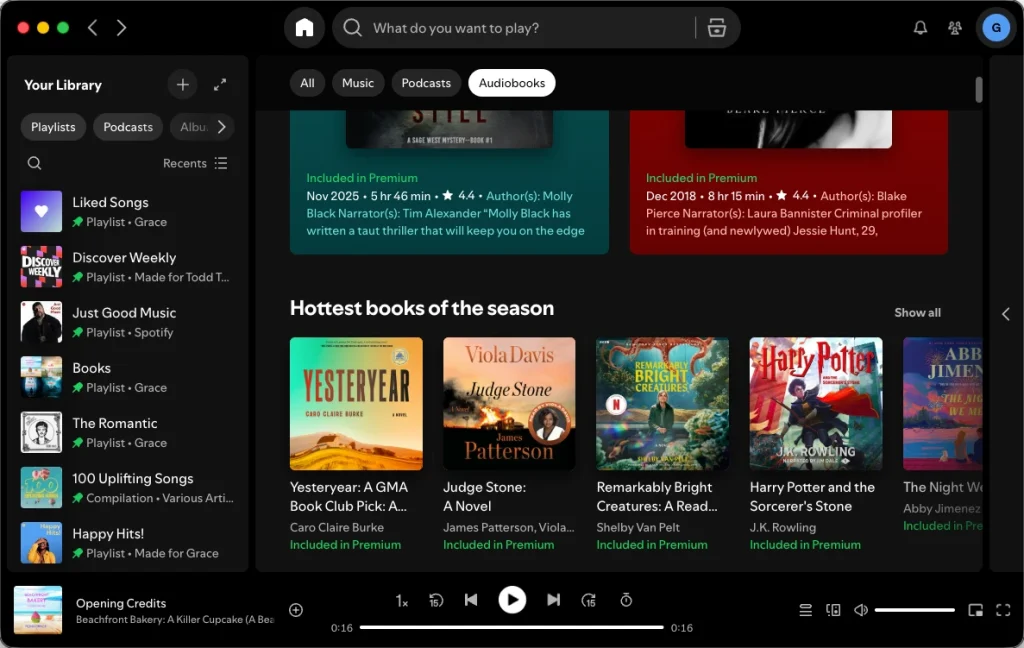
To enjoy this benefit, just click the audiobooks tag on the Spotify Home or Search page and find titles marked as “Included in Premium.”
To track how many hours you’ve used for audiobook listening, follow these steps:
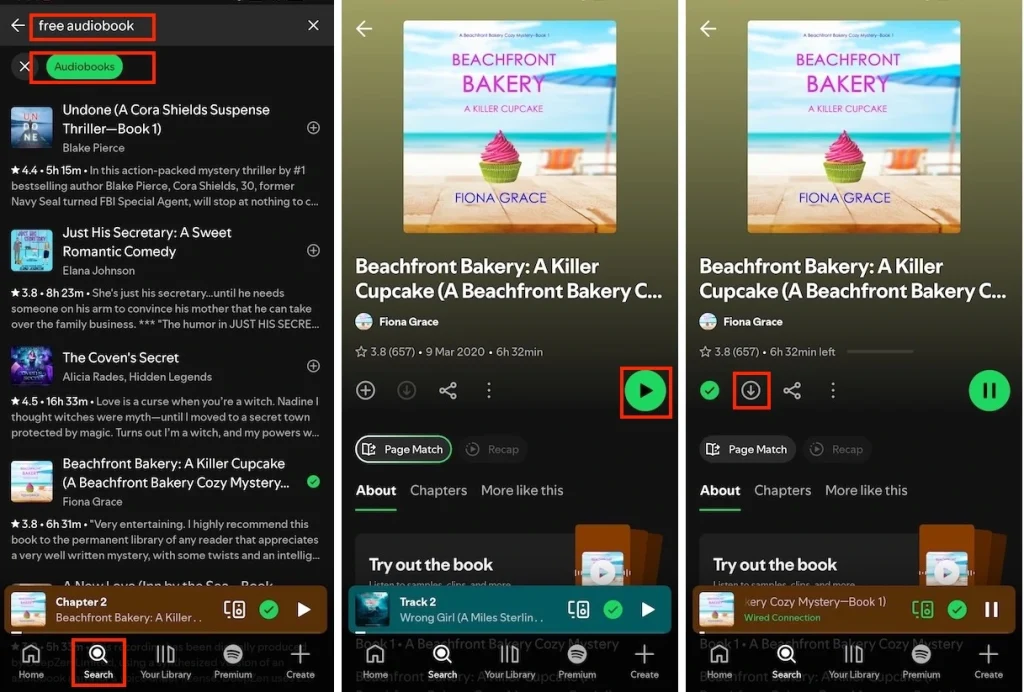
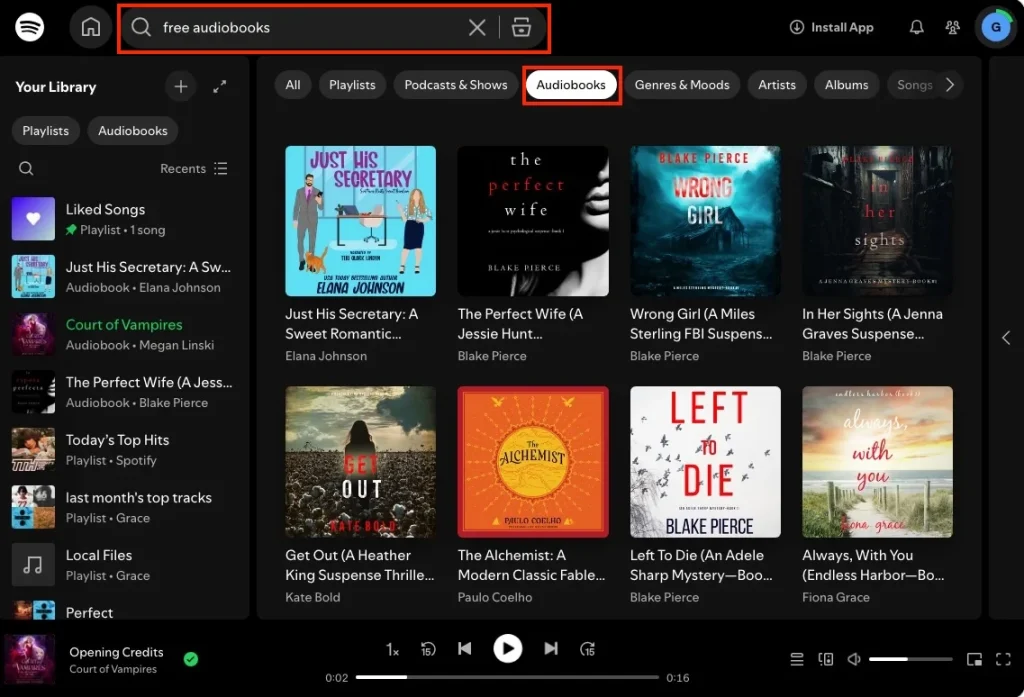
Though not an extensive collection, Spotify does offer free audiobook titles, including its originals based on classic literature. You can access and listen to free audiobooks in the mobile and desktop apps, as well as on the web player. To find free Spotify audiobooks on desktop and mobile, follow the steps below.
Some classic literature audiobooks may not show in the results. Just enter the book name and check whether there’s a free version (like Frankenstein narrated by David Dobrik or Jane Eyre read by Sarah Coombs).
On Mobile
On Desktop
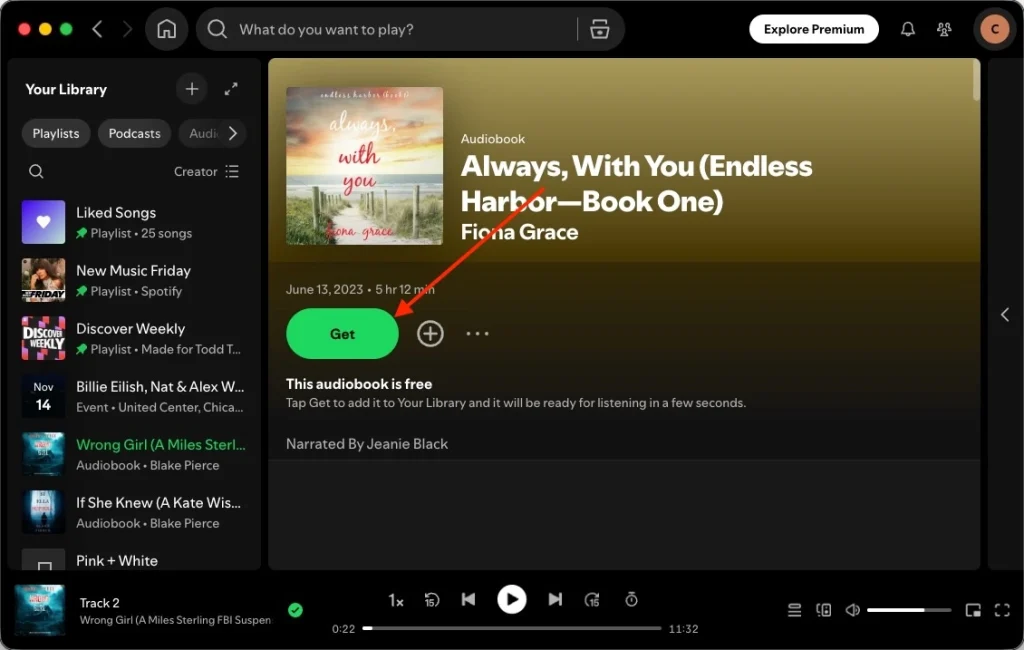
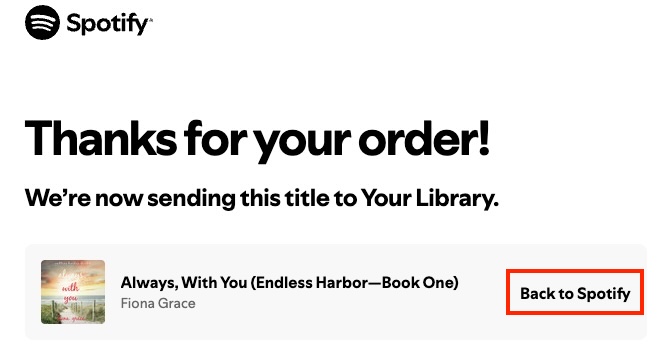
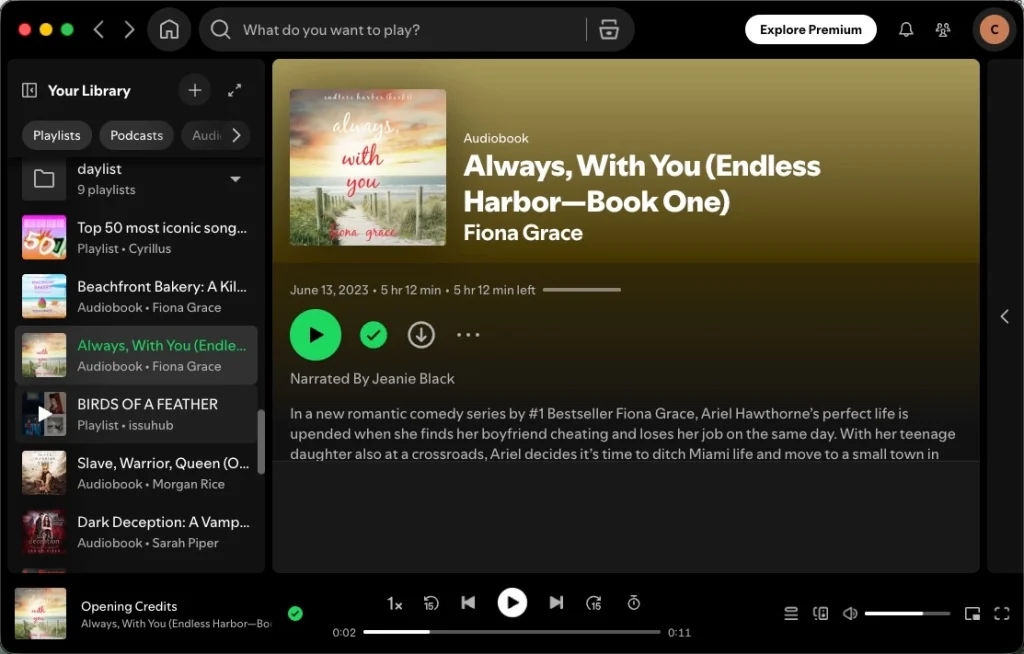
Unlike Spotify music, which only Premium subscribers can download for offline listening, Free users can also download purchased audiobooks, including free ones they’ve already gotten. However, with either a free or premium account, you can only download the entire audiobook, and you cannot download individual chapters. In addition, downloaded books can only be played within the Spotify app.
If you want to download individual audiobook chapters or play the downloaded books with other apps or devices, use Pazu Spotify Converter. With this smart tool, both Spotify Free and Premium users can download Spotify songs, playlists, albums, podcasts, and audiobooks for offline listening. You can choose to download music and audiobooks to MP3, M4A, AIFF, WAV, FLAC, and AAC. Pazu Spotify Music Converter helps you easily enjoy Spotify Premium features with a free account forever.
Key features of Pazu Spotify Converter:
Now, let’s learn how to use Pazu Spotify Music Converter to download Spotify audiobooks to MP3. You can use the same steps to download Spotify music and podcasts.
Download, install, and run Pazu Spotify Converter on your Mac or Windows. Log in to your Spotify account with the built-in web player.

Click the gear icon in the top right corner. Here you can select the output format (AUTO (M4A)/MP3/AAC/FLAC/WAV/AIFF), choose the output audio quality, customize the output path, organize the output files in various ways, rename the output files, and more.

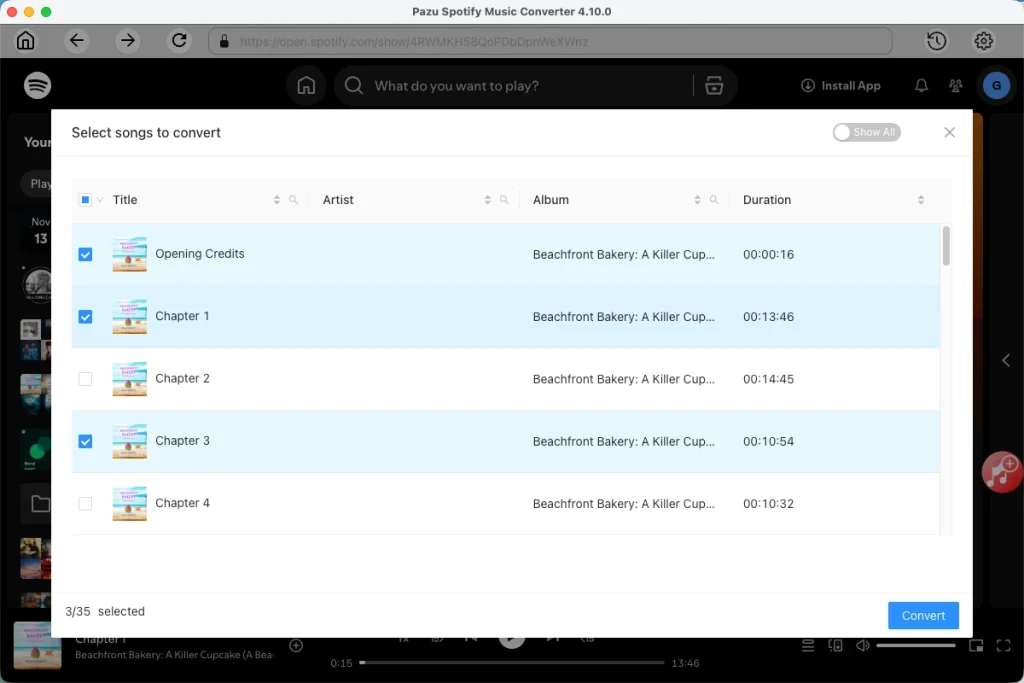
Use the integrated Spotify web player to search for the audiobook you want to download. Click the Add to list button to load all chapters, and uncheck those you don’t want to download.
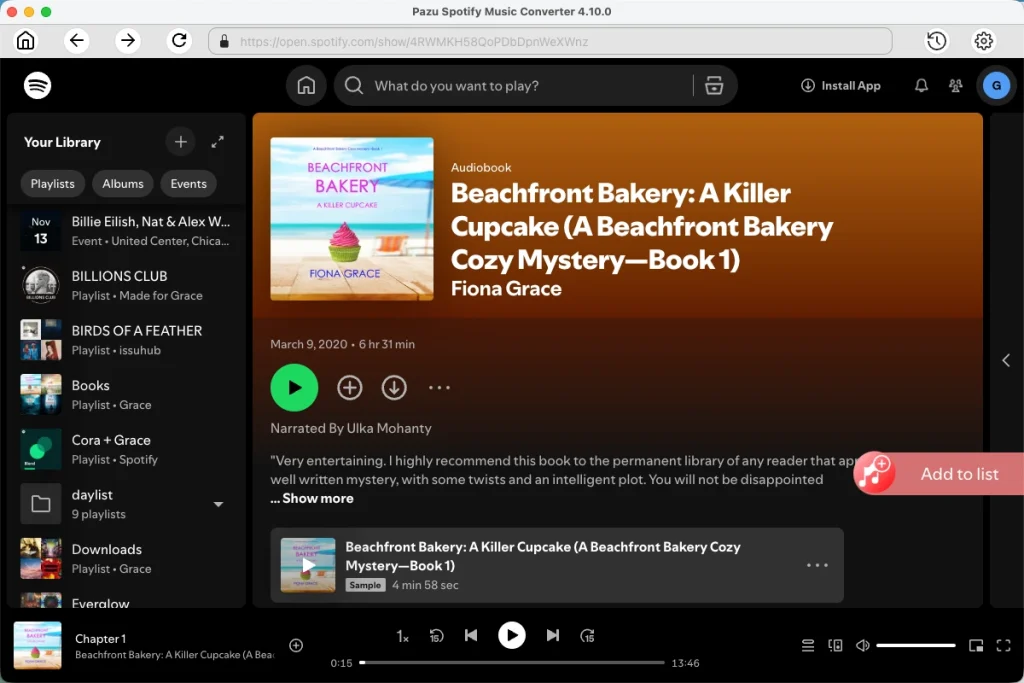
Click the Convert button to start downloading the audiobooks to your local computer.
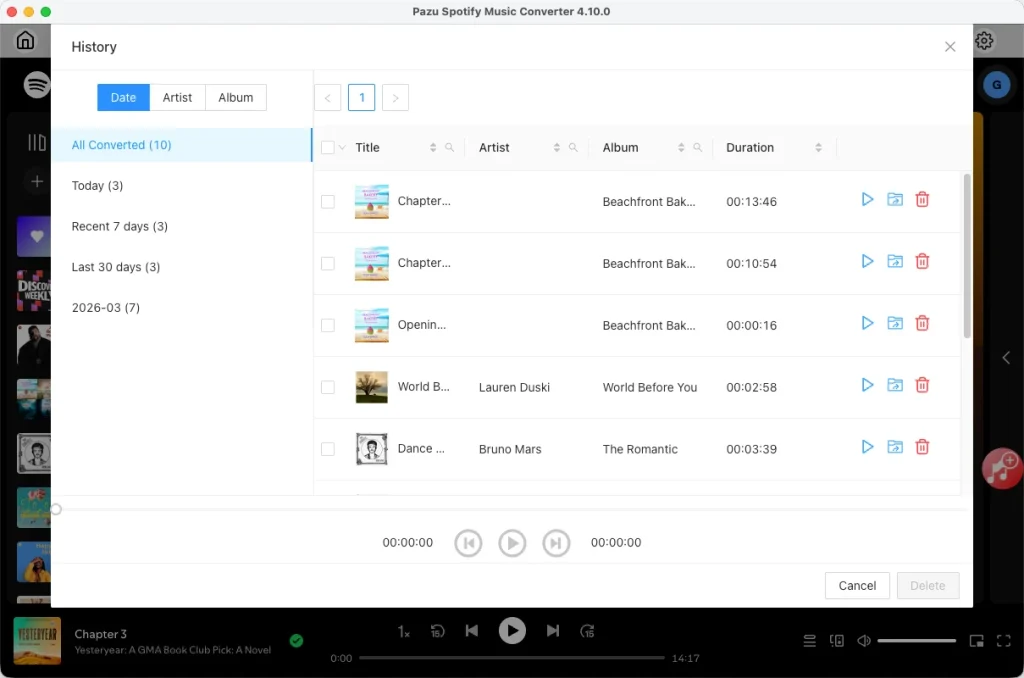
Once done, find the downloaded audiobooks as local files by clicking the folder button or directly going to the output folder you customized in the previous step.
Note: The free trial version of Pazu Spotify Converter enables you to convert the first three minutes of each song. You can remove the trial limitation by purchasing the full version.
Download and convert any Spotify songs, albums, playlists to MP3/M4A etc.