

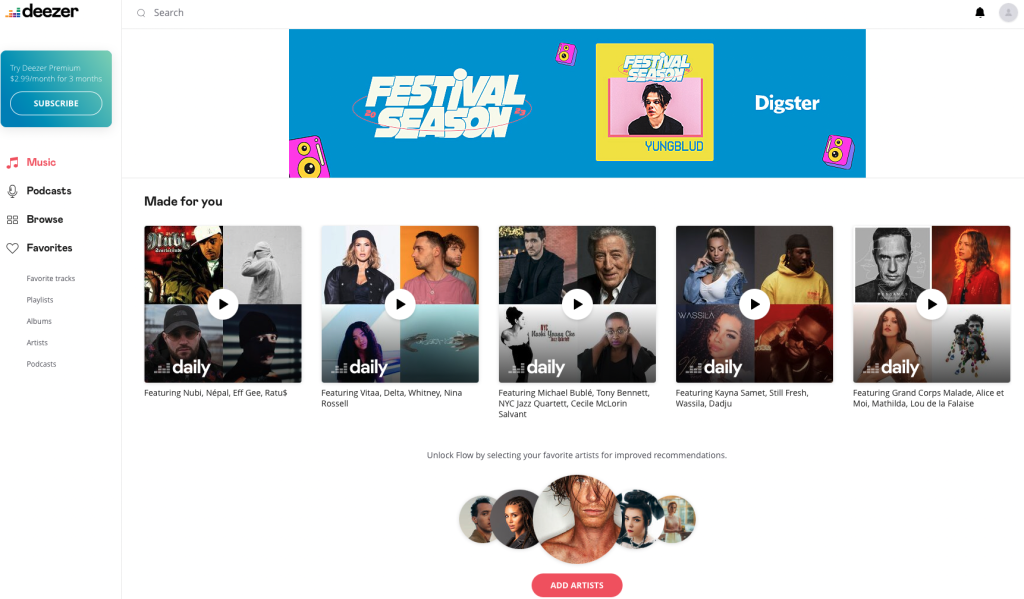
Deezer Premium offers a convenient feature that allows users to download songs for offline listening. However, the downloaded files are restricted to the Deezer app. They cannot be saved directly to your device or transferred elsewhere. While this limitation might be frustrating, there are alternative methods to overcome it and enjoy your downloaded Deezer music on other devices and platforms.
Update: As of 2026, most online Deezer downloaders are currently offline or non-functional. For a 100% working way to save Deezer tracks as MP3s, please use the verified tools listed below.
Soundloaders Deezer Downloader (soundloaders.com/deezer-downloader) is a free online tool to convert not only Deezer music but also music from several other platforms such as Spotify, Apple Music, YouTube, etc. It doesn’t require any personal information or account creation to use the service and can convert the song you want into an MP3 file.
The downloader is compatible with both desktop and mobile browsers (Safari only on iOS). When downloading, metadata like artists, cover images, and release dates will be kept if found.
However, Soundloaders Deezer Downloader doesn’t support downloading Deezer playlists or albums. Sometimes, the download is unable to retrieve the desired song, for which there is no solution currently.
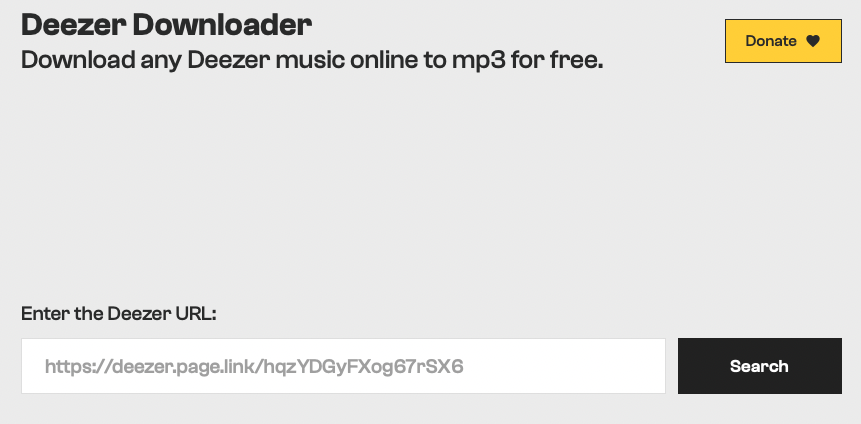
How to use the downloader:
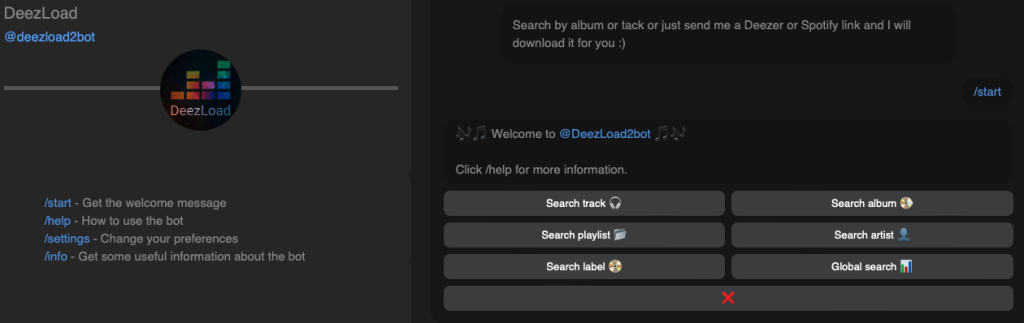
If you are a Telegram user, you may be familiar with Telegram bots. These bots can be very useful for performing various tasks. DeezLoad is one of them, with the specialty of searching and downloading Deezer songs and even full albums for users.
Downloaded Deezer tracks are saved as 320kbps MP3 files. Input “/settings” for higher song quality in FLAC.
You can also use Deezload2bot to download Spotify music by sending Spotify links. But as all the operations are carried out in a conversation mode, sometimes it is a little complicated to position the information you want, and you may need to scroll up and down frequently or repetitively input commands to search and download. If @Deezload2bot is unresponsive, try other Telegram-based Deezer downloaders, such as @MusicsHuntersbot and @DeezerMusicBot.
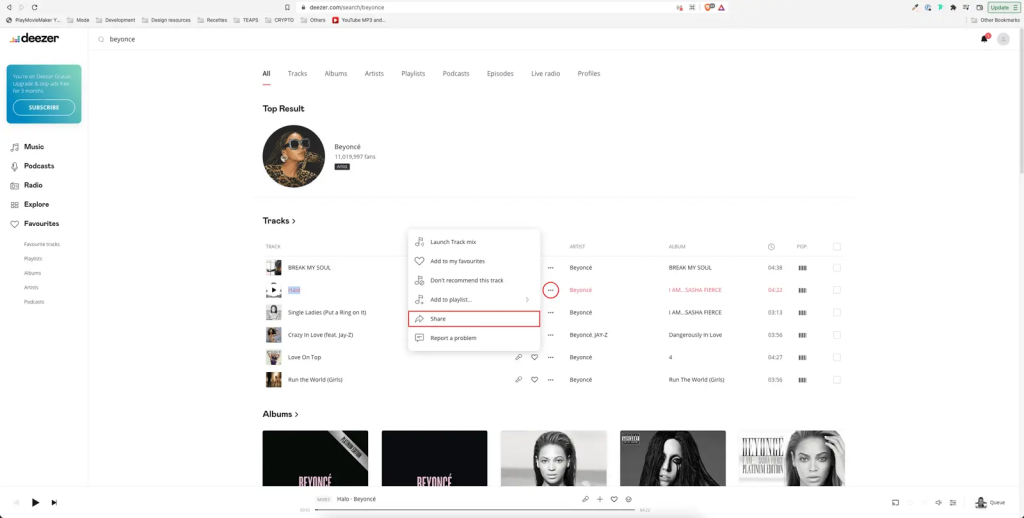
How to use the downloader:
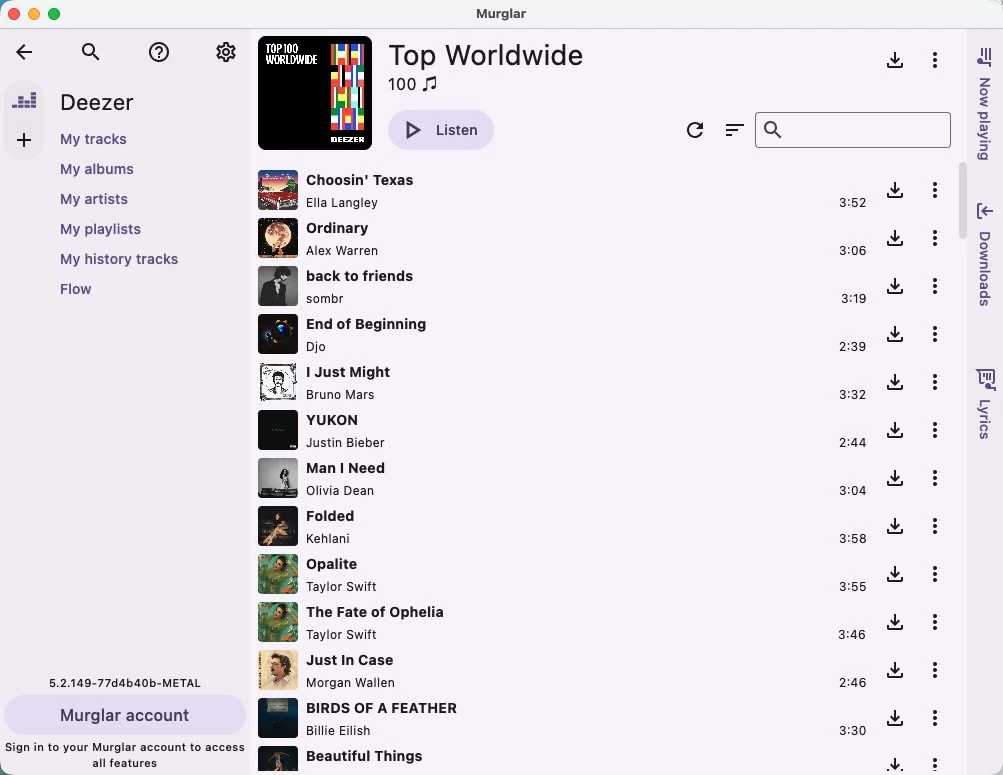
Murglar is a cross-platform downloader available on Android, Windows, Linux, and Mac. You can use it to download music from several platforms, including Deezer, YouTube Music, SoundCloud, and more.
It supports downloading Deezer songs, albums, and playlists to 128 kbps MP3 with a Free Deezer account. However, if you want to download Deezer to 320 kbps MP3 or FLAC, you’ll need a Deezer Premium subscription or a Murglar pass (paid subscription).
When using Murglar, the download failures are quite common. In addition, you may encounter login failures or frequent session timeouts. To solve this, you often need to log in with an ARL cookie, a process that can be complex for those unfamiliar with browser developer tools.
Although the product UI is designed to be simple, it can take some time to figure out the features. While many features are hidden in sub-menus, you may need to familiarize yourself with the buttons and functions again if you use it again in a couple of days.
How to use the downloader:
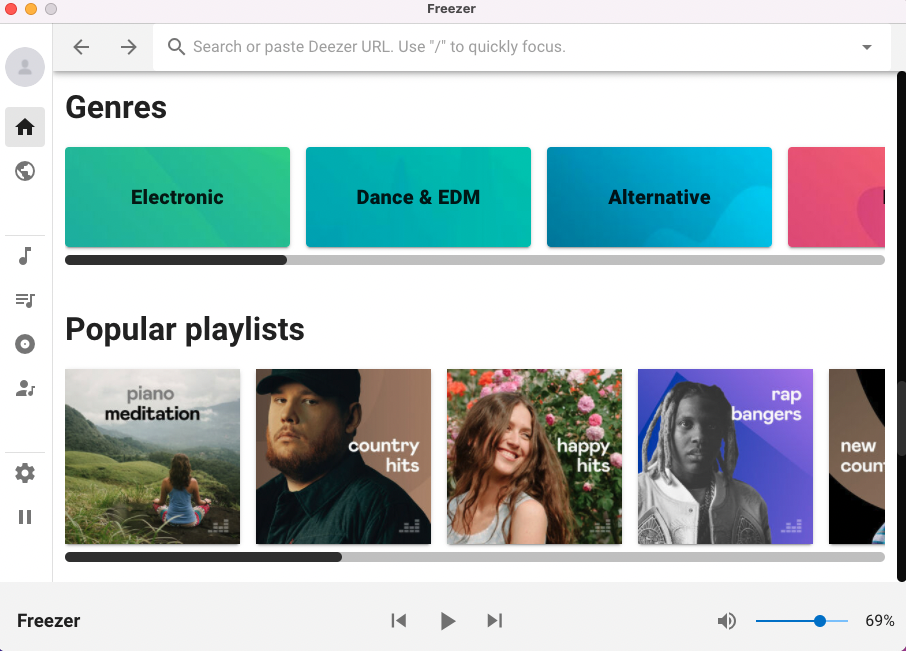
Freezer is a free Deezer downloader supporting Windows, Mac, and Linux. It is an alternative to the discontinued Deezloader. With Freezer, you can stream Deezer music as well as download it in MP3 or FLAC.
The freezer app is easy to install. However, sometimes it runs unstably and needs to be force quitted. In addition, you may need to log in to Deezer repeatedly since the access token expires every 24 hours.
How to use the downloader:
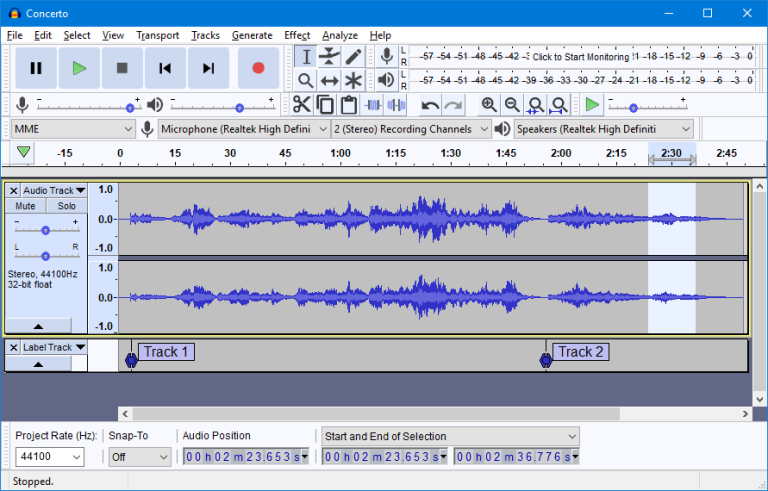
In addition to the online converter or software, the audio recorder is also a good choice to convert Deezer music. Audacity is a free, open-source, and cross-platform audio editor and recorder for Windows, macOS, GNU/Linux, and other operating systems.
It can record streaming Deezer music, but it can also record other sounds from a microphone. Therefore, please make sure there isn’t any noise from your microphone when recording Deezer Music on Audacity.
Recording from Deezer with Audacity is simple, but you may need to set up some devices. On a Mac, for example, you’ll need to install a virtual audio driver such as BlackHole. Also, please note that quality loss may happen when you use Audacity to convert songs.
How to use the recorder:

To unlock the full potential of Deezer music and download Deezer songs as local files to your computer, you will need Pazu Deezer Music Converter. This remarkable software tool offers reliability, efficiency, safety, and user-friendliness all in one package.
Pazu Deezer Music Converter empowers you to effortlessly download and convert Deezer music into various popular audio formats, including M4A, MP3, AAC, FLAC, WAV, and AIFF. With its assistance, you can conveniently transfer your favorite Deezer tracks to any desired device, whether it’s your computer, phone, or MP3 player, for offline playback.
The main features of the Pazu Deezer Music Converter include:
Download, install, and run Pazu Deezer Music Converter. Click the Sign in button and log in to your Deezer account.
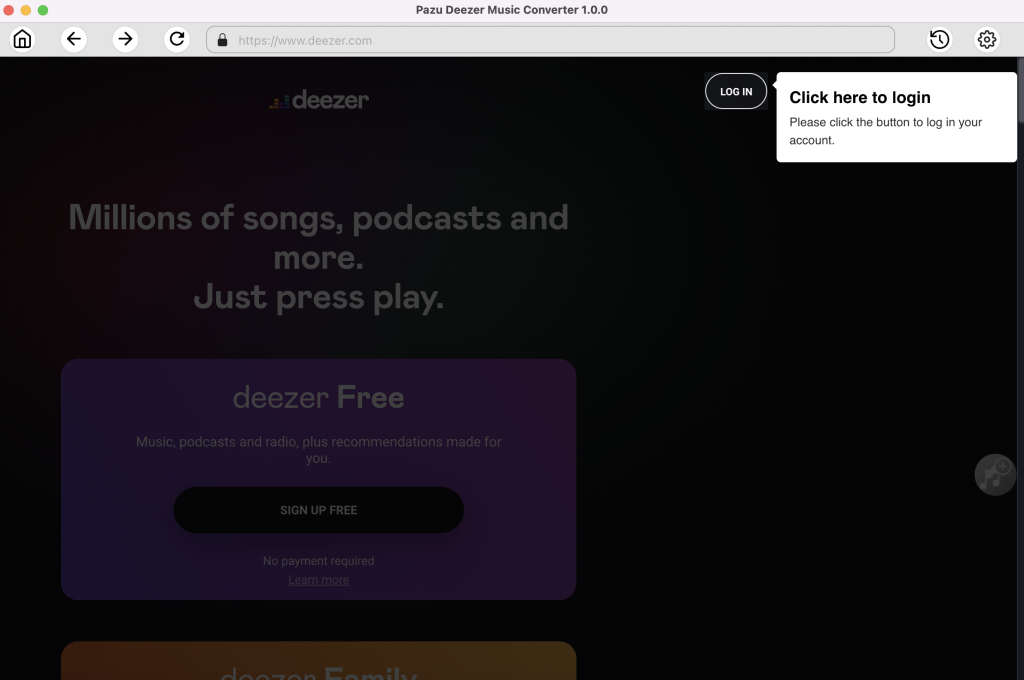
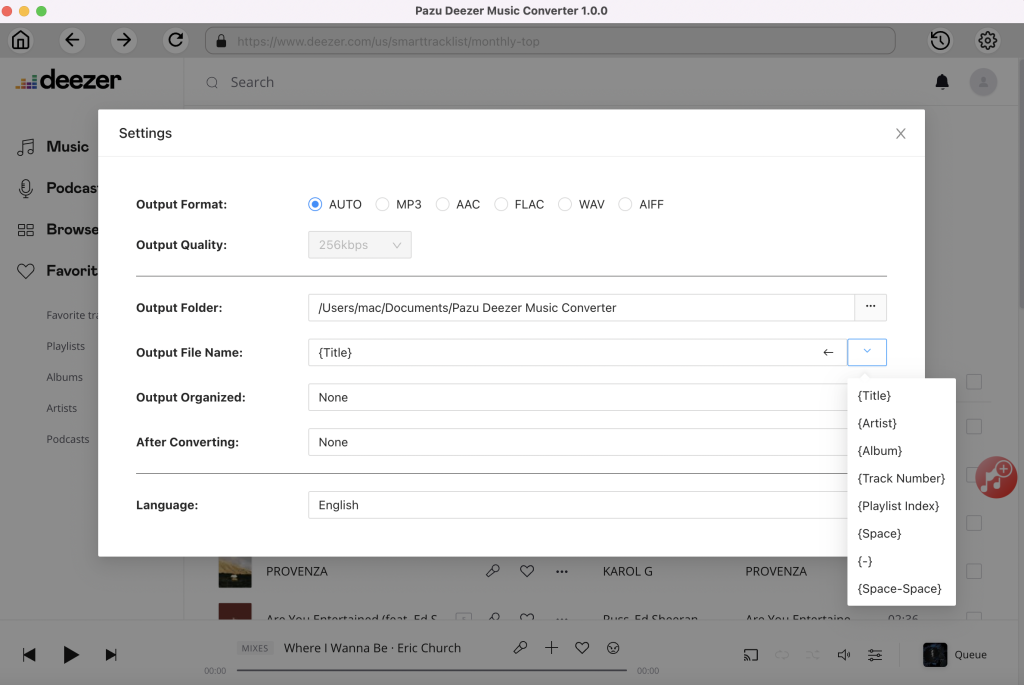
The default output format is lossless M4A. Pazu Deezer Music Converter also supports converting Deezer to MP3, AAC, FLAC, WAV, and AIFF.
Output File Name: Name the songs with any combination of Title, Artist, Album, Playlist Index, and Track Number. For example, if you choose Title and Artist, Taylor Swift’s song Lover will be named Lover Taylor Swift.mp3.
Output Organized: Organize downloaded songs by Artist, Album, Artist/Album or Album/Artist.
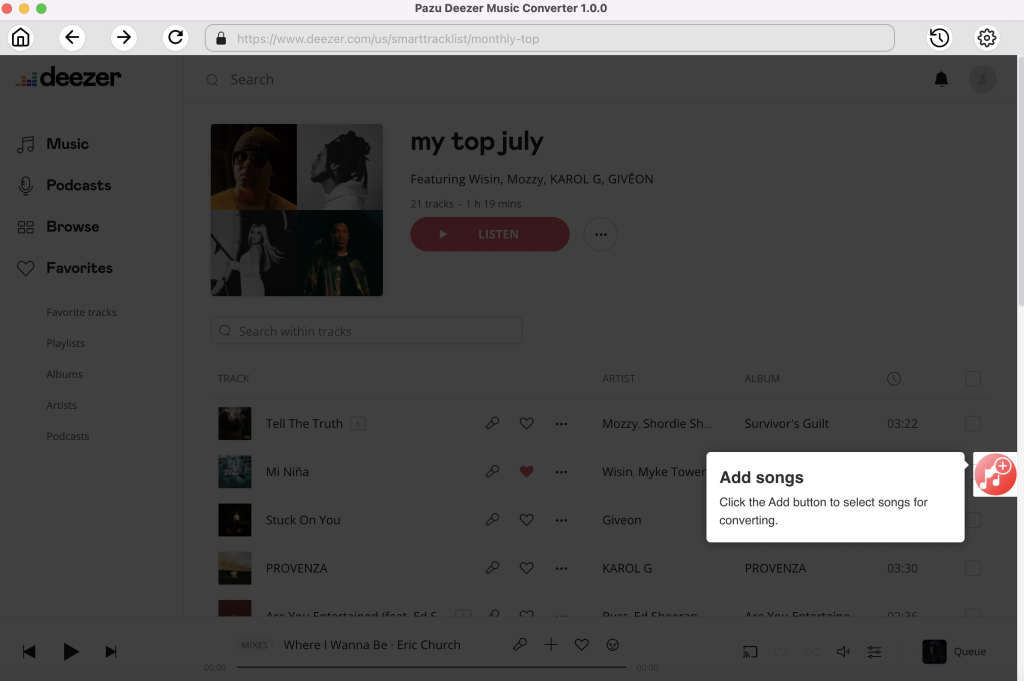
Follow the on-screen instructions to choose the playlist or album you want to convert. Click Add Songs.
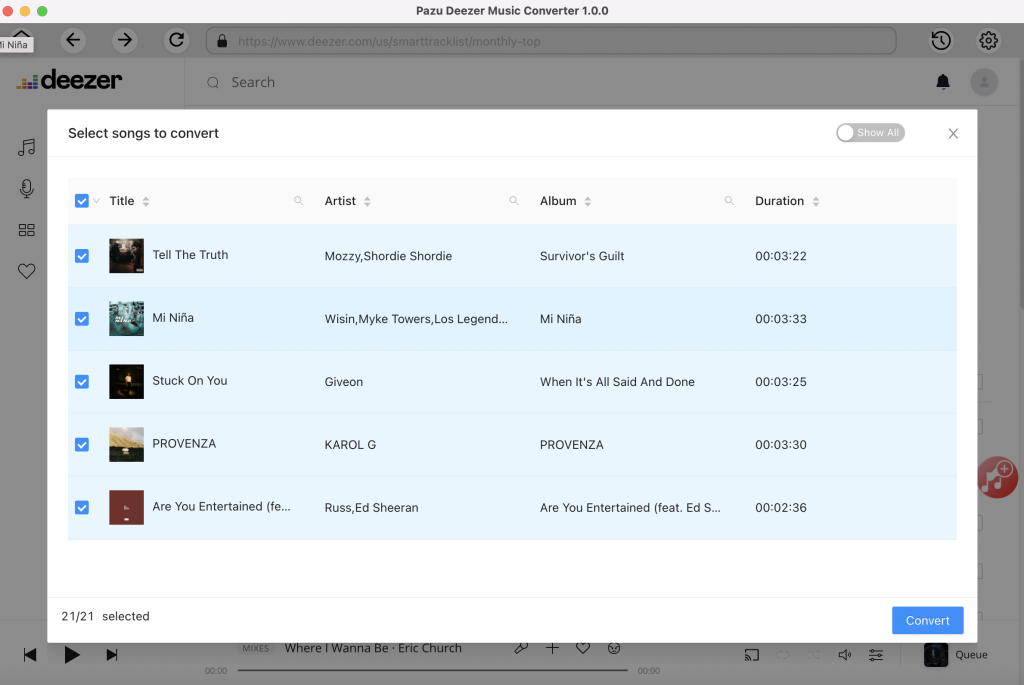
By default, all songs in the playlist/album will be checked. If there are songs you don’t want to convert, please uncheck the box. Then click the Convert button to start downloading songs to the format you choose.

After conversion, click the Folder icon to quickly locate the downloaded songs.

Here is a side-by-side comparison of the Deezer downloaders covered in this guide.
As mentioned, most online Deezer downloaders are currently offline or not working. Similarly, Telegram bots often face service errors or permanent bans. Free Deezer downloaders are usually unstable, and only save music at low quality. Audio recorders offer an alternative, but they require real-time recording, making them time-consuming and inefficient.
If you want a safe, reliable, and high-performance solution that supports batch downloading albums and playlists, we recommend Pazu Deezer Downloader. It stands out as the most consistent and efficient tool for building a music library.
| Downloader | Output Formats | Audio Quality | Batch Download | Stability | Ad-Free | Download Speed | ID3 Tags | Free | Organize Downloads |
| Pazu Deezer Downloader | MP3, M4A, AAC, FLAC, WAV, and AIFF | Hi-Fi quality /320kbps | Yes | 100% working | Yes | 10X | Yes | Free and Paid versions | Yes |
| Free Deezer Downloader | MP3 | 128kbps | Yes | Sign-in issue and download failure | No | 3X | Yes | Free and Paid versions | No |
| Audio Recorder | MP3, WAV, OGG, AIFF, M4A, FLAC | 320kbps | No | Usually work | No | Real-time | No | Yes | No |
| Telegram Bot | MP3, FLAC | 320kbps | Yes | Often fail to work | No | Slow | Yes | Yes | No |
| Online Downloader | MP3 | 128kbps | No | Mostly fail to work | No | Slow | Yes | Yes | No |

Download and convert Deezer songs to MP3, M4A, etc