

Can you convert entire Spotify playlists to MP3? Yes, you can, but not everywhere. Most online free converters and downloaders only give you the option to convert one song at a time. Now, imagine you want to download a playlist with dozens of songs. How annoying to convert all those songs, one by one! We know it’s even discouraging. But don’t despair! We know that Spotify converters are here to make you save time, not the opposite. For such reason, here we will introduce you several Spotify playlist to MP3 converter that allow you to convert Spotify playlists to MP3, all the songs at once.
Contents
Pazu Spotify Converter is a professional Spotify Playlist Downloader that allows you to convert Spotify songs, playlists, or albums to MP3 at up to 10X faster speed. With the built-in Spotify web player, you can easily download single songs or whole playlist/album to MP3 music directly from Spotify. This means that you are able to, for example, listen to Spotify music with your MP3 player and preserve the songs even after cancelling Spotify subscription. Besides, Pazu Spotify to MP3 Converter is also well-known for its lossless quality. The MP3 files are encoded at a top-quality bitrate of 320 Kbps.
Pros:
Download, install and launch Pazu Spotify Playlist Converter on your Mac or Windows. Log in Spotify account in the built-in Spotify web player.

The default output format is M4A. Pazu Spotify Playlist Converter also supports MP3, AAC, FLAC, WAV, and AIFF. Click the gear icon on the top right corner to change output format or output quality. You can also change output folder and following:

Browse or search playlists you want to download from the built-in Spotify web player.
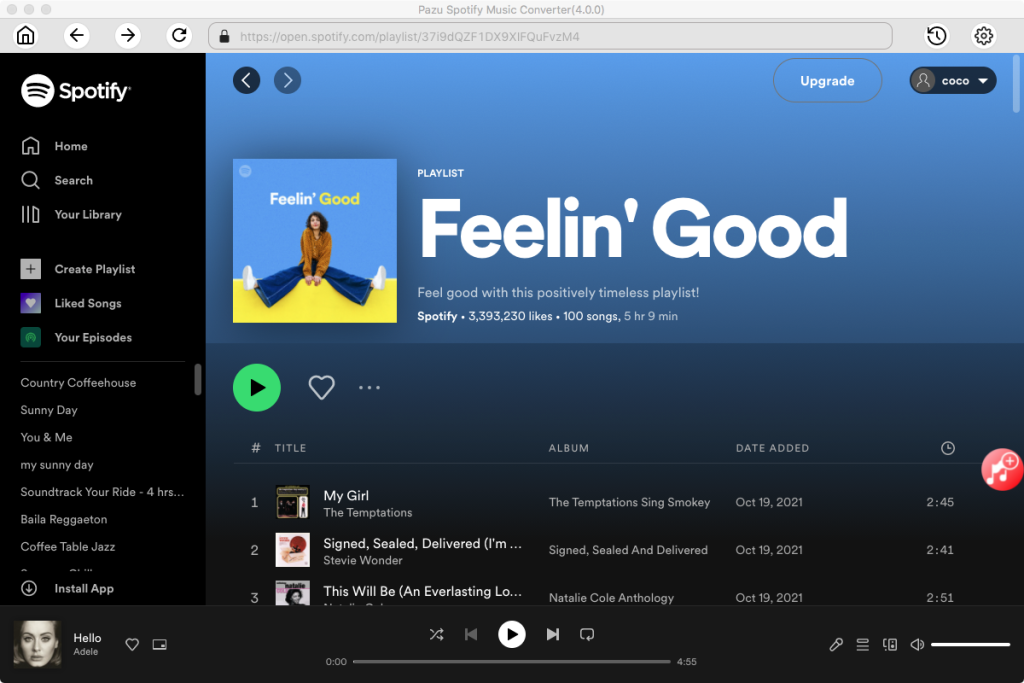
Click the Add to list button to load all songs in the playlist, uncheck the songs you don’t want to download if there are any. Click “Show All” to toggle “Hide Converted” in case you have converted some songs in the past. Songs you have converted in the past will disappear in the list.

Click Convert button to start downloading Spotify playlists to MP3 for offline playback on any device.

Note that these online Spotify downloader tools don’t get tracks directly from Spotify. They just try to find the requested track by artist+title on some public services like YouTube and actually downloads from there.
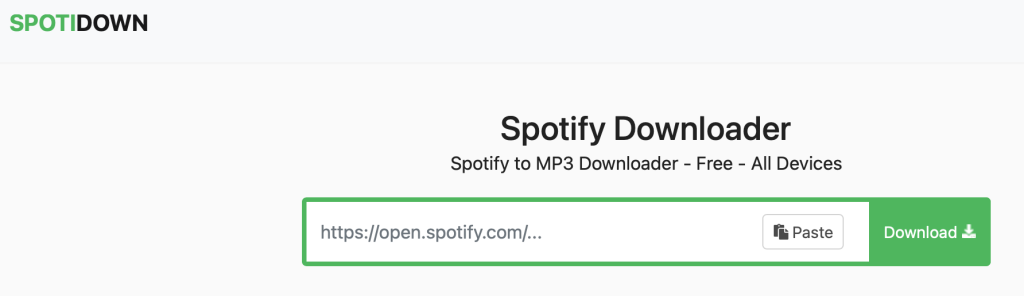
spotidownloader.com is a simple online Spotify Song Downloader. SpotifyDown allows you to download tracks, playlists and albums from Spotify instantly. There is a one-click button to download a whole playlist in a zip file.
How to use SpotifyDown?
Here’s a simple tutorial how to use SpotifyDown:
1. Open your Spotify App
2. Find the song/album/playlist you’d like to download
3. Click on the “3 dots” button.
4. Click “Share” and then “Copy Link” button
5. Open https://spotidownloader.com/, paste above copied link and press “Download”
6. Click “Download Zip” button to download the whole playlist.

Pros:
Free
Cons:
Song title is changed.
Can’t download full playlist.
Related: Top 20 Spotify Playlists in 2024
spotdownloader.com is a simple web tool that allows you to download songs, albums and playlists from Spotify. You can download songs by entering a track, album, or playlist link. You can also download the entire album or playlist in ZIP format. It also adds all the metadata like cover image, artists, and release date in the downloaded songs. However, songs are downloaded in 128kbps. Show, Podcast, and Artist page links aren’t supported yet.

Pros: Download a whole playlist or album.
Cons:
Filename is changed.
Only download 128kbps songs.
Contains ads.
Spotidown.app is an online tool for downloading music from Spotify. It converts Spotify songs, albums, and playlists into high-quality MP3 format. SpotiDown is the best choice for downloading Spotify music, requiring no login or personal information.
https://spotisongdownloader.app is also a website that allows you to download Spotify songs, albums and playlists to mp3 in 320Kbps. It is compatible with popular browsers like Google Chrome, Mozilla Firefox, Safari, Opera, and all Chromium-based browsers. You can use it on Mac, Windows, Linux, iOS, and Android with internet connection.
It only downloads the first 2 songs in a playlist for free, to download the whole playlist, you will be directed to get a subscription: $7.99/Month, $15.99/Year or $23.99/Lifetime.

Pros:
Save entire playlist/album to a ZIP – Paid feature.
Download MP3 song from 64 to 320kbps.
Cons:
Click 3 times to download a song.
https://spotisaver.net is a powerful and easy-to-use Spotify to MP3 converter that allows you to download Spotify music in high-quality MP3 format. Simply paste the link to quickly download singles, albums, or playlists. Downloaded files retain complete metadata including album art, artist names, and release dates for easy music library management. This converter is for personal use only and currently does not support links to shows, podcasts, or artist pages.
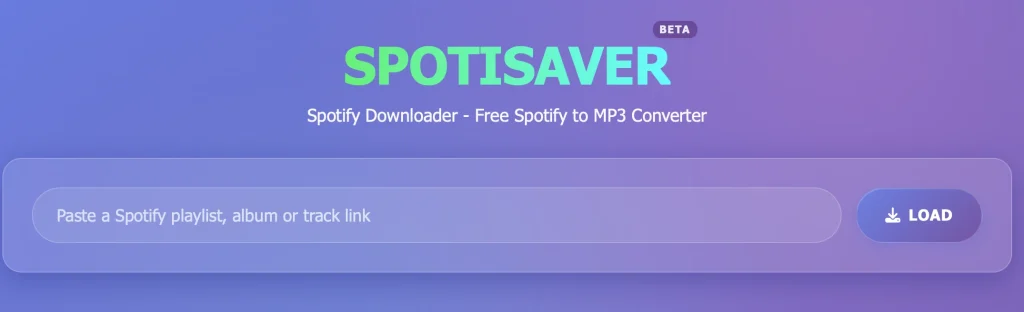
How to download Spotify playlists with https://spotisaver.net?
Update: Spotube is banned from using “Spotify™ API”. Now you need to wait for the next version not using such APIs.
For Mac/Windows/Android/iOS
spotube is an open source, cross-platform Spotify client for Mac, Windows, Android and iOS which utilizes Spotify’s data API and YouTube, Piped.video or JioSaavn as an audio source to get Spotify premium free.
Features of spotube:
How to download Spotify songs with spotube?
However, songs are matched and downloaded from YouTube with lower quality – M4A in 128kbps. If you want to download Spotify music in higher quality 320kbps MP3 or 256kbps M4A, we strongly recommend Pazu Spotify Converter.

Cons: Some songs download fine, but others don’t.
Sometimes it plays the wrong song entirely.
Works slowly.
For Mac/Windows/Linux
spotDL is a free and open source command-line tool that finds songs from Spotify playlists on YouTube and downloads them in 128 kbps for regular users and 256 kbps for YouTube Music premium users. How to install and use spotDL?
On Mac
1. It‘s a CLI utility, so you will need to run it through Terminal. Open Terminal. Enter python3 -V and press Enter to verify you have installed Python correctly. Ensure you have v3.7 or greater.

2. Install spotDL by typing pip3 install spotdl

3. Install FFmpeg by typing spotdl –download-ffmpeg
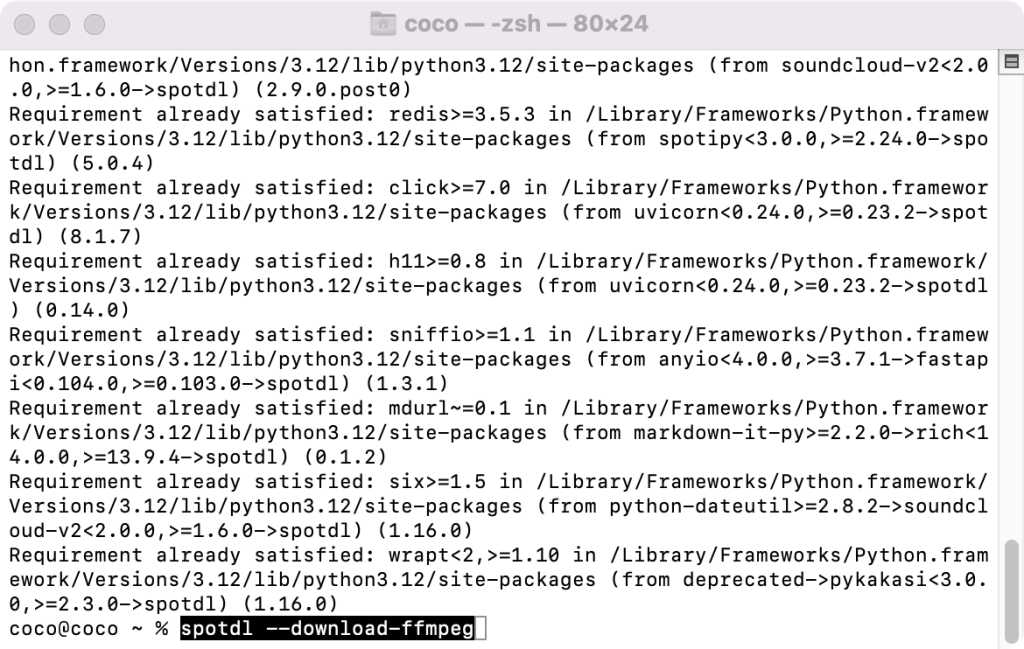
4. Now you can download Spotify playlists by typing spotdl “spotify playlist url”.

The songs are downloaded to the folder where you ran spotDL from.
On Windows or Linux, refer to the Installation Guide for more details or install the executable from the Releases Tab.
spotDL uses YouTube as a source for music downloads. This method is used to avoid any issues related to downloading music from Spotify. If you want something that can download directly from Spotify, use Pazu Spotify Converter.
GroveGrab is a Windows desktop application for downloading Spotify songs and playlists using SpotDL with your own Spotify API credentials. It is able to download tracks, playlists, albums in in MP3 (up to 320kbps), FLAC, OGG, OPUS, or M4A.
GroveGrab.exe from the Releases pageFor Mac/Windows/Linux
Zotify is also an open source command-line tool that allows you to download music directly from Spotify in 320kbps with Spotify premium. Free accounts are limited to 160kbps. Spotify might ban your account if they noticed you’re “streaming” much faster than any normal people can listen to songs.
How to install Zotify on Mac?
/bin/bash -c "$(curl -fsSL https://raw.githubusercontent.com/Homebrew/install/HEAD/install.sh)"brew install python@3.11 pipx ffmpeg gitpipx ensurepathpipx install https://get.zotify.xyzzotify --help for a basic list of commands or check the README.md file in Zotify’s code repository for full documentation.
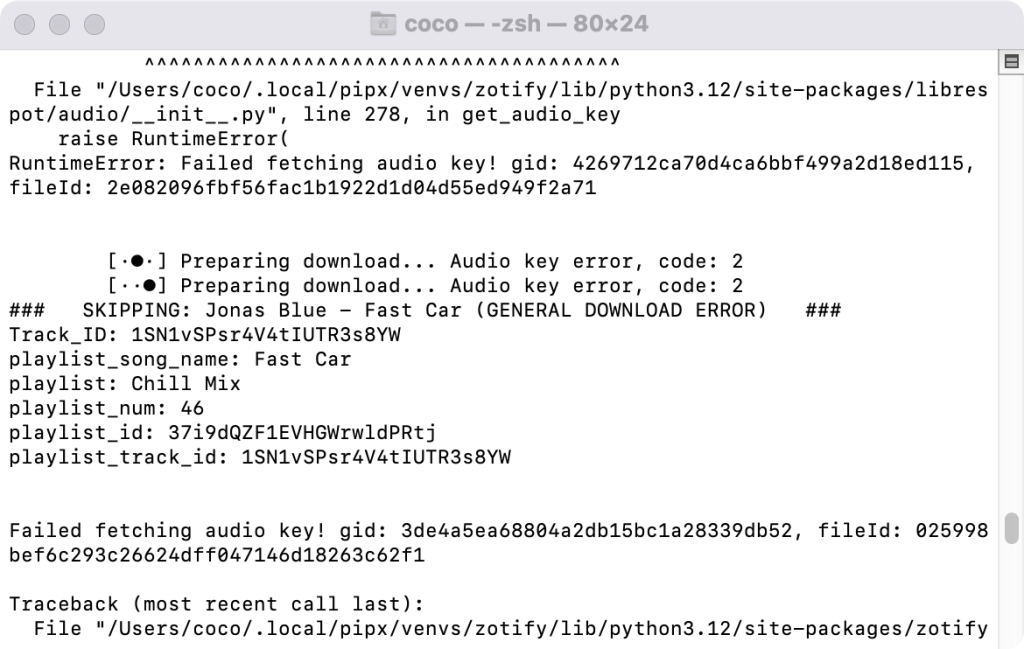
However, some songs may be failed to download.
How to install Zotify on Windows and Linux?
For Windows/Linux
OnTheSpot is a qt based music downloader written in python that allows you to download Spotify songs. When launching the application for the first time, you will get a warning that no spotify accounts are added. Dismiss the warning, and add your account(s) at the bottom of the configuration tab. Having multiple accounts will let you download multiple songs at a time.
Then enter your query and click Search to search for songs/artists/albums/playlists. Or Enter the url in the search field then click Download.

Update: Currently you can’t import Spotify playlists with it, we will keep this updated.
Fildo app is an mp3 downloader and streaming application that lets you stream top-quality mp3 from around the world. One of the major advantages of Fildo compared to other similar applications is that it allows you to import and download Spotify and NetEase playlists. Fildo does not host any mp3 files, it’s just an interface to third party mp3 search engines. It matches your Spotify songs with MP3 songs from third party mp3 search engines and allows you to download songs. However, the download speed is very slow.
How to download MP3 songs from Spotify on Android with Fildo?
Step 1. Install Fildo from the official website and launch it on your Android mobile.
Step 2. Tap More – IMPORT SPOTIFY.

Step 3. Sign in to your Spotify account, select Spotify playlists you want to import.

Step 4. Choose high matching or normal. Fildo does not host any mp3 files, it matches the Spotify songs from third party mp3 search engines.
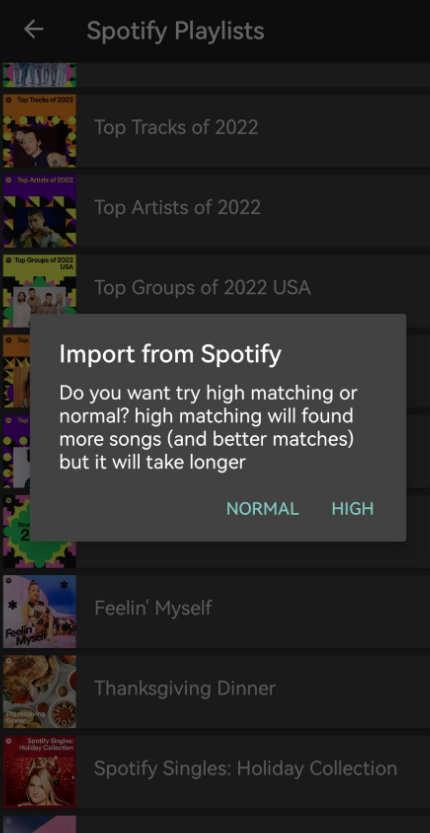
Step 5. Once your playlists or songs are successfully imported into Fildo, you can tap the three dots icon and start to download music from Spotify.

Cons: Many ads.
Some songs are not matched.
Load times are long.
Spowlo used to be an Android app to download music which was abandoned some time ago. It was easily the best music downloader available on Android but its functionalities slowly stopped working overtime. Luckily there are still some workarounds. An alternative is to just use spotdl directly in Termux. Termux is a terminal emulator application for Android OS with its own Linux user land.
Read more: https://www.reddit.com/r/termux/comments/1ji7h9l/i_managed_to_make_spotdl_work_on_termux_android/
Spotube used to be available on iOS, however currently it is banned from using “Spotify™ API”. To download Spotify playlists on iOS, one option is to use online Spotify downloader website, however, the security can’t be guaranteed. The best option is to download Spotify playlists on Mac/Windows with Pazu Spotify Converter and then sync them to your iOS devices.
Spotify Premium cracked version Spotify++ can only provides partial Spotify premium features, such as ad-free, on-demand playback and unlimited skips. However, it can’t download Spotify playlist on iOS.
SpotiFlyer is a music downloader available for Android, Mac, Windows, Linux that allows you to download music from Spotify, JioSaavn, Gaana, and Youtube music. However, it downloads songs from YouTube instead of Spotify. So it often only downloads the audio of YouTube music video and not the proper song, or just downloads the wrong song in the first place.
Unfortunately, SpotiFlyer is no longer updated. We have tested the latest version but it doesn’t work.

Pros:
Free
Cons:
Low bitrate
Update: The latest version 0.3.19 is not working for Spotify. Downloading by title search or Spotify URL is broken for now. You may wait for the new update to come.
AllToMP3 is a MP3 music downloader tool for Mac, Windows and GNU/Linux that allows users to download YouTube, SoundCloud and Spotify music in MP3.

Soundloaders used to be a simple online web tool that allows you to download every Spotify songs to MP3 files. It’s compatible with desktop and mobile browsers. All the metadata like cover image, artists, and release date are added in the downloaded songs if they have been found. Soundloaders can only detect song link. You can’t use it to download the whole playlist or album. Later it replaced the web tool with free application for Mac and Windows. Unfortunately curently it doesn’t work.

We have listed several different Spotify downloader tools above. All of these great tools can help you download Spotify to MP3 for offline listening with either Spotify free or premium account. Which one is your favorite? Depends on your own needs.
If you only want to get a segment for ringtone or alarm sound, try Ondesoft Audio Recorder or Aimersoft Music Recorder. If you want to download multiple songs or playlists in batch, try Pazu Spotify Converter. Besides, they supprt different fotmats, choose the right one based on the output format you want.

Download and convert any Spotify songs, albums, playlists to MP3/M4A etc.