

Verizon used to offer free Apple Music with certain unlimited plans. However, Verizon revamped its unlimited data plans and branded them as “myPlan“ in May 2023. After the update, it removed certain complimentary offerings, such as access to Disney+ and Apple Music, and now requires customers to pay to access these services that were previously included in their older plans.
While free Apple Music is no longer included in Verizon plans, you can still get it at discounted prices. If you still hold the Legacy plans (older plans) on Verizon, you may still have the chance to get free Apple Music. Here’s what Verizon offers.
Contents
Related: How to get Apple Music for free?
When you register for Verizon Unlimited Ultimate, Plus, and Welcome plans, you have two options to add Apple Music at discounted prices. You can add a $10/month Apple Music family subscription perk to your plan or choose an Apple One individual or family perk at low prices.
The Apple Music family subscription perk is charged $10 per month, while it has a $16.99/month value. This subscription lets up to 6 people enjoy all the features and the full catalog of Apple Music.

The Apple One perk lets you choose between an individual subscription for $15/month (originally $19.95/month) and an Apple One family subscription for $20/month (originally $25.95/month).
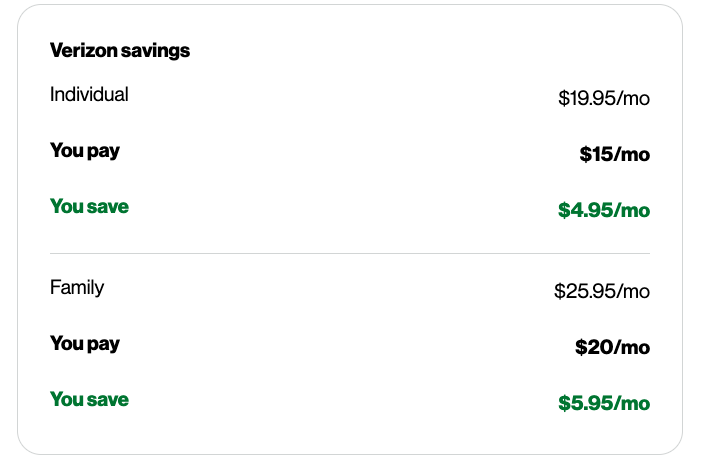
These two perks can’t be added on the same line. Apple Music is included with Apple One, which also gets Apple TV+, Apple Arcade, and iCloud+ (50 GB for the Individual plan and 200 GB for the Family plan). Apple One Family Subscription can be shared with up to five other people.
Verizon’s new myPlan comes in three tiers: Unlimited Welcome offers access to its 5G networks, Unlimited Plus unlocks 3X faster 5G network experience, and Unlimited Ultimate allows for enhanced video calling and 4K/Ultra HD video streaming.
| Unlimited Ultimate | Unlimited Plus | Unlimited Welcome | |
| 4+ lines | $55/line | $45/line | $30/line |
| 3 lines | $65/line | $55/line | $40/line |
| 2 lines | $80/line | $70/line | $55/line |
| 1 lines | $90/line | $80/line | $65/line |
Besides Apple Music Family and Apple One, there are other perks for customers to add at discounted prices: Disney+ bundle plan, Netflix & HBO Max (With Ads), YouTube Premium, Fox One, mobile hotspot data, Unlimited Cloud Storage, and more. Most perks are $10 per month.
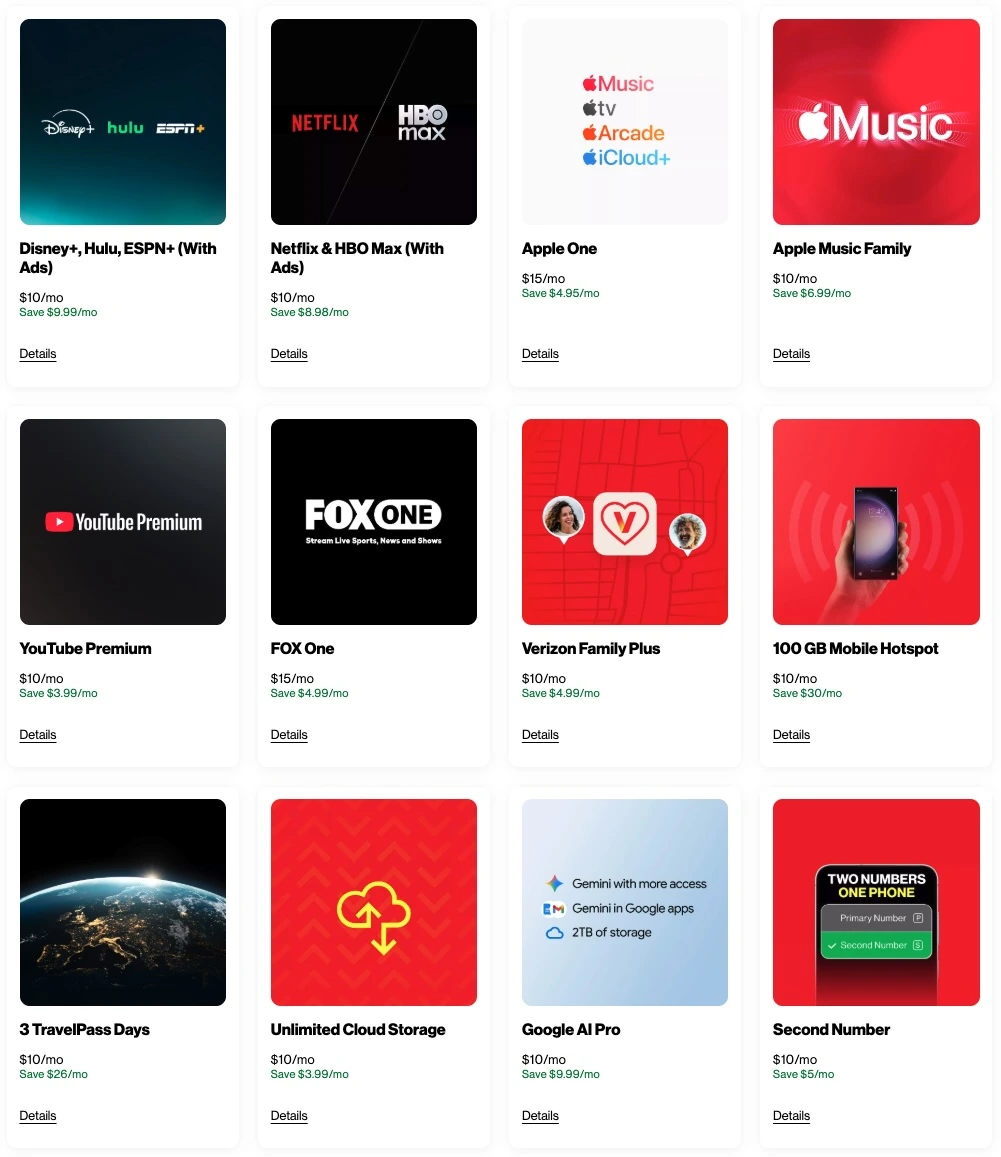
You can choose this perk when you select Unlimited Ultimate, Unlimited Plus, and/or Unlimited Welcome. Or when you have one of these plans, you can add the perk later anytime in My Verizon.
To add this perk to your plan, visit the My Verizon app or the My Verizon website, and select Manage Perks.
If you are currently on one of the following plans, you can still have the opportunity to enroll in Apple Music until 5/31/26. However, please note that these plans are no longer available to add to your account if you don’t have them.
To activate Apple One, you will need an iTunes/Apple Media Services account and an iPhone with iOS 14.7 or a newer version linked to your account. Follow these steps to obtain your Apple One subscription after acquiring One Unlimited for iPhone:
If you cancel your Verizon service, your Apple Music promotional subscription will be canceled.
You can cancel your Apple Music subscription in My Verizon on your computer or mobile device.
While an Apple Music subscription typically requires a fee, there are various methods to obtain Apple Music for free. One approach is to use an Apple Music converter, such as Pazu Apple Music Converter, which allows you to download Apple Music songs, albums, and playlists and convert them to MP3 format.
Pazu Apple Music Converter can convert Apple Music or iTunes songs in your library to high-quality formats such as MP3, AAC, WAV, FLAC, M4A, and AIFF, without compromising audio fidelity. This converter stands out for its exceptional speed, completing downloads and conversions nearly 10 times faster than comparable software. Furthermore, it is seamlessly integrated with the Apple Music web player, enabling batch conversion of Apple Music playlists or albums to your preferred format, without requiring the Apple Music app.
To learn how to download Apple Music as MP3 and acquire Apple Music for free, follow the steps below.
Download, install and run Pazu Apple Music Converter on your Mac or Windows.
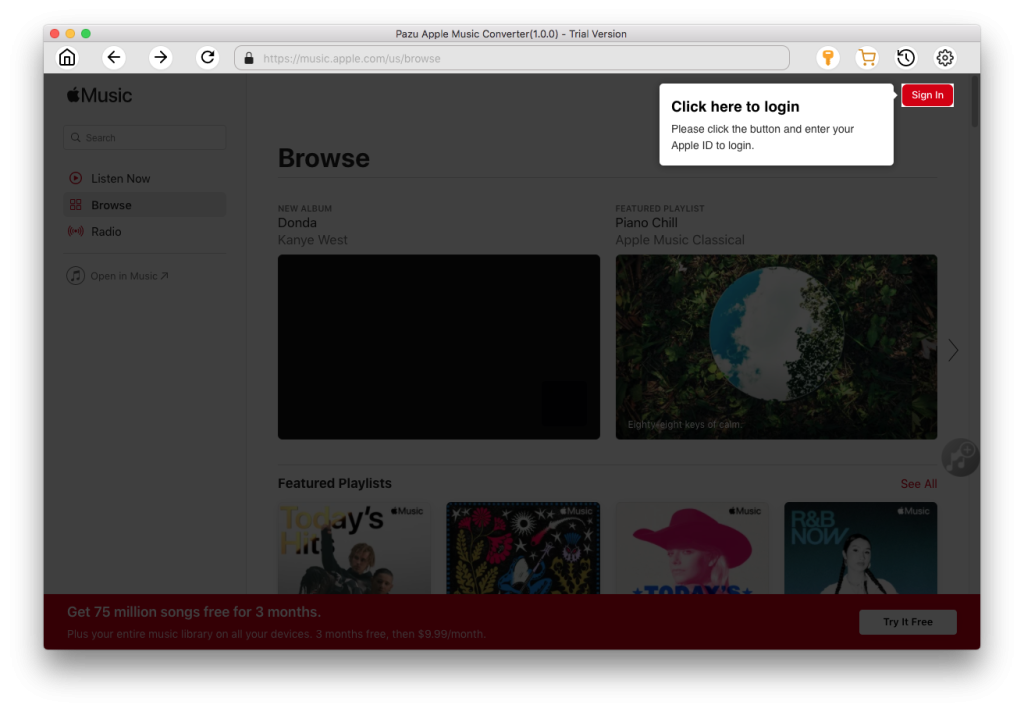
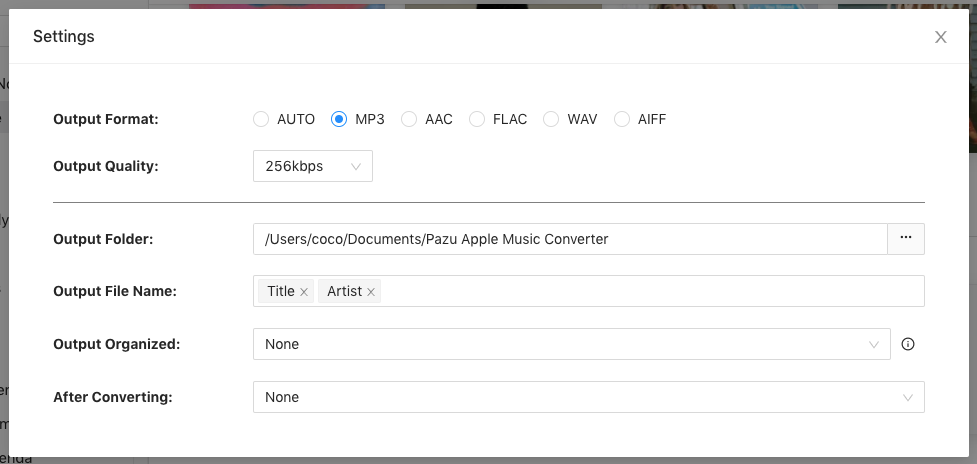
The default format is M4A. Apple Music Converter also supports MP3, AAC, FLAC, WAV and AIFF. Click the gear icon to change the output format or folder.
Follow the on-screen instructions to choose a playlist, artist, or album that you want to download.
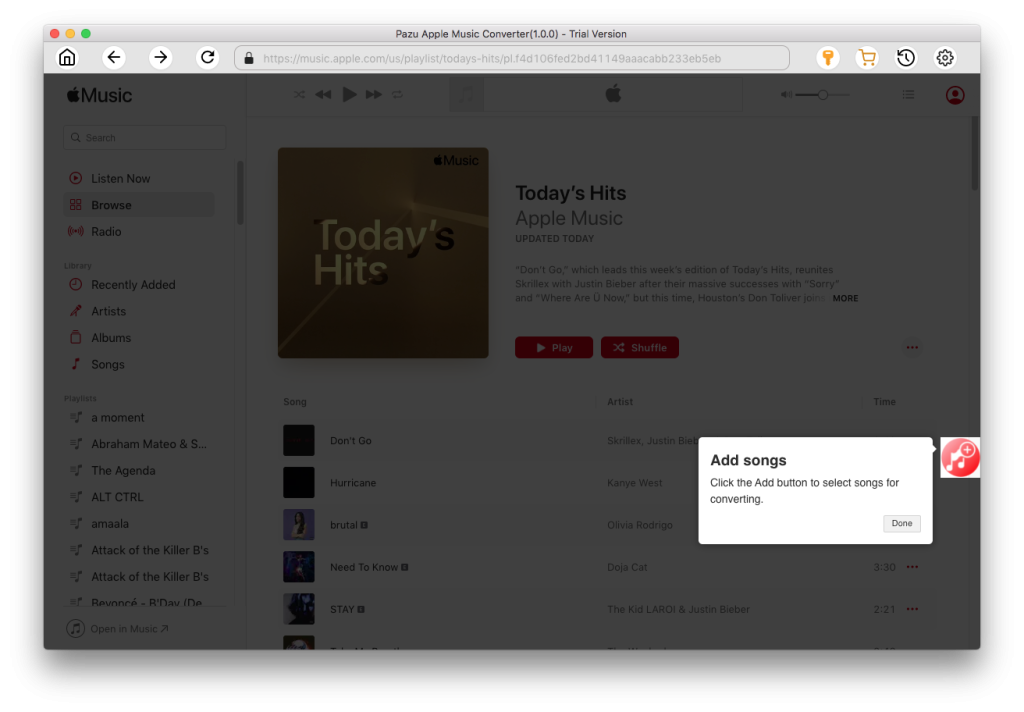
Click “Convert” button to start downloading Apple Music songs, albums and playlists to MP3, so you can play them anywhere you want, even after cancelling Apple Music subscription.
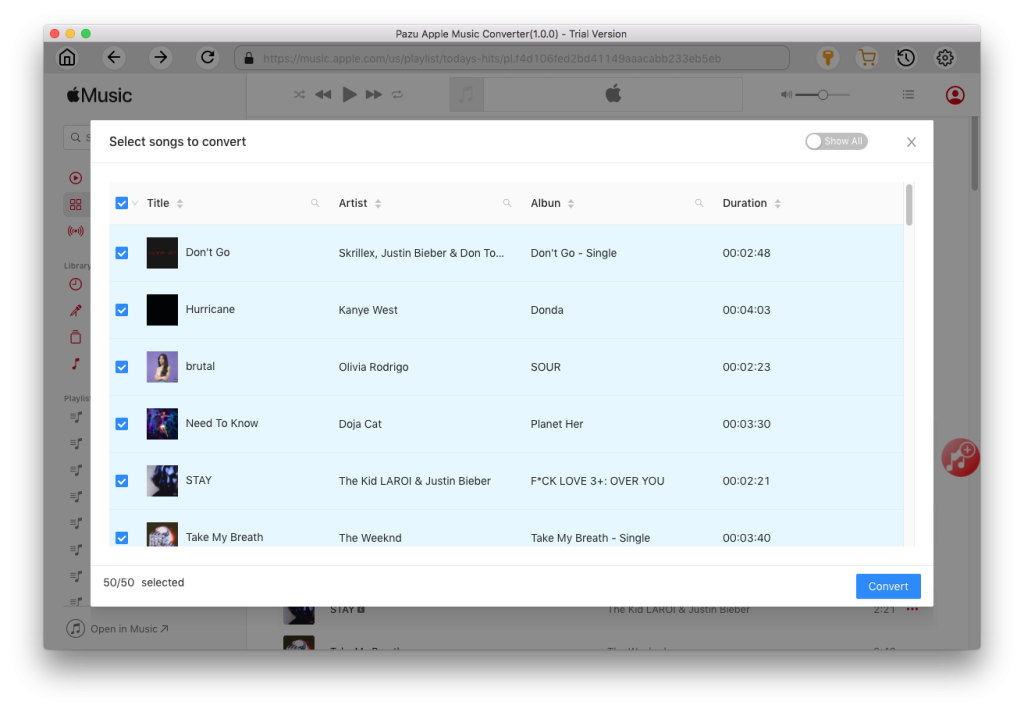

Download Apple Music to MP3, M4A, etc.