

We all listen to music, we all love music, and we also want to know how much we listen to music, the most streamed song, artist and more. With below Apple Music stats tools, you are no longer limited to the Apple Music Replay recap; you can choose your own dates and see your top songs for any time period. And some tools generate lists in real-time, so there’s no more waiting for weekly updates.
Related: How to check stats for Spotify?
Contents
Apple Music Replay calculates your top songs, albums, artists, playlists, genres, and stations using:
Apple Music Replay in 2026 covers a series of playlists, including your favorite tracks of all time, of 2026 (updates weekly), and of each year you are with Apple Music. You can add them to your Library for easy access. Apple Music now also allows you to check your monthly stats.
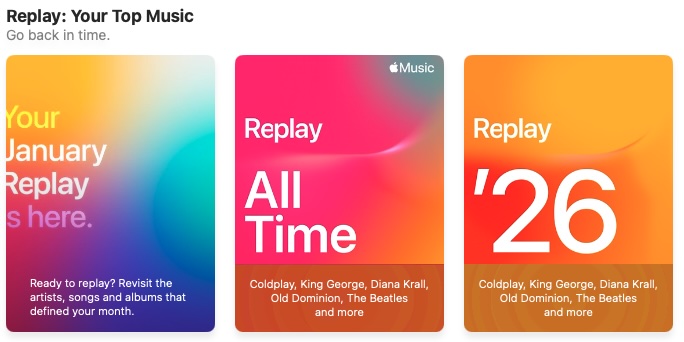

At the bottom of the page, click “Replay ’26” (mobile app) or “Open in Apple Music”(web player) and view your Replay 2026 playlist – Your top songs in one playlist, which updates weekly.
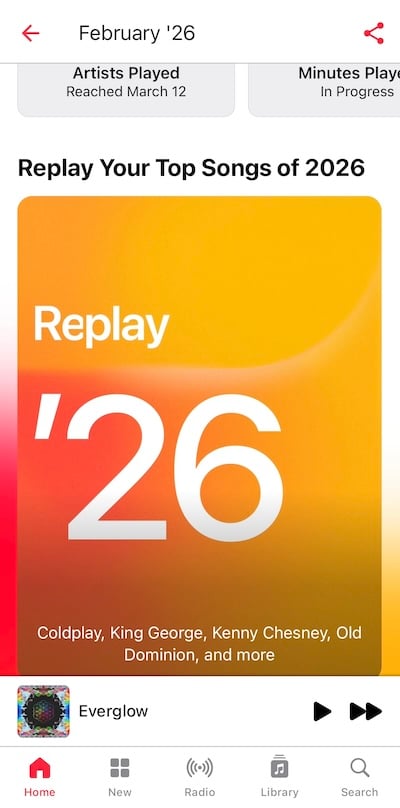
At the end of the calendar year, you can see your top songs, artists, albums, genres, playlists, and stations, along with play counts, totals, and the time that you’ve spent listening to them in the whole year.
To see statistics for previous years, click the two-line menu at the top of the screen and select a previous year. Scrolling down the page, you can see the following statistics:
Apple Music Classical is a dedicated standalone app designed specifically for classical music enthusiasts. It is a result of Apple’s acquisition of the popular Primephonic classical music app in 2021. If you’re someone who enjoys listening to classical music, you might be curious if Apple Music Classical offers a Replay feature like the one available in the regular Apple Music app.
Unfortunately, Apple Music Classical does not have a dedicated Replay section within the app. However, there is a workaround you can try. By playing your Apple Music Replay playlist in the original Apple Music app, it will then appear in the Recently Played section of the Apple Music Classical app. However, please note that once you open the playlist in Apple Music Classical, its content will be adjusted to include only tracks available in the Apple Music Classical catalog.
As a result, any music from other genres, such as pop or hip-hop, will no longer be included in the playlist. Essentially, you will be left with a Replay playlist featuring the top classical music you have listened to throughout the year.
Unlike Spotify Wrapped, which is only available at the end of each year for a limited period, Apple Music Replay becomes available throughout the whole year and updates weekly. Spotify users who want to get access to their Spotify listening data have to turn to different Spotify stats websites and apps. As Apple Music Replay is easy to access and absolutely accurate, so there are not many third-party Apple Music stats websites or apps. If you want to try, here are some choices.
App for Mac, PC, Android and iOS
Unlike Spotify, there is no universal way to connect your Last.fm account to Apple Music account. It only tracks your Apple Music app.
Related: How to Scrobble Apple Music with Last.fm
1. On your Mac or PC, head to https://www.last.fm/about/trackmymusic and click DOWNLOAD NOW FOR MAC or DOWNLOAD NOW FOR WINDOWS button.
2. Download the Last.fm app and install it, then open it.
3. Now, connect the Last.fm desktop app to your Last.fm account.


4. Now play any songs in Apple Music app, Last.fm will scrobble them automatically in real time.
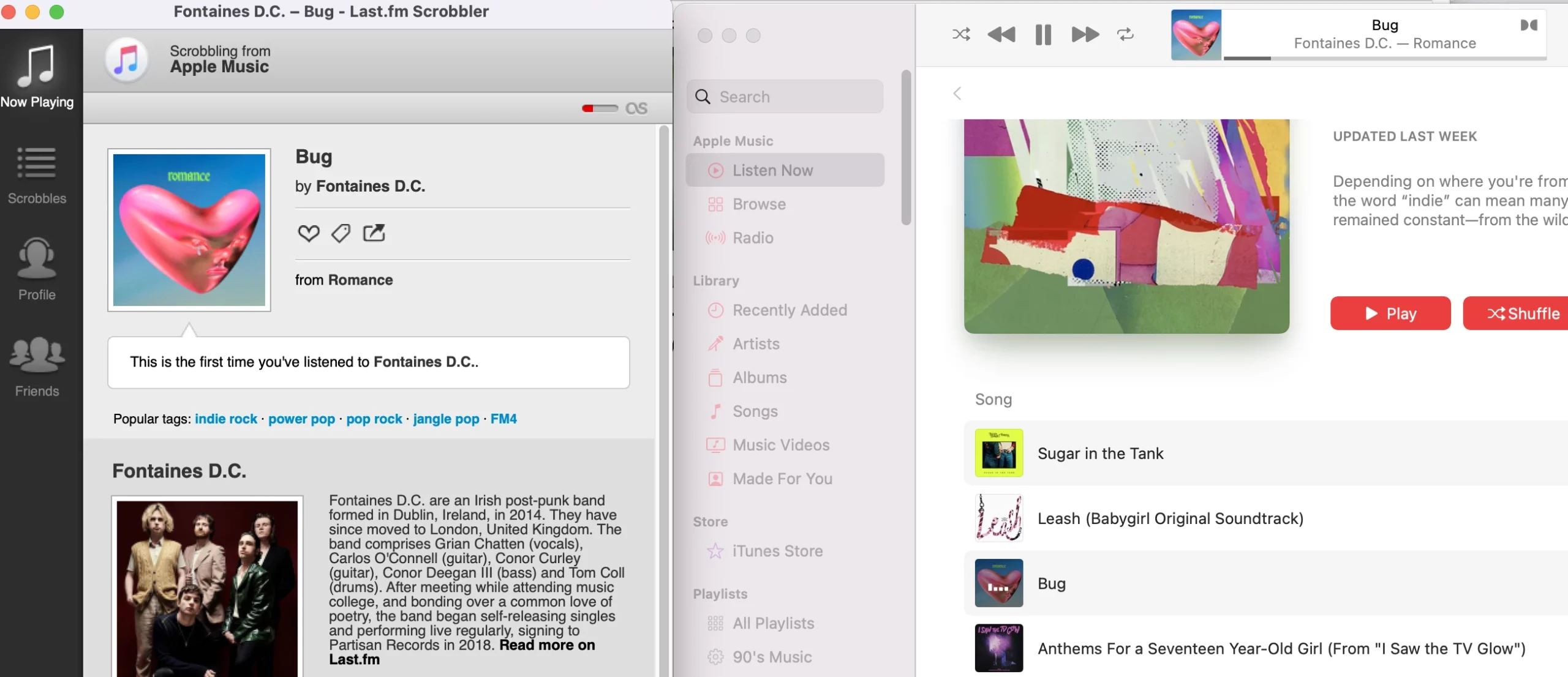
Note that Last.fm desktop app only scrobbles songs played from Apple Music app on the same device. It doesn’t connect to your Apple Music account, so when you play Apple Music on other devices, songs are not scrobbled.
Last.fm iOS app is a pain to use. It can only scrobble tracks stored locally in the Apple Music app. Streamed tracks can’t be scribbled. Besides, you need to get into app manually periodically, tap Scan and submit those scrobbles. The alternative is to use scrobbler apps such as Marvis Pro (it’s not only a scrobbler) or QuetScrob. They are Last.fm integrated and are able to scrobble all played songs in Apple Music catalog, either offline or streaming. However, they are not free. Marvis Pro costs $9.99, QuietScrob is free to install with In-App Purchases.

To scrobble Apple Music with Last.fm on Android, you will need the help of Pano Scrobbler.

musicat is developed to track your Apple Music history, view stats, check musical memories, discover & discuss music. You can download it from Apple App Store and from Google Play or use the web version. Connect your Apple Music account and it will track your streams. Then you can view your most popular tracks per artist, album, and genre. If you want to import your history, you can buy a one-month subscription for $2.99 and up.

snd.wave is an iOS app that analyzes your Apple Music/iTunes library and shows you music stats, your top artists or songs, and gives users charts to visualize their music stats. This includes both bar and line charts.
However, some users say it is not accurate.

With PlayTally, you are no longer limited to yearly Replay recap; choose your own dates and see your top songs for any time period. And PlayTally lists are generated in real-time, so there’s no more waiting for weekly updates. Plus, you can easily mark tracks like white noise and sleep sounds to keep them out of your Trends list.
Sync PlayTally data across multiple devices through iCloud. Track additional Apple Music devices by syncing them together with iCloud Music Library. Go back in time to see what you were listening to on a given day, and create playlists from your history.

Pazu Apple Music Converter lets you convert any Apple Music and iTunes songs you have in your library to MP3, AAC, WAV, FLAC, M4A, AIFF without any loss in quality. One of the distinguishing features of Pazu Apple Music Converter is that it can download and convert Apple Music at a really fast speed – almost 10 times faster than any other similar software. It is integrated with the Apple Music web player, so you can batch convert any Apple Music playlist or album to the format you choose without the Apple Music or iTunes app. The following tutorial will show you how to download Apple Music to MP3 and get Apple Music for free.
Download, install and run Pazu Apple Music Converter on your Mac or Windows.
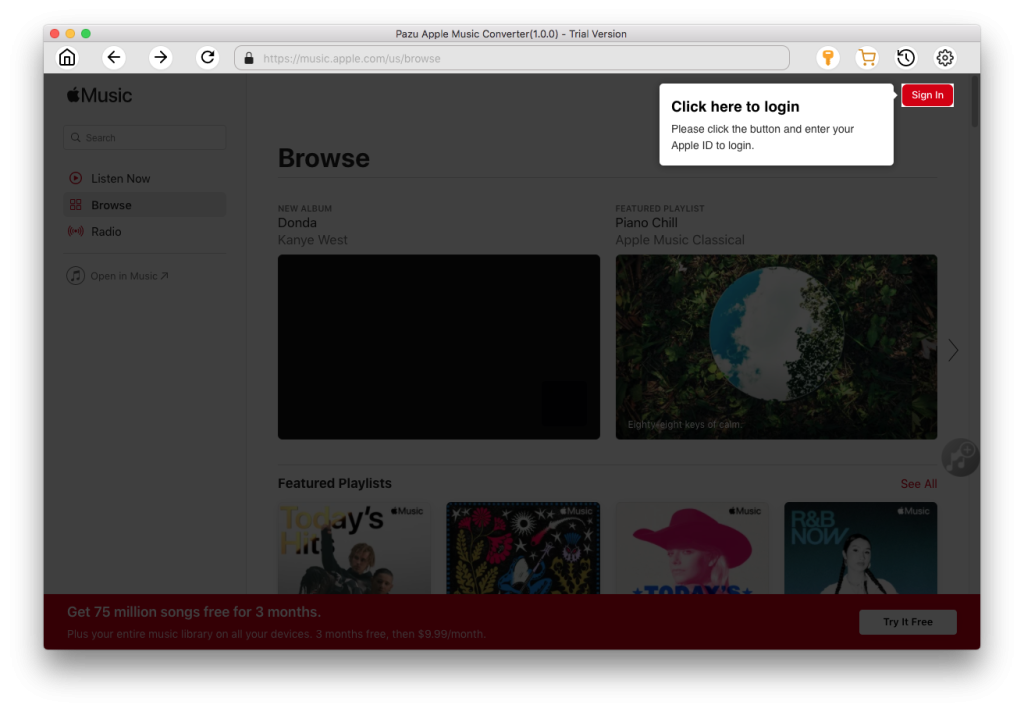
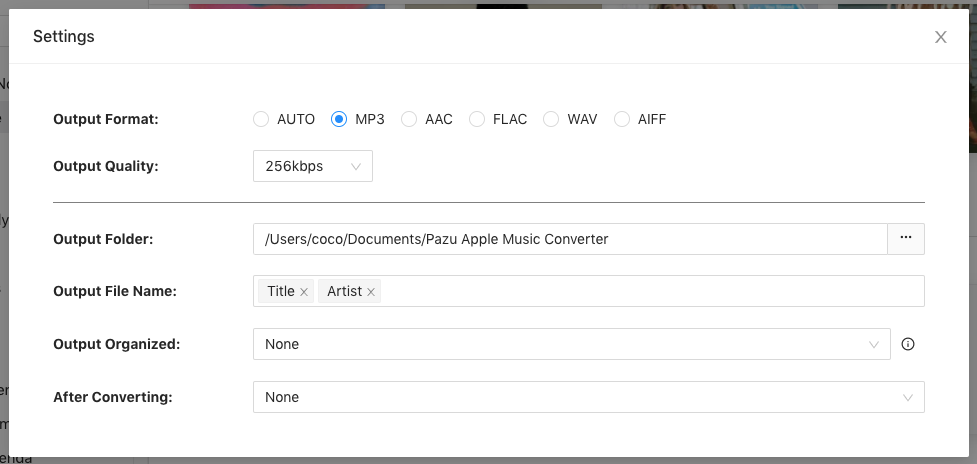
The default format is M4A in 256kbps. Apple Music Converter also supports MP3, AAC, FLAC, WAV and AIFF. Click the gear icon if you want to change output format or output folder.
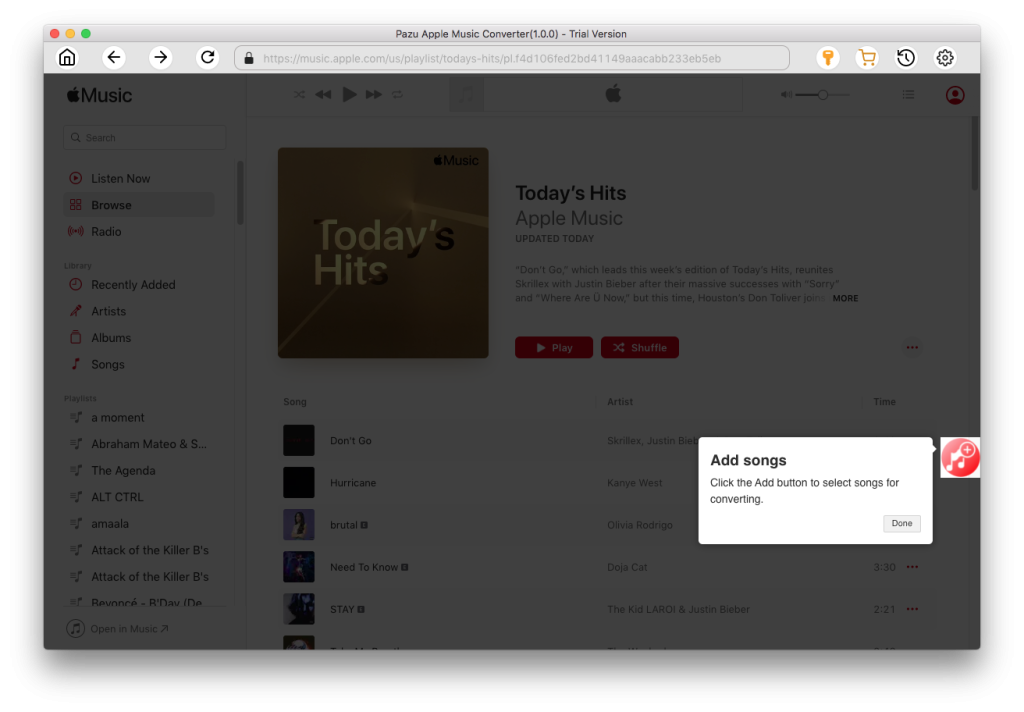
Follow the on-screen instructions to choose a playlist, artist, or album that you want to download.
Click “Convert” button to start downloading Apple Music songs, albums and playlists to MP3, so you can play them anywhere you want, even after cancelling Apple Music subscription.
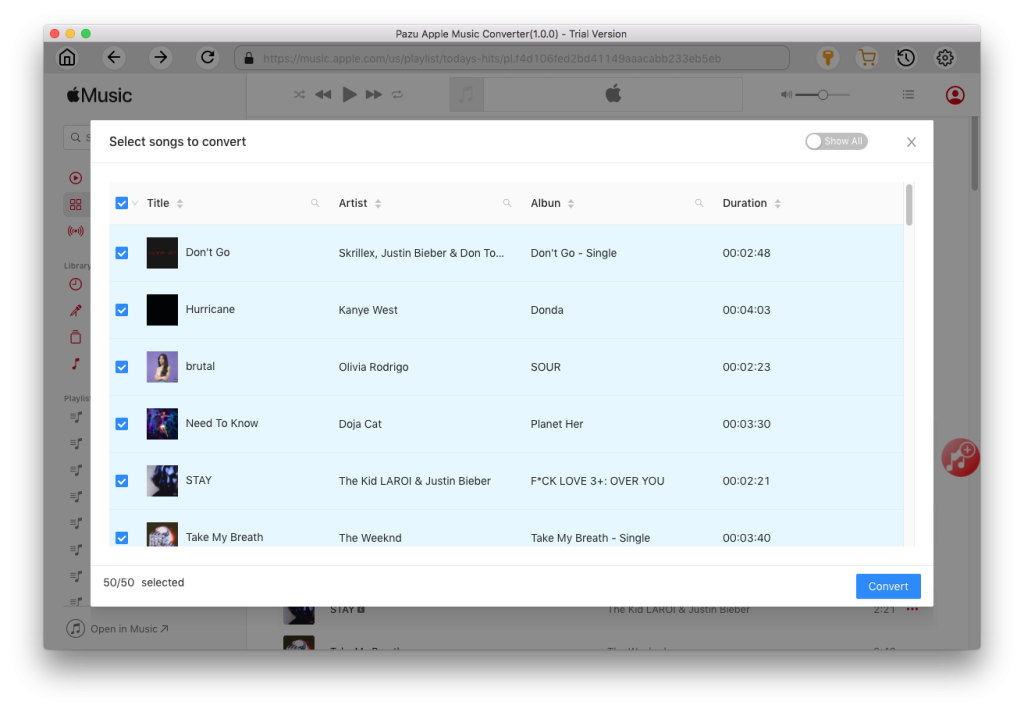

Download Apple Music to MP3, M4A, etc.