

The PlayStation 5 (PS5) is a home video game console developed by Sony Interactive Entertainment. Launched on November 12, 2020, PlayStation 5 is the successor to the PlayStation 4 launched in April 2019. The PS5 is part of the ninth generation of video game consoles, along with Microsoft’s Xbox Series X and Series S consoles, which were released in the same month.
The PS5 is loaded with video streaming apps across almost all categories. However, the music streaming market is still somewhat limited to just two options: Spotify and Apple Music. If you want to listen to Pandora on your PlayStation, here are the alternatives.
While there is no official Pandora app available on PlayStation, you can use the web browser for Pandora, which is supported on PlayStation 3. Here’s how to set up Pandora on your PlayStation 3:
Once you’ve completed the setup process, your station list will appear on your PlayStation 3.
You can use the PS4’s web browser to stream Pandora. However, due to a lack of specific HTML5 audio codecs and JavaScript support, Pandora may not work properly or fail to load. Even if it loads, it cannot play audio in the background while you are in a game.
The PS5 does not have a traditional web browser on the home screen. You can access a hidden browser by sending a message (e.g., to a friend) with “www.pandora.com.” However, the situation is similar to that on PS4.
So, if you want to hear your Pandora music on your PS4 or PS5, the workaround is to play music from a USB drive. Take the PS5 as an example: it has USB ports that support different connection speeds and are compatible with various devices, with two ports on the front and two on the back.

Related: How to play Tidal on PS5/PS4?
Make sure the USB drive is formatted with either the exFAT or FAT32 file system. Supported file formats include FLAC, MP3 and AAC.
Play music from a USB drive on PS5 consoles

Play music from a USB drive on PS4 consoles
So if you can download Pandora music to FLAC, MP3 or AAC and save them to USB drive, you can then play Pandora music on PS5/PS4.
Songs, albums, stations, or playlists you downloaded with Pandora Premium are not saved in FLAC, MP3 or AAC. You can only listen to them offline within Pandora app. To download Pandora music to mp3, you will need a professional Pandora to MP3 Converter.
Pazu Pandora Music Converter is a powerful MP3 downloader to download MP3 music from Pandora in high-quality up to 320kbps with ID3 Tags (title, artist, and album). Pazu Pandora Music Converter is the most popular Pandora to MP3 downloader. Pazu Pandora Music Converter is an ideal tool for converting and downloading Pandora songs, albums, playlists and podcasts to MP3 on Mac and Windows. This Mp3 downloader app is the best choice to download mp3 music from Pandora in a few clicks and effortlessly. Pazu Pandora Music Converter’s simple functionality makes it easy to use so everyone can search and download high-quality Pandora audio files.
Just log in your Pandora account in the built-in Pandora web player and browse your Collection or Pandora library to find the song, album, podcast or playlist you want to download. Additionally, yo can type artist, song title, podcasts and more in the search box, select the result you want.
In this guide we will show you how to download mp3 songs from Pandora.
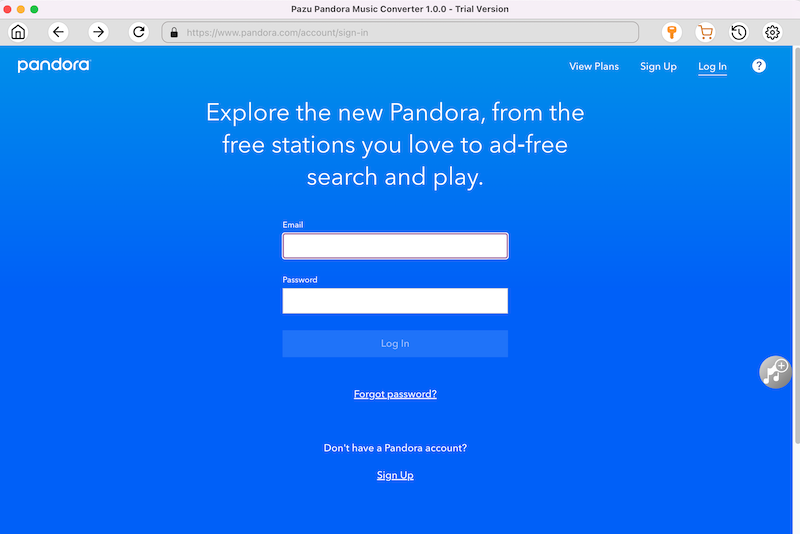
Download Pazu Pandora Music Converter and then install it on your computer. After launching the converter, log in your Pandora account on the main interface.
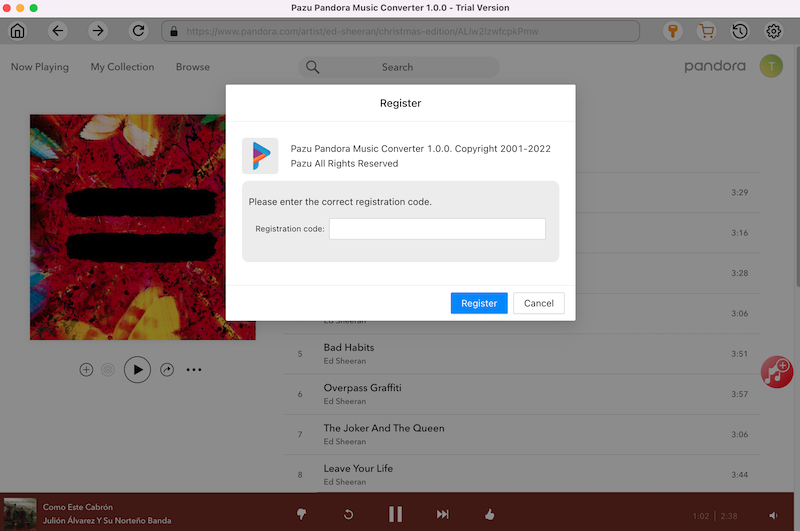
If you have already purchased a license, click the key icon to register the converter. If not, continue using the trial version.
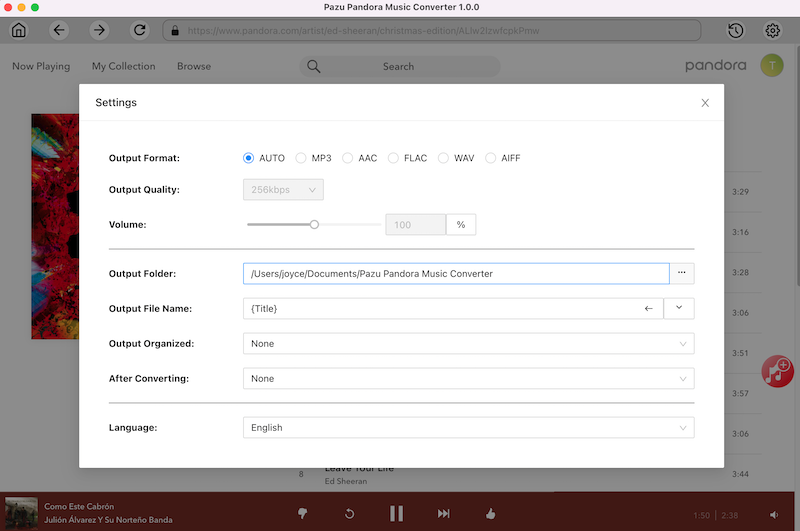
Click on the “Settings” icon in the upper right corner to choose the output format(M4A, MP3, AAC, FLAC, WAV, AIFF), output quality(up to 320kbps), output folder, file name format, how output songs organized, interface language, etc.
In the built-in Pandora web player, find and open the playlist or album you need to convert. Or use the search function to find what you want.

Pazu will detect all the songs and display them for you. All songs in the playlist/album will be selected by default. You can uncheck the songs you don’t want to download.
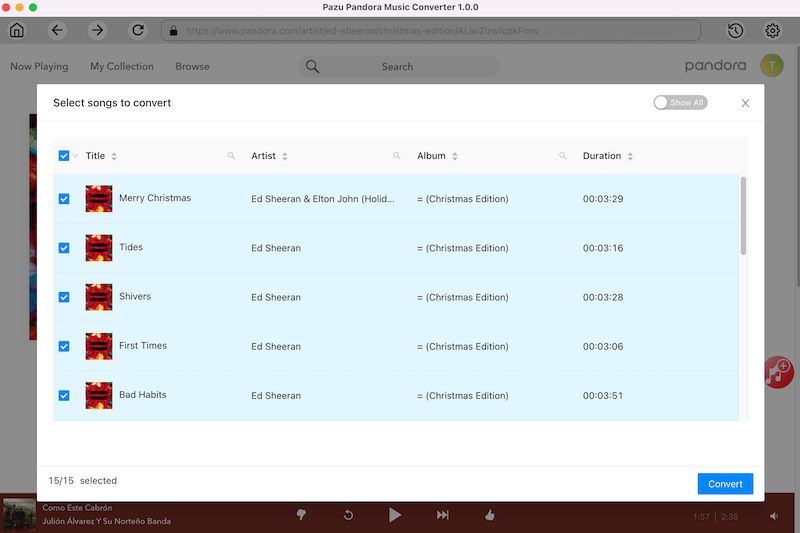
After selecting the songs, click on the “Convert” button then you can manage to download songs from Pandora without premium. Now you can just wait for the conversion done and then you can enjoy the music at any time. It will take a few minutes to convert the songs.

After the converting is complete, click the “clock” icon in the upper right corner to view all downloaded songs. Click the folder icon to locate the songs from the local directory.
Now you can transfer the downloaded Pandora music to a USB drive and play it on a PS5 or PS4.
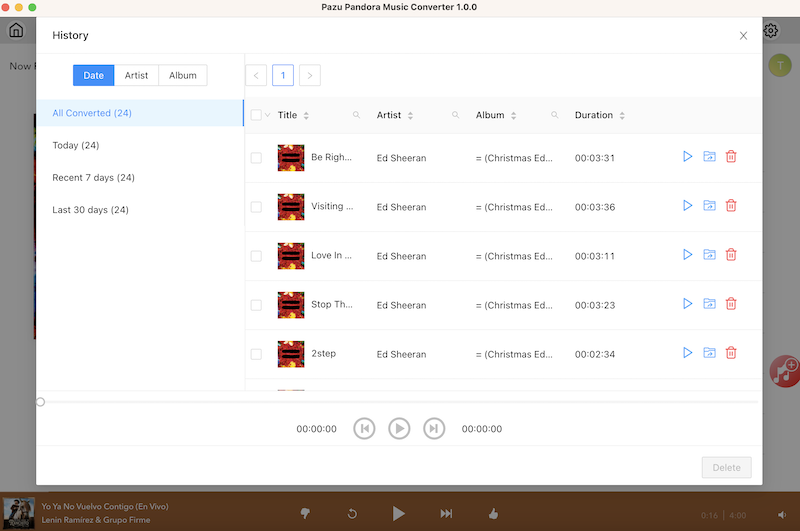

Download and convert Pandora Music to MP3, M4A, etc