

Apple Music has been one of the top music streaming services in the world, with over 100 million songs and 30,000 playlists. It is available on almost all of your devices, like iPhone, iPad, Android, Mac, Windows, Apple TV, Smart TVs, Gaming Consoles, etc. However, sometimes you may have trouble playing Apple Music. Don’t worry, here in this guide, we will show you several common solutions to fix Apple Music not playing songs and a powerful Apple Music downloader to download Apple Music songs to MP3.
If the songs are not downloaded to or stored on your device, you will need to stream them with a solid internet connection: both Wi-Fi and cellular data connections will work. To check your internet connection, try the following methods:
If you have several Apple IDs in use, make sure you’ve logged in with the correct one. Here’s how to check the Apple ID of your device:
On Windows&Mac:
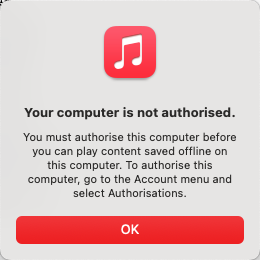
On Mac and Windows, besides logging in with the right Apple ID, you also need to authorize this computer. You can authorize up to 5 computers with the same Apple ID.
On iPhone/iPad
On Android
You can only play songs from the Apple Music streaming catalog with an active subscription, so check whether you have an active Apple Music subscription.
On Mac

On Windows PC
On iPhone or iPad
If you are in an Apple Music family plan and your entire library is gone, go to Settings > Apple ID > Media and Purchases. Sign out, restart your phone, sign back in, make sure Sync Library is on and see if your library loads.
On Android
On Apple TV
Try forcing the Apple Music app to close and then open it again. This will refresh the app and make it load all the temporary data again, which can fix common errors. The way you close an app depends on the type of device that you have.
iPhone X and later and iPad
iPhone SE, iPhone 8 and earlier, and iPod touch
Mac
Right-click the Music icon on the Dock and click “Quit”.
Restarting remains the “golden rule” of troubleshooting app glitches, including Apple Music. Apple Music is constantly communicating with the iCloud Music Library to verify your subscription and sync playlists across devices. If you have grayed-out songs or a playback error, restarting re-authenticates your Apple ID and forces a fresh connection to the sync servers, which usually makes your library reappear.
Restarting also gives your device a fresh start and kills background task collisions that can cause the app to freeze or skip tracks during Apple Music playback.
iCloud Music Library stores your Apple Music songs and playlists in iCloud so you can access them on all your devices.
On Windows
With the Apple Music app
With iTunes
On Mac
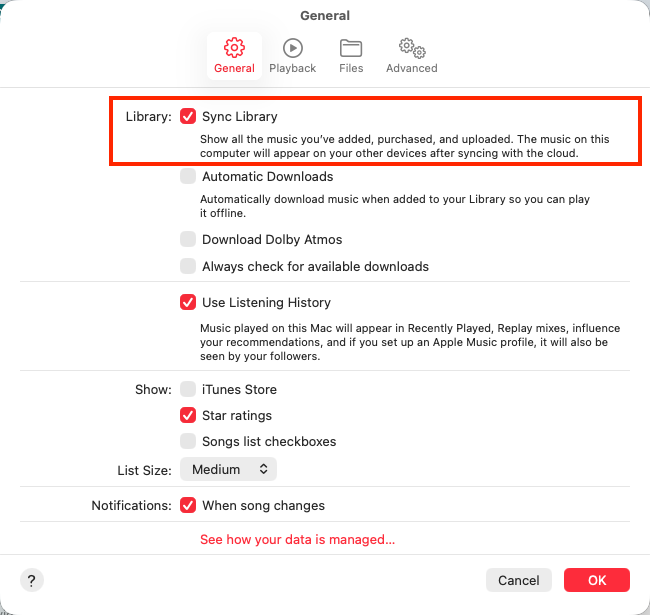
On iPhone/iPad

If a single song or two still won’t play, click the download icon to download it to your device for offline playback.
Apple Music allows up to 10 devices with the same Apple ID to be signed into a single user Apple Music account. However, you cannot stream music to more than one device at a time. If you wish to stream music on multiple devices at the same time, you must first set up one of your devices with a separate Apple ID, then set up Family Share, and then sign up for the Family version of Apple Music. With an Apple Music family subscription, up to six people can enjoy unlimited access to Apple Music on their devices. Each member of an Apple Music family subscription can stream millions of songs from the Apple Music catalog.

On iPhone/iPad
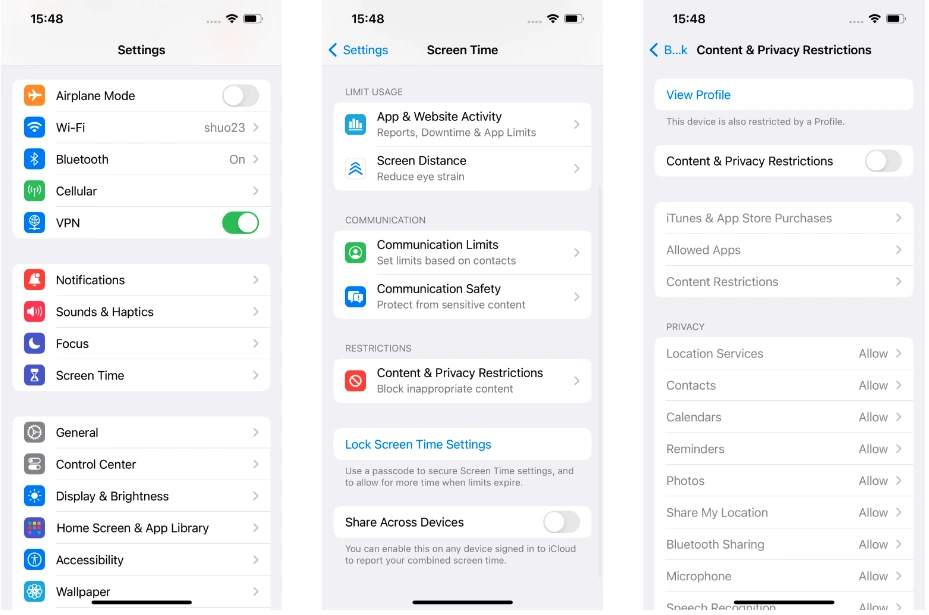
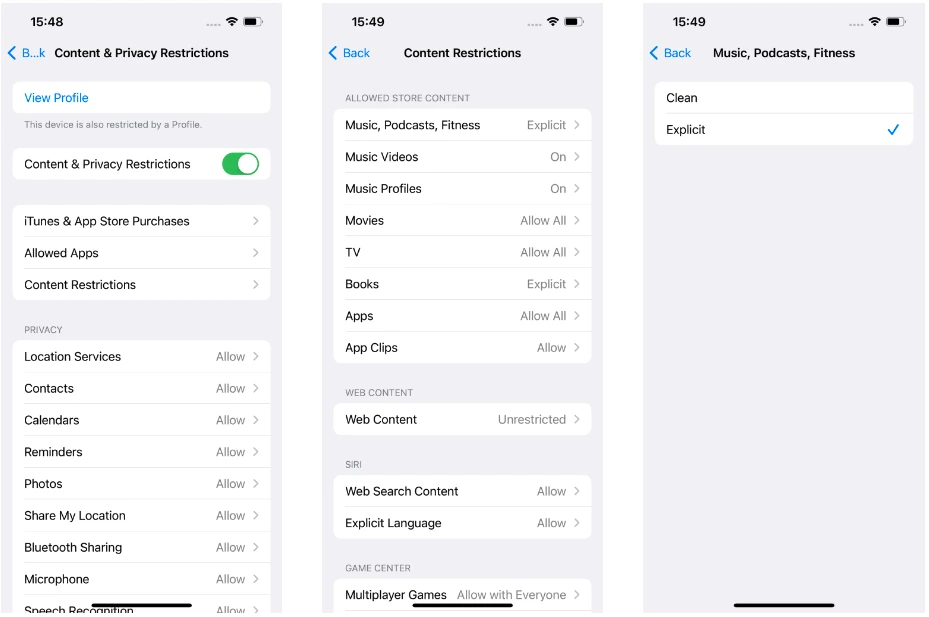
If you wish to allow the explicit contents for your music and podcasts when the “Content & Privacy Restrictions” setting is enabled, go to Content Restrictions – Music, Podcasts, Fitness, and choose Explicit.
On Mac
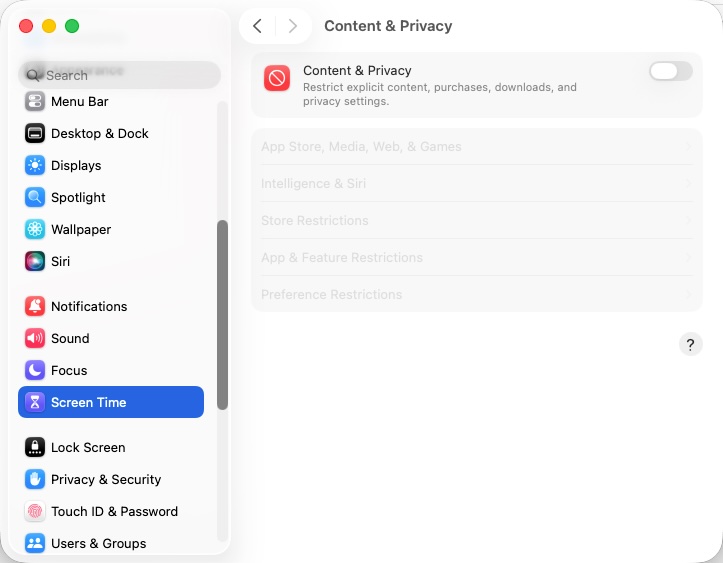
On Windows
The best way to fix Apple Music not playing songs is to download Apple Music songs to MP3 and preserve them forever. You can back them up to USB drive, external hard drive, etc.
Download, install and run Pazu Apple Music Converter on your Mac or Windows.
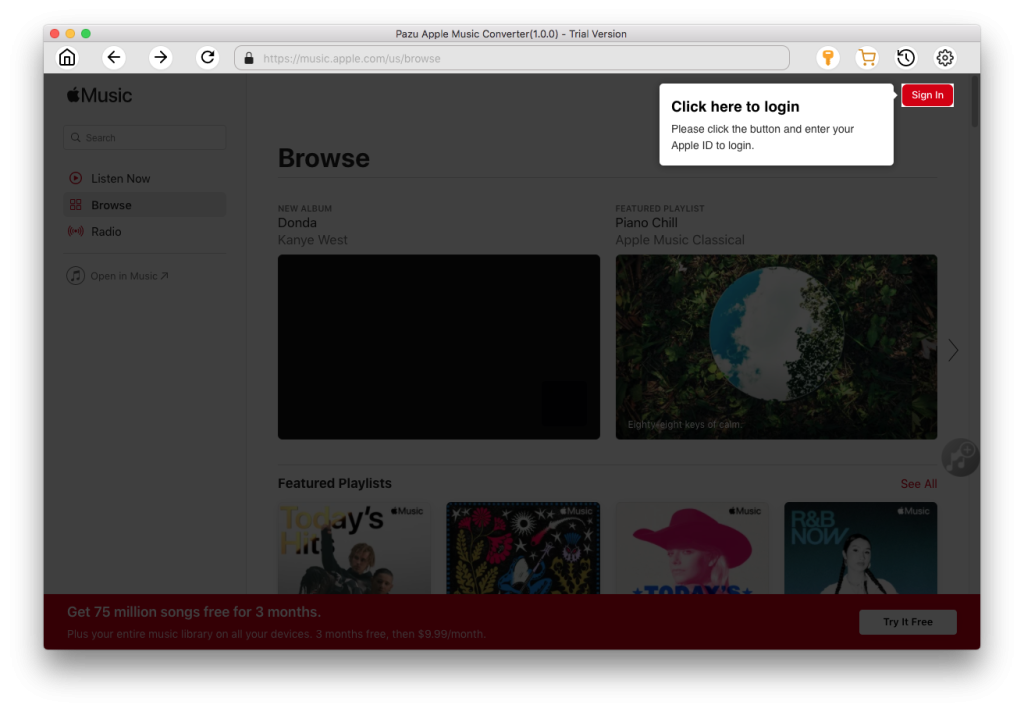
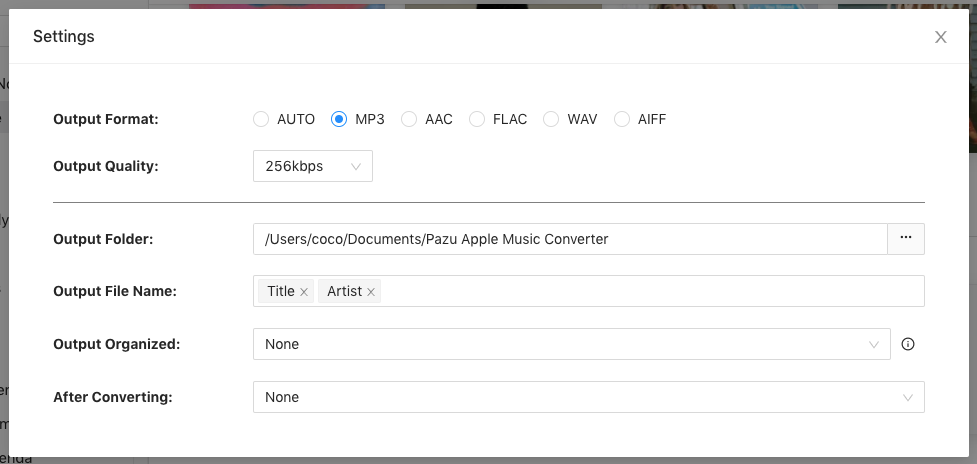
The default format is M4A in 256kbps. Apple Music Converter also supports MP3, AAC, FLAC, WAV and AIFF. Click the gear icon if you want to change output format or output folder.
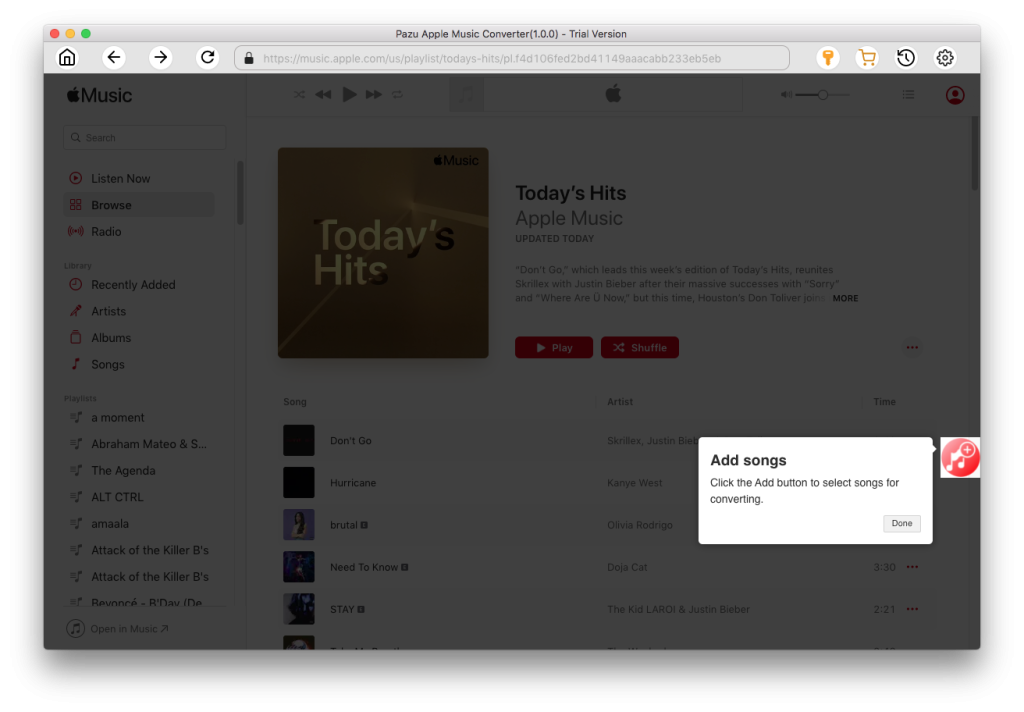
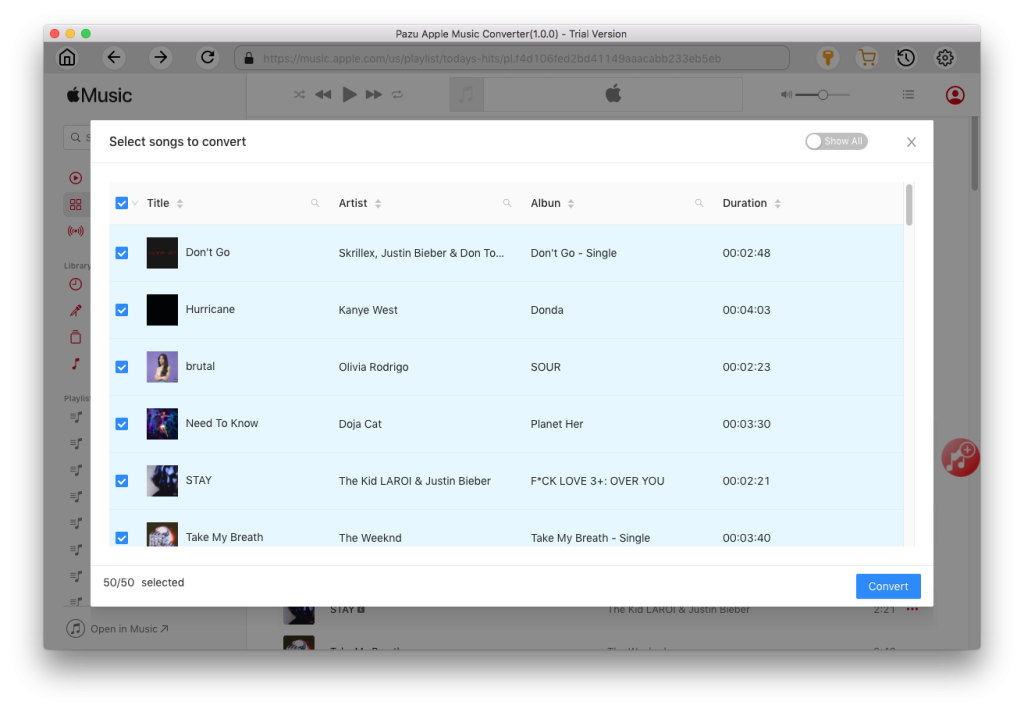
Follow the on-screen instructions to choose a playlist, artist, or album that you want to download.
Click “Convert” button to start downloading Apple Music songs to MP3, so you can play them anywhere you want, even after cancelling Apple Music subscription.

Download Apple Music to MP3, M4A, etc.