

If you want to unsubscribe from Apple Music, you can cancel your subscription at any time. For paid plans, your membership stays active until the end of the current billing cycle. (Note: If you cancel during a free trial, your access may end immediately.) Once it expires, you will no longer be charged and will lose access to the Apple Music streaming catalog, though you will still keep any songs you purchased from iTunes or uploaded yourself.
You can cancel Apple Music on almost any device, including iPhone, iPad, Mac, Windows PC, Android, smart TVs, or directly in your web browser.
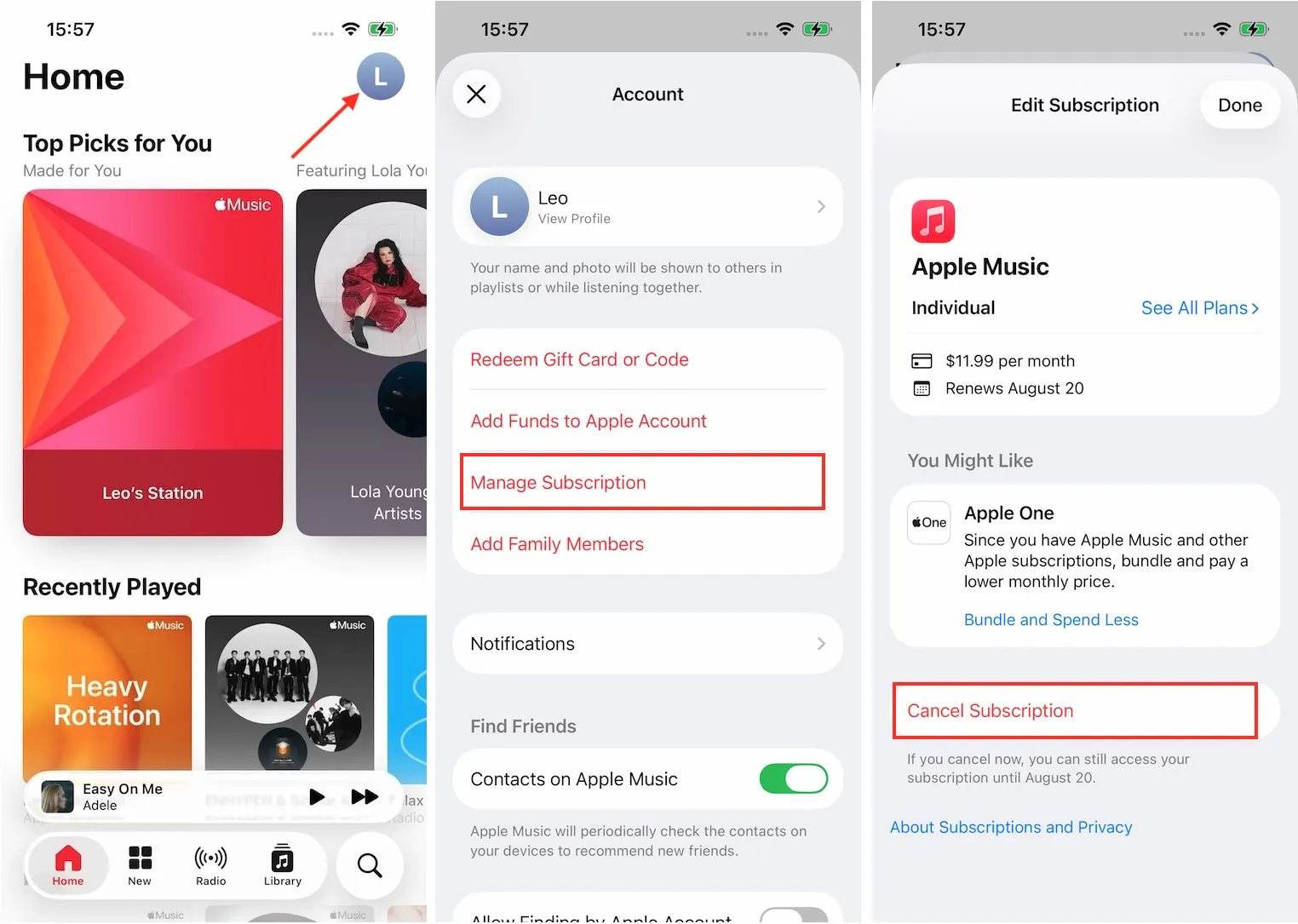
If there is no Cancel button or you see an expiration message in red text, the subscription is already canceled.
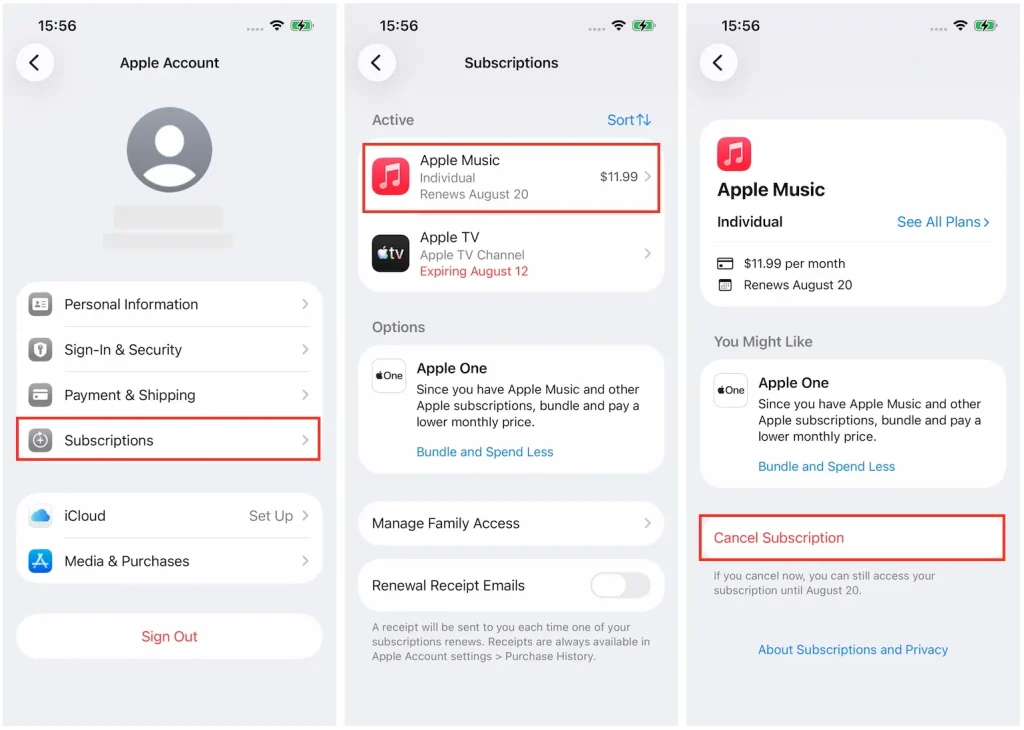
You can stream and download Apple Music songs on Android, as well as cancel your Apple Music subscription.
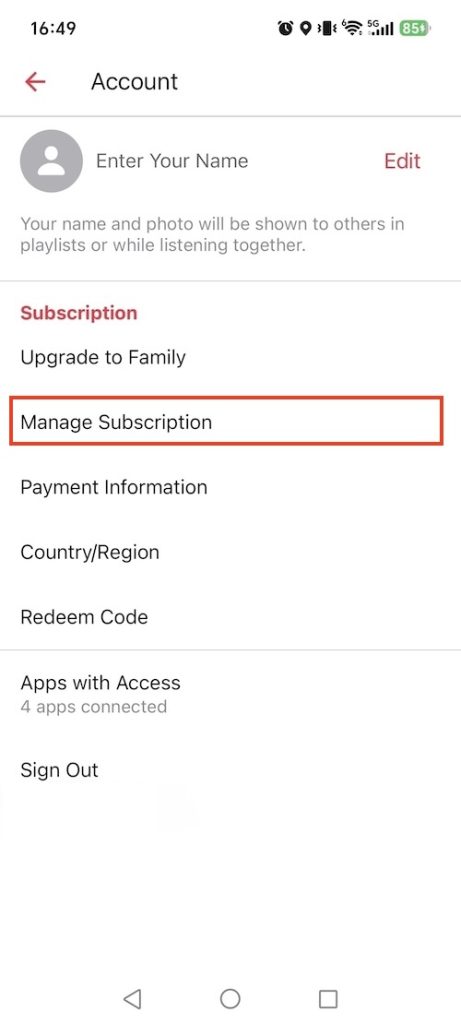
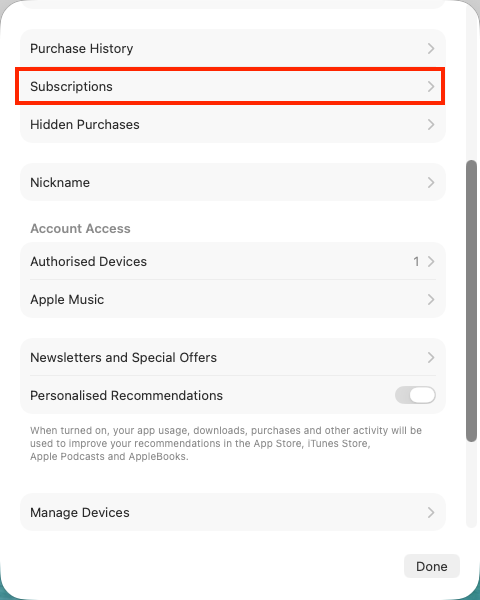
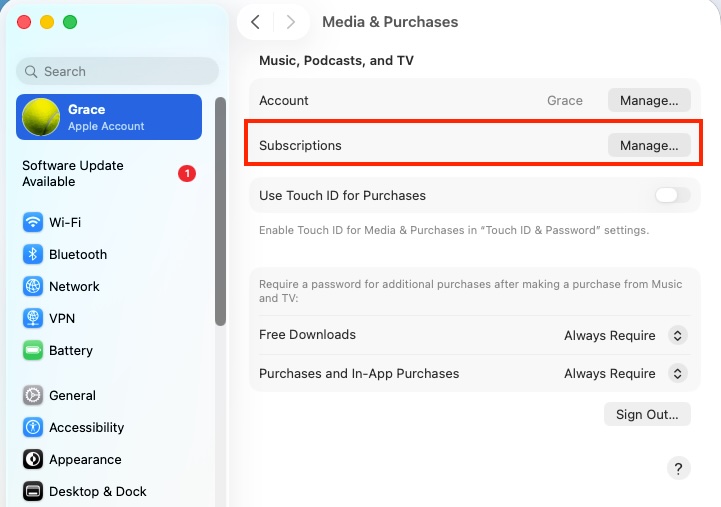
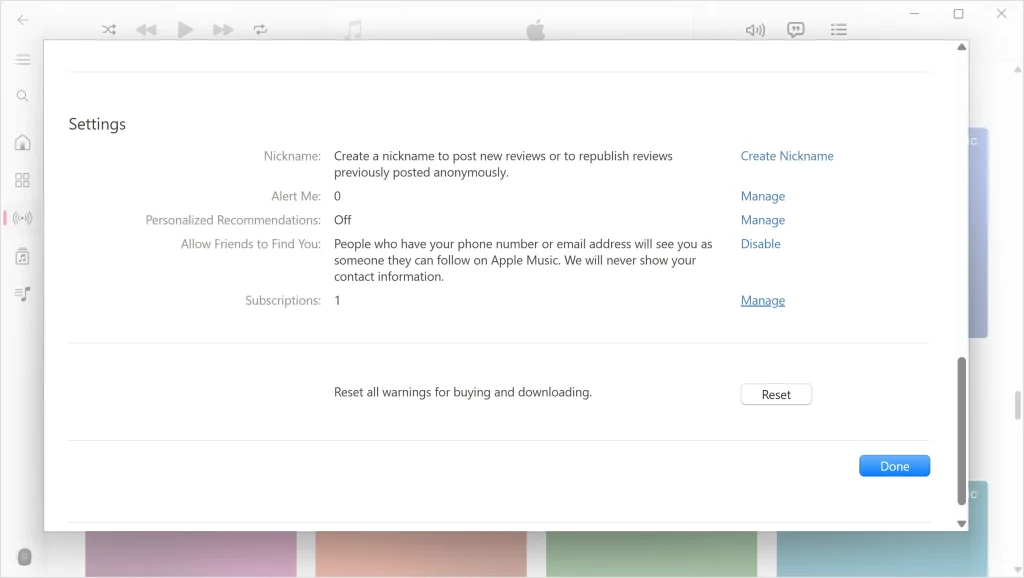
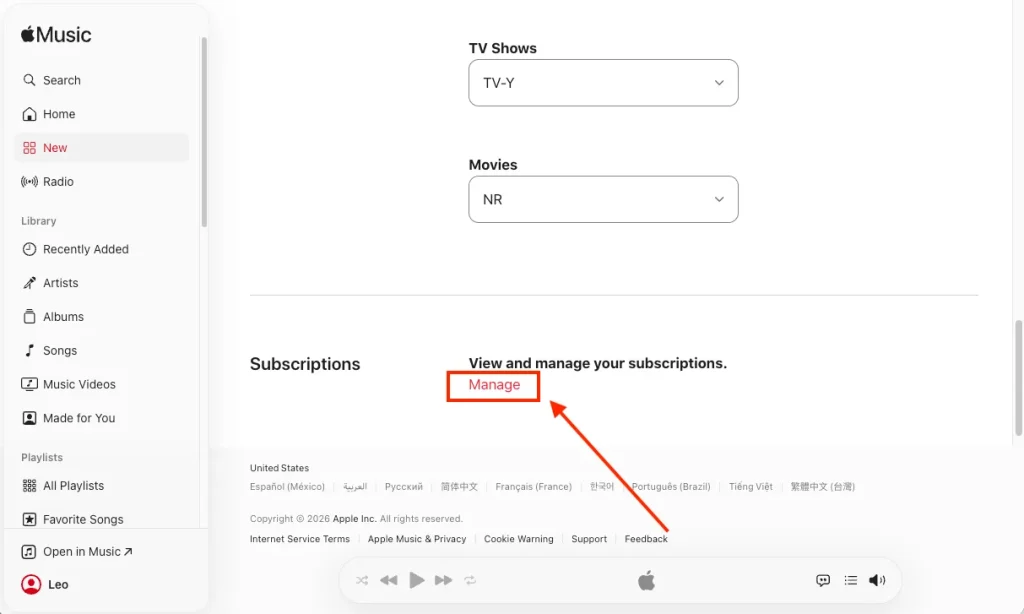
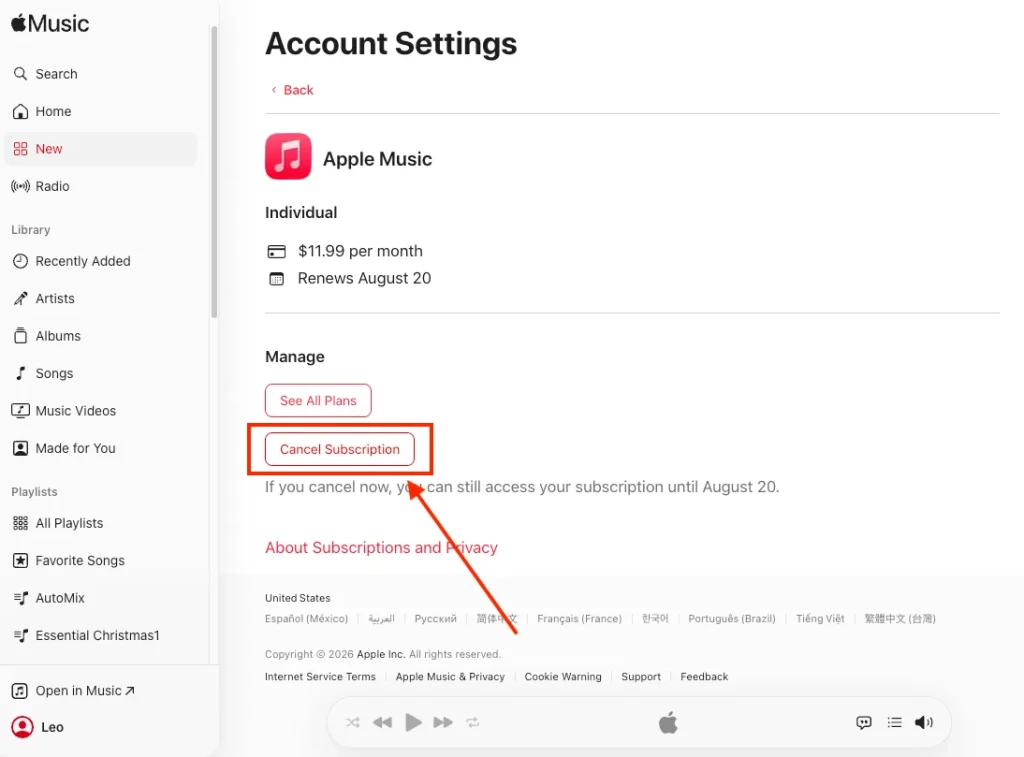
You can also use a web browser to cancel your Apple Music. The best part is you can do this across all your devices, whether it is iOS, Mac, Windows, or Android.
If you’re using Apple TV to listen to Apple Music, you can also cancel your subscription directly from the device.
After canceling your Apple Music subscription, you can continue to access the vast Apple Music library until the end of your current billing cycle. However, once that period ends, you can only listen to music you’ve purchased and local music on your device through the Apple Music app; access to the Apple Music library will no longer be available. In addition, any catalog songs you downloaded for offline listening will become unplayable immediately after your subscription expires.
To keep downloaded Apple Music playable after canceling your account, you need to save them as local MP3 files on your device. For this purpose, you can use the best Apple Music downloader – Pazu Apple Music Converter. This safe and effective downloader can help you download any Apple Music playlists, albums, and songs to MP3, AAC, FLAC, and other popular formats on Mac/Windows without any loss in quality.
Not only does Pazu Apple Music Converter download your favorite playlists and songs, but it also preserves the original audio quality, ID3 tags, and metadata, so you won’t lose any important information. Plus, one of the distinguishing features of Pazu Apple Music Converter is the really fast download and convert speed – almost 10 times faster than any other similar software.
Pazu Apple Music Converter integrates with the Apple Music web player, so you can batch-convert any Apple Music playlist or album to the format you choose without iTunes or the Music app.
Key Features:
The following tutorial will show you how to download Apple Music to MP3 and get Apple Music for free.
Download, install and run Pazu Apple Music Converter on your Mac or Windows.
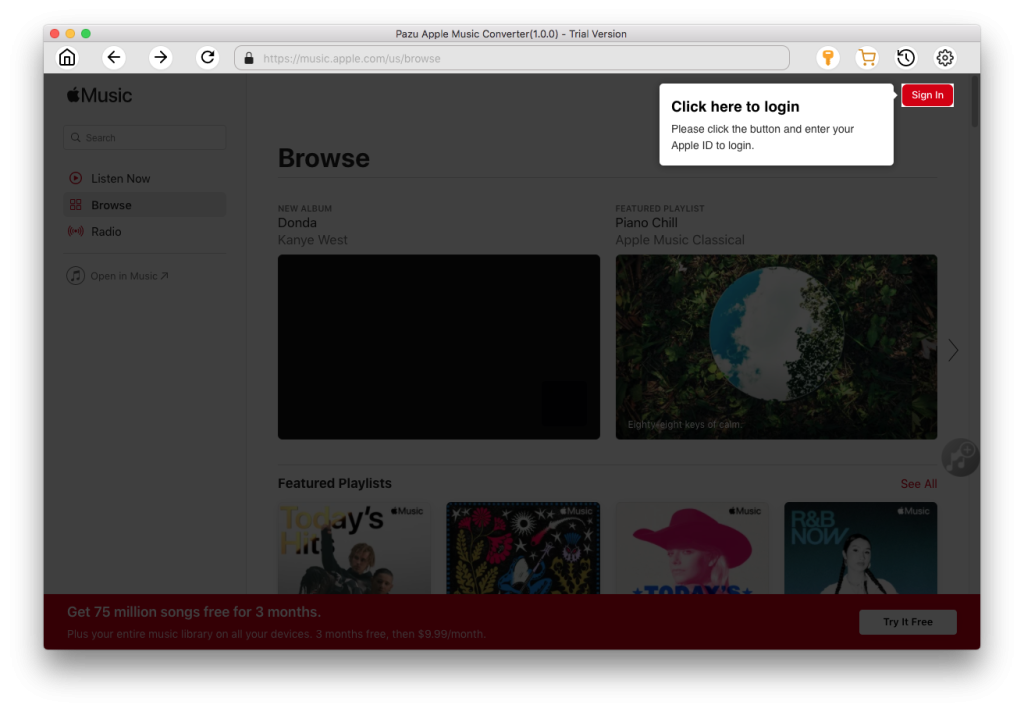
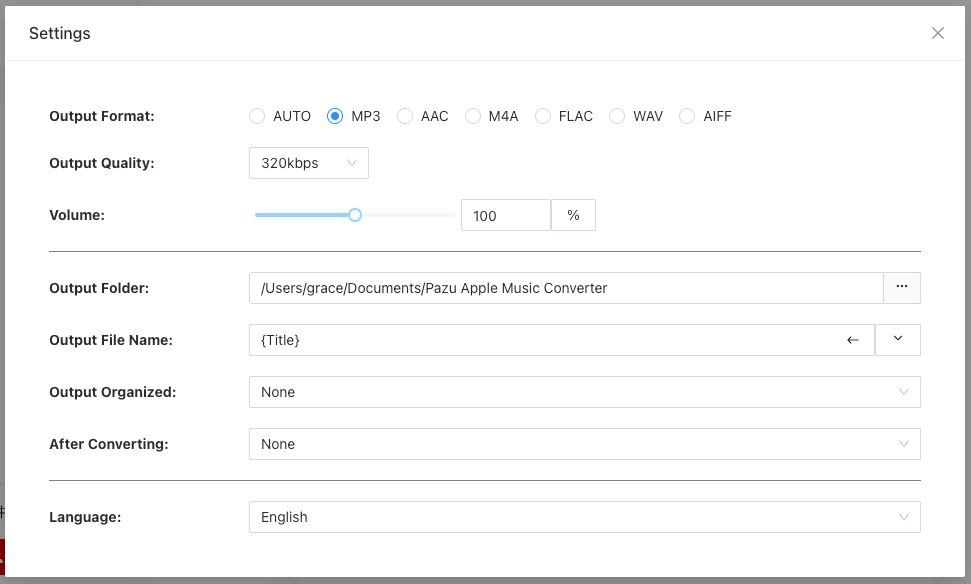
The default format is M4A. Apple Music Converter also supports MP3, AAC, FLAC, WAV, and AIFF. Click the gear icon to change the output format or folder.
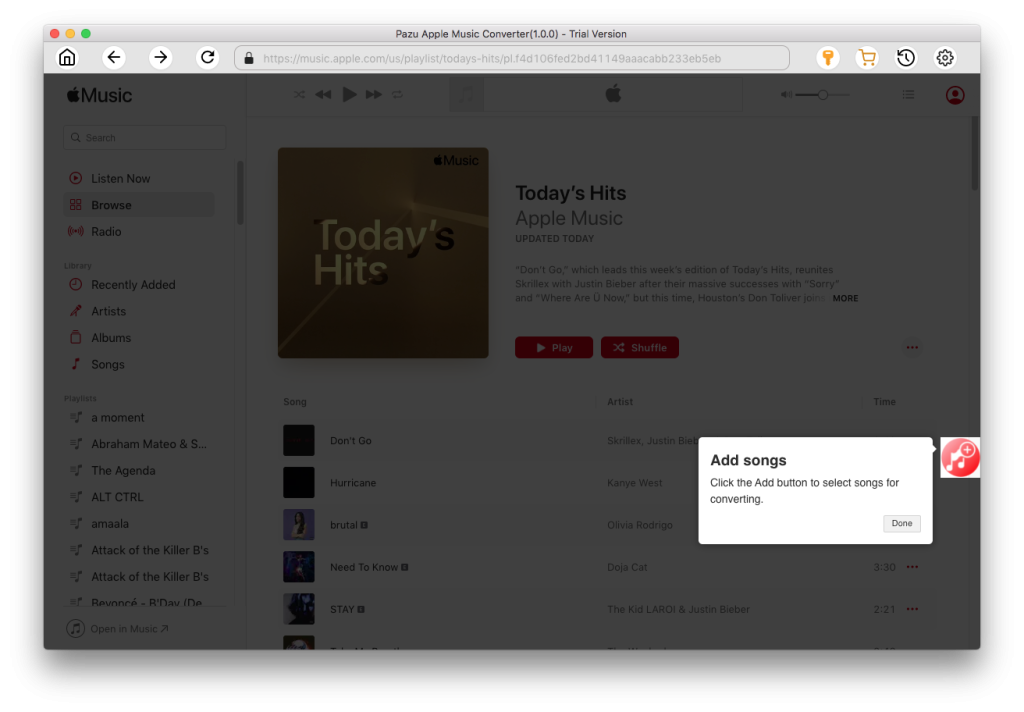
Use the built-in Apple Music player to find the playlist, artist, or album that you want to download. Click the red “Add songs” button to add the tracks to the download list.
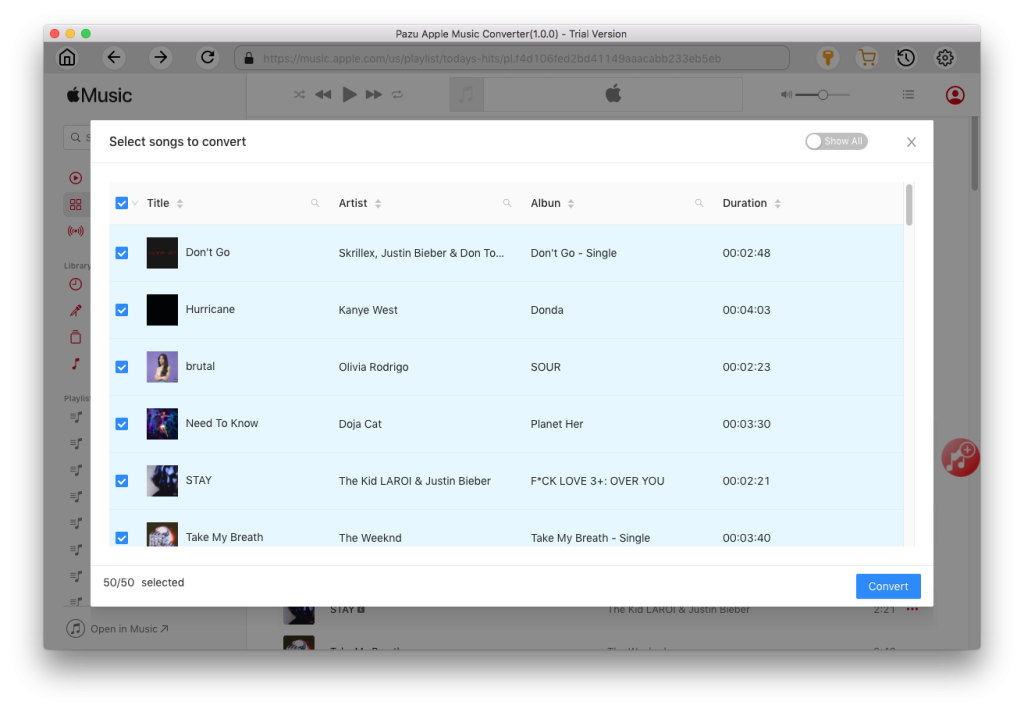
Click the “Convert” button to start downloading Apple Music songs, albums, and playlists to MP3, so you can play them anywhere you want, even after canceling your Apple Music subscription.

Download Apple Music to MP3, M4A, etc.