

YouTube has more than 2.72 billion monthly active users as of April 2026, representing more than one-fourth of the world’s population using the platform every month. YouTube Premium and YouTube Music Premium are the paid subscription services offered by YouTube, with a combined total of over 125 million subscribers worldwide. The two Premium services have different features and benefits. If you’re struggling to decide which one to choose, here is a comparison detailing the differences between the two.
Contents
Related: How to Download Music from YouTube With or Without Premium

YouTube Music is the dedicated music service of YouTube offered through a separate app. Similar to YouTube, users can access the vast library of YouTube Music with a free account, supported by ads. For better viewing and listening experiences, YouTube and YouTube Music also provide Premium memberships to help you get rid of ad interruptions.
YouTube Premium is a paid membership to elevate your experience across all YouTube platforms, including YouTube, YouTube Music, and YouTube Kids. This service provides ad-free access to videos, live streams, and music. Additionally, subscribers can download videos and music for offline viewing and enjoy other appealing features.
On the other hand, YouTube Music Premium is a paid service specifically for music-related content. It offers ad-free access to over 100 million songs, albums, playlists, and music videos, along with the option to download songs and playlists for offline listening.
Yes. YouTube Music Premium is included in your YouTube Premium membership. Once you’ve subscribed to YouTube Premium, you can enjoy all the YouTube Music Premium benefits, including listening to over 100 million songs ad-free, offline, and while your screen is locked.
YouTube Premium Lite officially launched in the United States on March 5, 2025, and has now expanded to nearly 40 countries*. It offers limited availability and is a more affordable, ad-free alternative to the standard Premium plan.
Premium Lite costs $8.99/month after a one-month free trial. The plan provides ad-free YouTube videos, background play, downloading videos to play offline, and access to ad-free YouTube Kids.
However, YouTube Premium Lite doesn’t include YouTube Music Premium, meaning music videos and songs will still contain ads. It also doesn’t include any of these features exclusive to the Standard Premium, such as continue watching, queuing, jump ahead, high quality audio & video, and more.
* YouTube Premium Lite is currently available in:
Both YouTube Premium and YouTube Music Premium offer three paid plans: Individual, Family, and Student. Each Premium plan provides a one-month free trial.
YouTube Premium for Individuals is $15.99 per month or $159.99 per year. If you choose the Family Plan, you can add up to 5 additional household members (6 members in total) at the price of $26.99 per month. Eligible students at higher education institutions approved by SheerID can enjoy a discounted price of $8.99 per month.
Remember that if you subscribed to YouTube Premium, YouTube Music Premium is included. However, if you prefer to join YouTube Music Premium only, it costs $11.99 per month or $119.99 per year for the Individual Plan, $18.99 per month for the Family (up to 6 members in total), and $5.99 per month for the Student Plan.
| Plans | YouTube Premium | YouTube Music Premium |
| Individual | $15.99/month or $159.99/year | $11.99 per month or $119.99/year |
| Family | $26.99/month | $18.99/month |
| Student | $8.99/month | $5.99/month |
In addition to all the benefits of YouTube Music Premium, YouTube Premium membership extends its benefits to the video content on YouTube and YouTube Kids. Below are the features and benefits of YouTube Music Premium and YouTube Premium:
After a thorough comparison of the two, selecting the one that best suits your needs becomes straightforward.
If you are only interested in YouTube Music, YouTube Music Premium is the ideal choice. You can listen to music ad-free, download music for offline listening, and play music in the background on your mobile devices,
Otherwise, we recommend YouTube Premium for a more comprehensive experience. In addition to all the benefits offered by YouTube Music Premium, YouTube Premium provides extra features for YouTube videos and YouTube Kids, for an extra $4 per month.
YouTube Music Premium subscribers can download music for offline playback. However, these downloaded files are limited within the YouTube app and cannot be transferred to other devices or used by other applications. For free users of YouTube Music, the download feature is not available.
Fortunately, Pazu YouTube Music Converter offers a solution to overcome these limitations. This reliable tool allows you to download YouTube Music songs, albums, playlists, and podcasts in formats like MP3, M4A, and WAV on your Mac/Windows, regardless of whether you have a free or premium YouTube Music account. In addition, the downloaded tracks can be transferred to other supported devices or used by other applications, making it convenient to enjoy your favorite music in the way you prefer.
Pazu YouTube Music Converter features a built-in YouTube Music web player, so you don’t need to copy and paste song links manually. Just search for the music within the YouTube Music catalog. Then you can download them in lossless quality with full ID3 tags. Here are the detailed steps for downloading YouTube Music to MP3 with Pazu YouTube Music Converter.
To get started, download, install and run Pazu YouTube Music Converter on your Mac or Windows, which features a built-in YouTube Music web player.
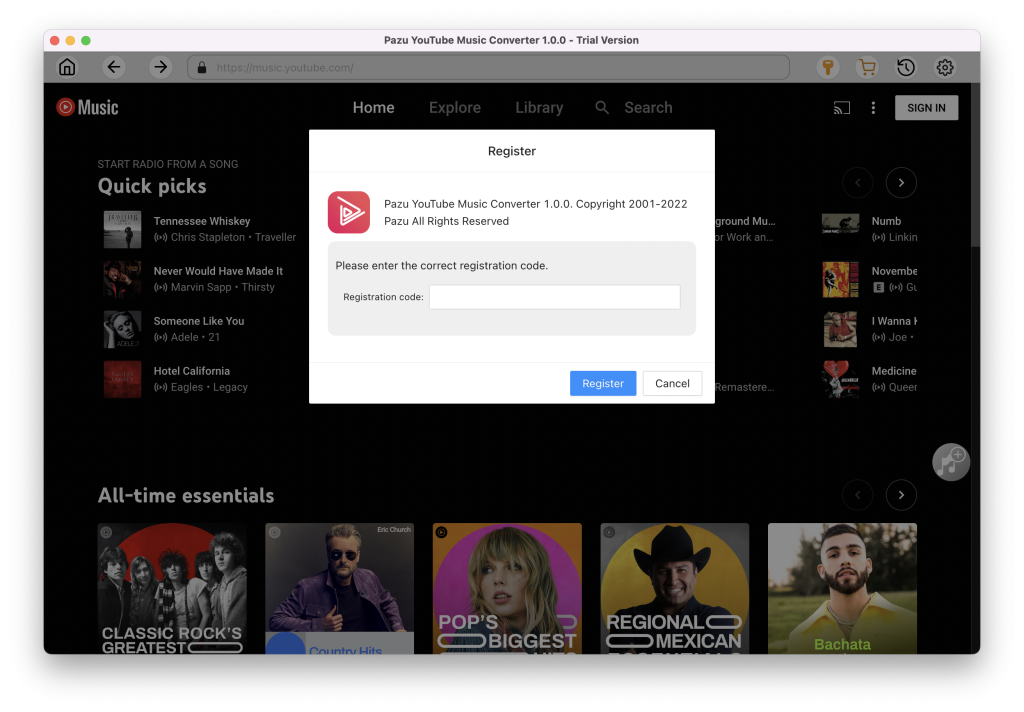
After installation, launch the YouTube Music to MP3 Converter. If you have already purchased a license, click the key icon to register the converter. Otherwise, continue using the trial version.
You don’t need to sign in to your YouTube Music account.
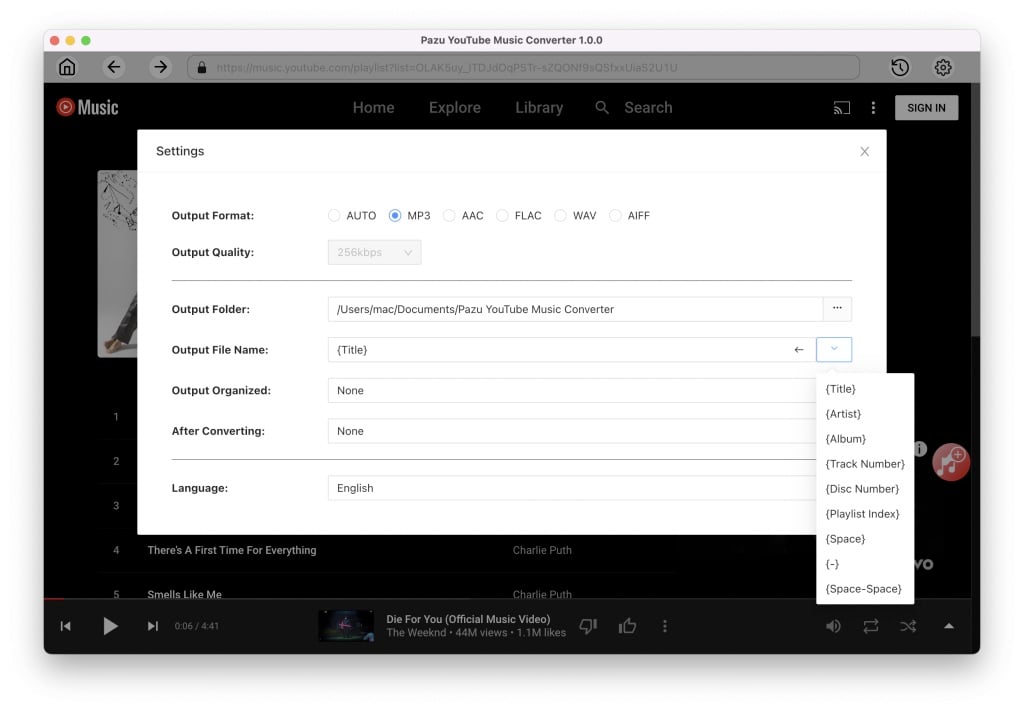
Click Settings (the gear icon) in the upper right corner and set the output format to MP3. You can also customize the output quality, folder, file name, language, and more for your downloaded music files.
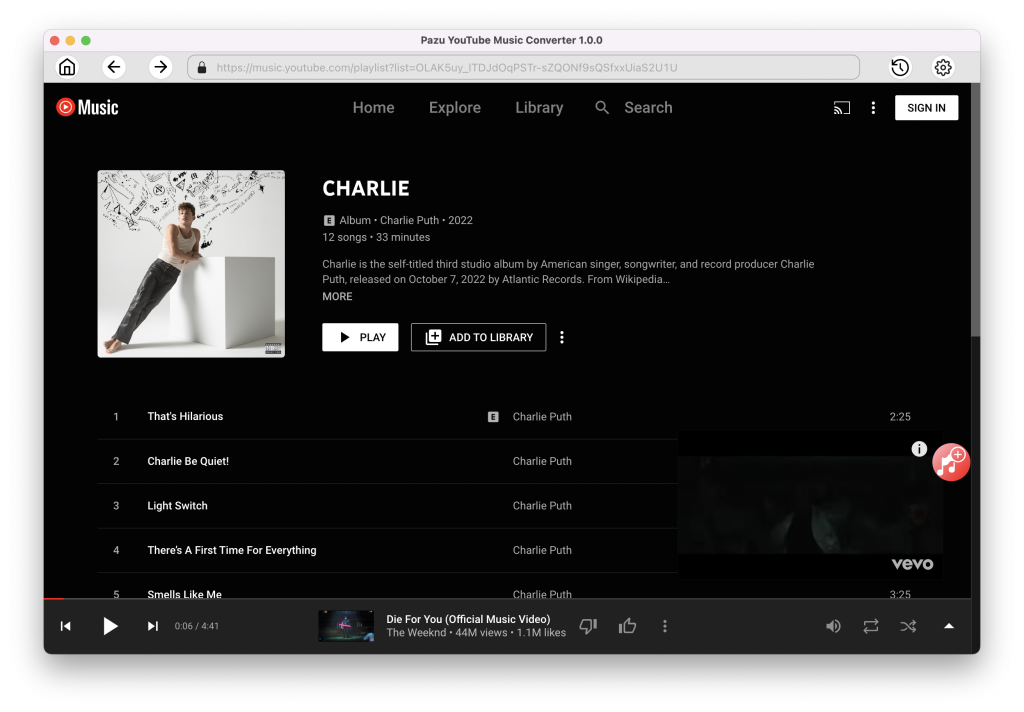
Browse or use the search function to find the songs, albums, or playlists you want to convert to MP3, then click the red Add to List icon to load the songs.
All songs in the playlist/album will be selected by default. You can uncheck the songs you don’t want to get.
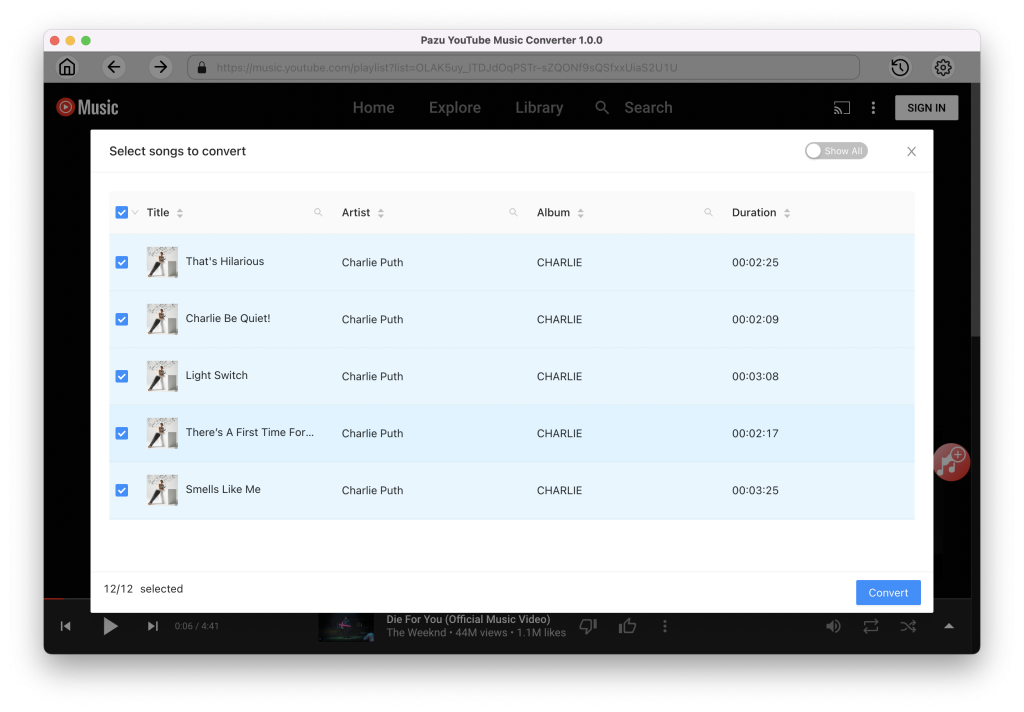
Click the Convert button and the program starts converting the YouTube Music songs.
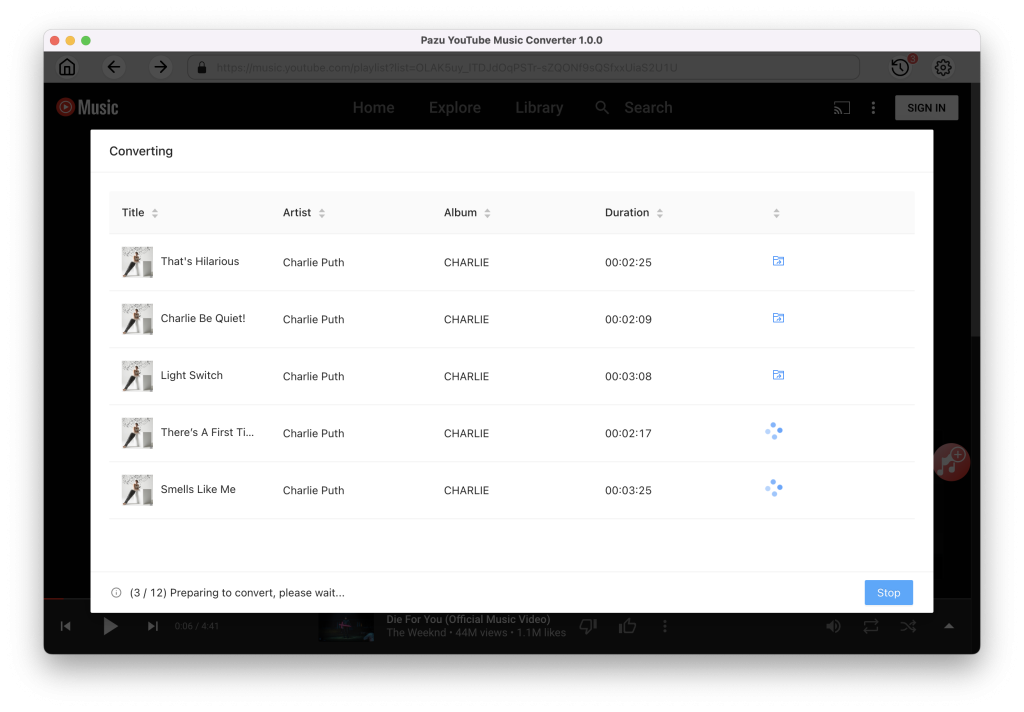
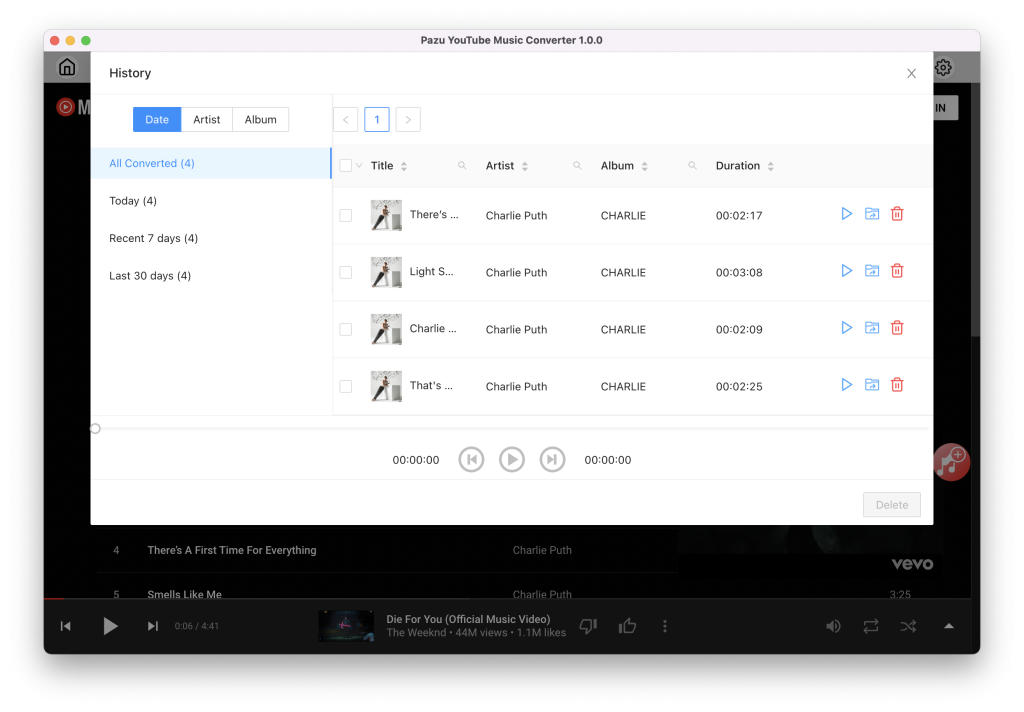
After the conversion process is complete, click on the clock icon in the upper right corner to access the converted YouTube Music songs. To locate the converted YouTube Music songs:

Download and convert YouTube Music to MP3, M4A, etc