
Google replaced the Home Mini with the Nest Mini in 2019, two years after its debut in 2017. Despite that, the original affordable speaker has remained available for sale but is now finally out of stock on the Google Store. The Nest Mini comes in four colorways - Charcoal, Sky, Coral, and Chalk. If you’re willing to spend a bit extra, you can get a Nest Audio smart speaker for $74.99. It has a slightly larger form factor, better audio output, a triple far-field microphone setup, and more processing power. The Nest Audio comes in five color variants - Charcoal, Sky, Sage, Sand, and Chalk.
You can link your music services and pick a music service as your default on your Google Nest or Home speaker or display. Ask your Google Assistant to play your favorite songs from Spotify, YouTube Music, and more. Or stream music from your phone to Home Mini/Nest Mini/Nest Audio.
However, TIDAL is not supported by Google Assistant. To play Tidal music on Google Home/Nest speakers and displays, you will need to cast or use bluetooth.
Check this video for detailed steps.
 on the top right corner and choose your Google Home device from the list, then play the songs you like.
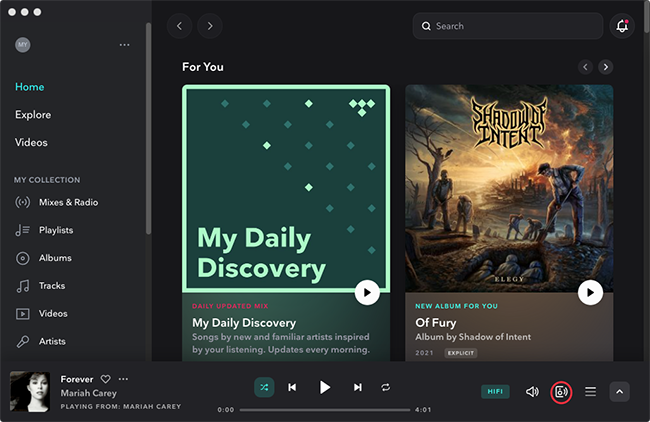
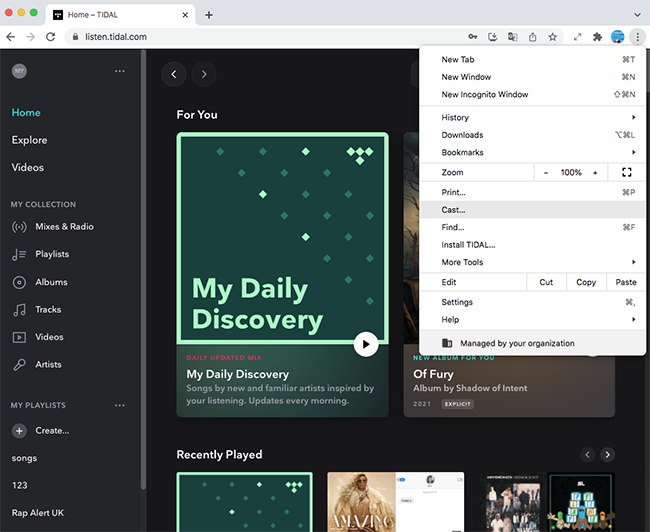
However, all above methods requires TIDAL subscription. Once you cancel TIDAL subscription, you can't cast TIDAL music to Home Mini/Nest Mini/Nest Audio.
Luckily, with Pazu Tidal Converter, you can download any Tidal songs, albums and playlists to M4A/MP3/AAC/FLAC/WAV/AIFF on your Mac and Windows. Play the downloaded songs with Windows Media Player or VLC, etc. Then cast your computer screen to Home Mini/Nest Mini/Nest Audio.
Cast your computer screen
You can display your entire computer screen using Chrome on Mac, Windows, and Chrome OS.
Note: To play the audio on your TV, use a Windows computer.

 Cast
.
Cast
.
Follow below steps and learn how to download Tidal music to MP3.

Download, install and run Pazu Tidal Converter on your Windows, which features a built-in Tidal web player.

If you have purchased a license, click the key icon to register the converter. If not, continue using the trial version.
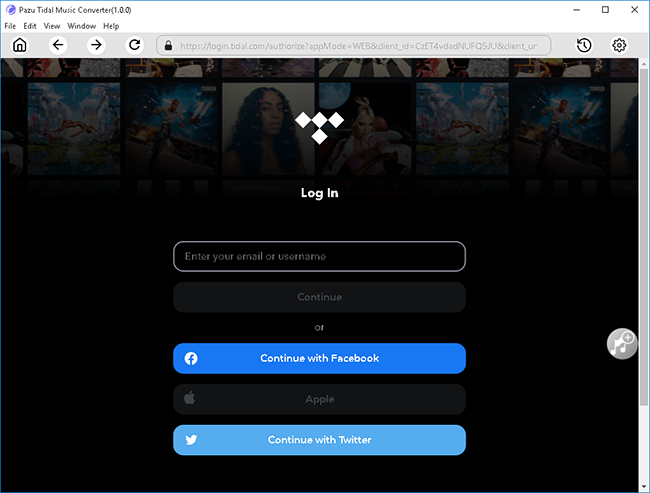
Follow the onscreen instructions to log in yout Tidal account.

The default output format is M4A. Pazu Tidal Music Converter also supports MP3, AAC, FLAC, WAV, AIFF. Click the Gear icon on the top right corner to change output format or output folder if you need.
You can also customize output song name with any combination of Title, Artist, Album, Track Number, Playlist Index.

Click any playlist you want to download.

Then click the red icon to load songs. All songs in the playlist will be added by default. You can uncheck the songs you don't want to get.

Click Convert button to start downloading Tidal music to the format you choose.

After conversion, click the folder icon to quickly locate the downloaded Tidal songs in the format you choose. You can then play them on Google Home/Google Nest using Bluetooth.


Download Tidal songs/albums/playlists to M4A etc.