

With a YouTube Premium or YouTube Music Premium, you can download songs for offline listening on your mobile devices. However, downloaded music is limited to the YouTube Music app and cannot be transferred. To enjoy your YouTube playlists offline more flexibly, consider converting them to MP3 files. Then you can listen on any device, from your car to your home stereo. Here’s how you can do this on both desktop (Mac and Windows) and mobile (Android and iOS) platforms. We’ll also cover several convenient online downloaders.
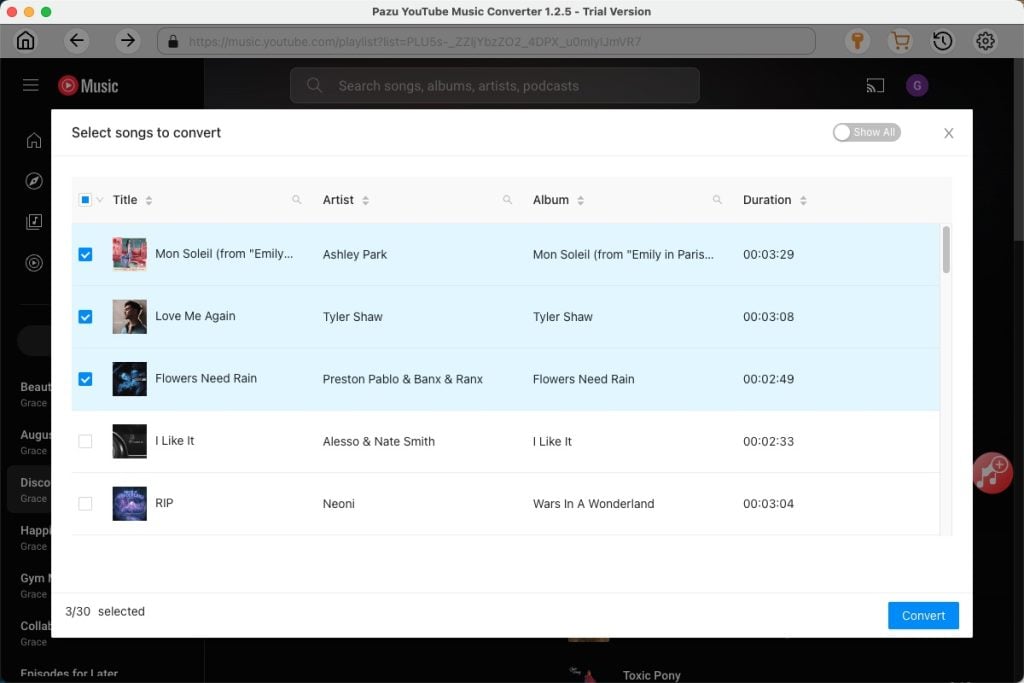
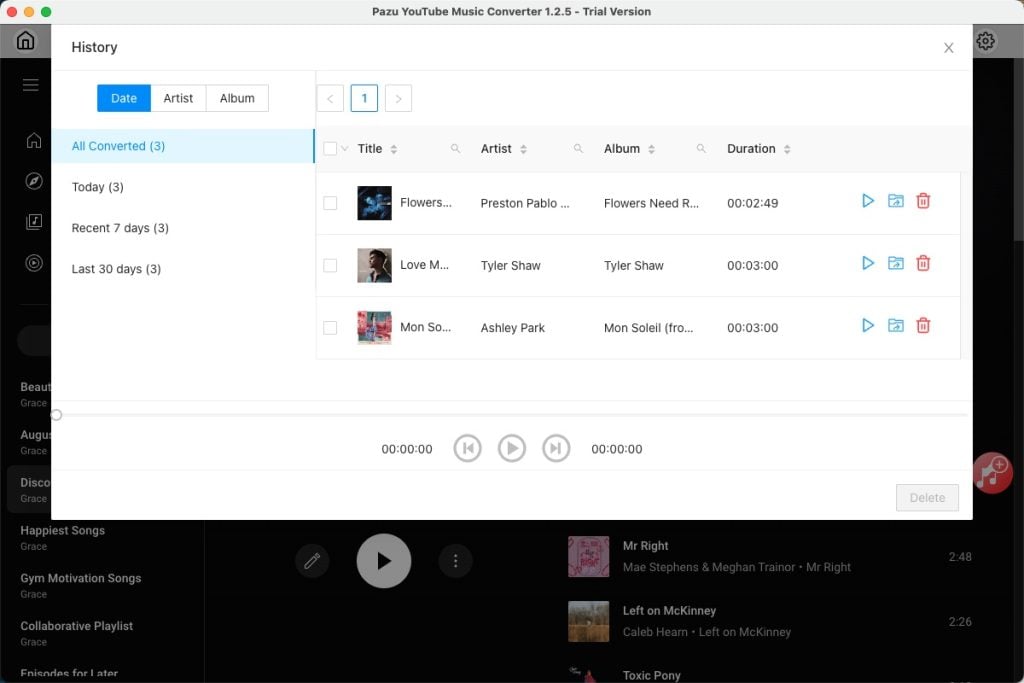
To download YouTube Music playlists on Mac and Windows, Pazu YouTube Music Converter is the perfect solution. You can batch download songs, albums, and playlists from YouTube, no matter whether you’re a free or Premium user.
Unlike the online downloaders, you don’t need to manually copy and paste song links with Pazu. The Converter’s built-in YouTube Music web player lets you directly search and download music you want. Downloaded tracks are saved in original quality with complete ID3 tag information.
Pazu YouTube Music Converter supports downloading music into MP3, M4A, AAC, FLAC, WAV and AIFF. Then you can enjoy them on any supported device.


Snaptube is an Android app to download music and videos from popular social media and video-sharing platforms such as YouTube, Facebook, TikTok, and Instagram. You can easily download entire playlists or individual songs as MP3 files directly to your Android device.
While Snaptube offers a fast, convenient way to download, the quality of the downloaded audio (up to 160 kbps) and video (up to 720p) is reduced compared to the original source. You’ll also encounter ads during the download process.


Unfortunately, there isn’t a dedicated YouTube to MP3 converter app available for iOS devices. Past methods like Shortcuts are currently experiencing issues. However, you can still explore these alternative options:
We’ve covered how to use Pazu YouTube Music Converter for playlist conversions. In the next section, we’ll guide you through using online downloaders to convert and download YouTube Music playlists to MP3 format.
While many online YouTube to MP3 converters are available, they often require you to manually copy and paste the URL of each song in a playlist. This can be time-consuming for longer playlists.
Fortunately, some online tools can automatically recognize multiple songs from a YouTube playlist. While you’ll still need to initiate each download individually, these tools are a convenient option for downloading smaller playlists without needing to install any software.
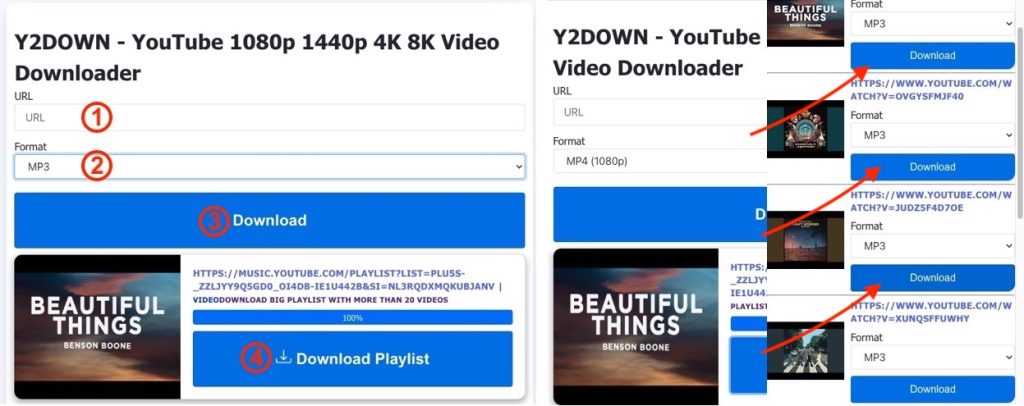
Y2Down is a free online tool that lets you download YouTube videos to high-quality MP4 or extract audio in formats like MP3, M4A, FLAC, and WAV. It automatically recognizes songs in a playlist, so no more manual copying and pasting. While you still need to download each song individually, the MP3 files can be saved at high quality (up to 320kbps) and downloaded quickly.
Here’s how to use Y2Down to download YouTube playlists as MP3:
MP3 Help is another online tool that allows you to download songs from YouTube playlists. While you still need to download each song individually, it offers a second option to download small playlists without software installation.
When using MP3 Help, you may encounter pop-up ads. Simply ignore these and continue with your download.


Download and convert YouTube Music to MP3, M4A, etc