
Los reproductores de MP3 ya no son tan populares como solían ser. Los teléfonos inteligentes ahora pueden contener grandes cantidades de música y hacer que escuchar música sea más fácil. Pero eso no significa que los reproductores MP3 estén obsoletos. Para muchas personas, todavía hay mucho que amar de los reproductores MP3.
Hoy en día, los mejores reproductores de MP3 del mercado son capaces de almacenar su biblioteca de música a una tasa de bits mucho mayor. Gracias a las nuevas innovaciones en ingeniería de audio, también están mejorando constantemente el sonido, con características como soporte de audio de alta resolución y DAC (convertidores de digital a analógico) integrados que se están volviendo comunes. Con un par de auriculares de excelente sonido, la música de alta calidad puede viajar contigo dondequiera que vayas. Los reproductores de MP3 también han experimentado una gran mejora en el diseño durante la última década, lo que significa mayor durabilidad y estilos más elegantes para guardar en el bolsillo.
Spotify es un servicio de música popular en el mercado y te permite disfrutar de millones de canciones de forma gratuita. Cuando quieras ahorrar almacenamiento o batería en tu teléfono mientras escuchas canciones de Spotify, puedes elegir un reproductor MP3.
Si quieres encontrar uno de los mejores reproductores de MP3 que puedas reproducir en Spotify en 2023, estás en el lugar correcto. Hemos seleccionado las mejores opciones para ayudarte a encontrar el reproductor adecuado para ti.
Búscate un viejo androide. Pregunte también porque los viejos Android no mantienen su valor; probablemente pueda encontrar algunos baratos o gratuitos. Si desea utilizar auriculares con cable, puede optar por un teléfono LG que utilice un DAC realmente bueno.
Mighty es el primer dispositivo que reproduce tus listas de reproducción y podcasts de Spotify y Amazon Music sin conexión a Internet, sin teléfono, pantalla o conexión a Internet. No se necesitan datos ni WiFi para la reproducción. Mighty funciona con todos los auriculares, parlantes y sistemas de entretenimiento para automóviles Bluetooth. Utilice la aplicación móvil Mighty para sincronizar de forma inalámbrica sus listas de reproducción y podcasts con Mighty, sin necesidad de cables ni computadora. Mighty es más pequeño que una caja de cerillas (1,4” x 1,4”) y más liviano que cuatro cuartos (0,7 onzas). Resistente al agua, al sudor y a las caídas. El diseño sin pantalla y los botones físicos de Mighty lo convierten en el compañero perfecto para cualquier entrenamiento y para el tiempo de juego de sus hijos. No más pantallas rotas de teléfonos inteligentes.
Actualmente, Mighty solo admite listas de reproducción y podcasts, pero estamos trabajando para agregar compatibilidad con álbumes. Como solución alternativa, puedes ir a la aplicación Spotify o Amazon y agregar el álbum a una lista de reproducción y luego sincronizar esa lista de reproducción con Mighty.
Requisitos : Spotify Premium

¿Cómo sincronizar las listas de reproducción de Spotify con Mighty?
Mighty admite la sincronización a través de teléfonos Mac, iOS y Android. Primero, descargue e instale la aplicación Might en su dispositivo. Se requiere una cuenta Premium de Spotify para desconectar tus listas de reproducción con Mighty. Si no tiene una cuenta Spotify Premium, puede registrarse para obtener una en www.spotify.com/premium. Luego, abra la aplicación Mighty y siga la Guía de configuración para configurar su Mighty.
1. Vaya a la sección Explorar para ver sus listas de reproducción.
2. Toque el botón + junto a la lista de reproducción que desea sincronizar con Mighty.
3. Las listas de reproducción seleccionadas mostrarán una marca de verificación rosa ( ✓ ) en lugar del botón + y se pueden deseleccionar tocando ✓.
El botón "Sincronizar ahora" se volverá rosa y se podrá presionar cuando se hayan seleccionado una o más listas de reproducción.
4. Toque el botón "Sincronizar ahora" para iniciar el proceso de sincronización.

iOS le da vida al iPod touch de maneras increíblemente personales y poderosas. Tienes acceso a millones de aplicaciones y juegos desde la App Store. La familia iPod de Apple incluye iPod touch, iPod nano, iPod shuffle, iPod mini y iPod. iPod touch es la única serie que admite Spotify ya que ejecuta iOS. El iPod Touch ahora tiene 7 generaciones y la última séptima generación se lanzó en 2019. También es el único modelo que todavía se vende en el sitio web de Apple.
En realidad, no es malo para la música, que es para lo que sirve principalmente el iPod Touch. Apple Music, Spotify y aplicaciones similares funcionan bien aquí, sin muchos controles en pantalla que saturan la interfaz. En cuanto a la duración de la batería, Apple dice que puedes esperar 8 horas de reproducción de vídeo y 40 horas de reproducción de música.
¿Cuál es el iPod touch más antiguo en el que puedo ejecutar Spotify?
Spotify dice que la aplicación de iOS requiere iOS 12 o superior.
Requisitos : Spotify Gratis o Premium

PECSU MP3 Player es un reproductor de música en streaming para Android con Spotify preinstalado. Con el dispositivo básico de música y video mp3 y Android puro sin comunicación, puede reproducir música y ver videos en cualquier momento y en cualquier lugar sin que le molesten varios mensajes y trabajar, y disfrutar verdaderamente de su tiempo libre fuera del trabajo.

innioasis G1 Mp3&Streaming Music Player es un reproductor de audio digital (DAP) más puro. Se centra en música, audiolibros y libros electrónicos. Por tanto, no permite descargar e instalar aplicaciones adicionales. Eso significa que no hay llamadas telefónicas, ni mensajes, ni juegos, ni siquiera videos en las redes sociales. Además, puedes desinstalar aplicaciones preinstaladas que no se utilizan con frecuencia para crear un reproductor más personalizado. INNIOASIS G1 no es sólo un reproductor de mp3 local con Bluetooth, sino también un reproductor de música en streaming. El dispositivo viene preinstalado con muchas de las aplicaciones de música en línea más populares, incluidas Spotify, Pandora, Tidal, Deezer, Amazon music, Apple music, etc.

AGPTEK T03S es un reproductor de MP3/vídeo basado en Android que ofrece acceso gratuito a aplicaciones como Facebook, Twitter, Spotify, Youtube, etc. Puede satisfacer todas sus diferentes necesidades con pantalla táctil y pantalla TFT de 5 pulgadas en la vida diaria. Un dispositivo esencial para oyentes entusiastas y que hace que su trabajo y su vida sean más agradables.

El reproductor MP3 MYMAHDI de 80 GB con bluetooth y WiFi adopta el sistema operativo Android, 2 GB de RAM y 16 GB de ROM incorporados, gratis con una tarjeta de memoria 3.0 de alta velocidad de 64 GB y un procesador de CPU de 8 núcleos a 1,9 GHz para que funcione más rápido y sin problemas. Este reproductor de mp3 cubre una variedad de aplicaciones de medios convencionales, como: Amazon Music, Apple Music, Audible, Facebook, Deezer, Kindle, Pandra, Twitter, TIDAL, Spotify, Sound Recorder, FM Radio, Videos, etc.

Unalace Android Streaming Music Player is a powerful MP3/MP4 player with bluetooth and Wi-fi, built-in App store, full touch screen. You can download any music APP as you want.Such as Spotify, Pandora, Tidal, Deezer, Amazon music, Apple music,Youtube music etc from two APP stores: Play store or APKPure.

The G-mee Play 2 is Bluetooth & Wi-Fi-enabled so kids can connect it to their headphones or speakers, and stream their favorite content like YouTube, Spotify music, and mindfulness apps. The device is the perfect solution if you are looking for smart gadgets to give your kids entertainment (but not a cellphone). Don't risk letting them use your phone, get them their own G-mee Play 2 and download the apps they love, and you approve from the Google Play Store.
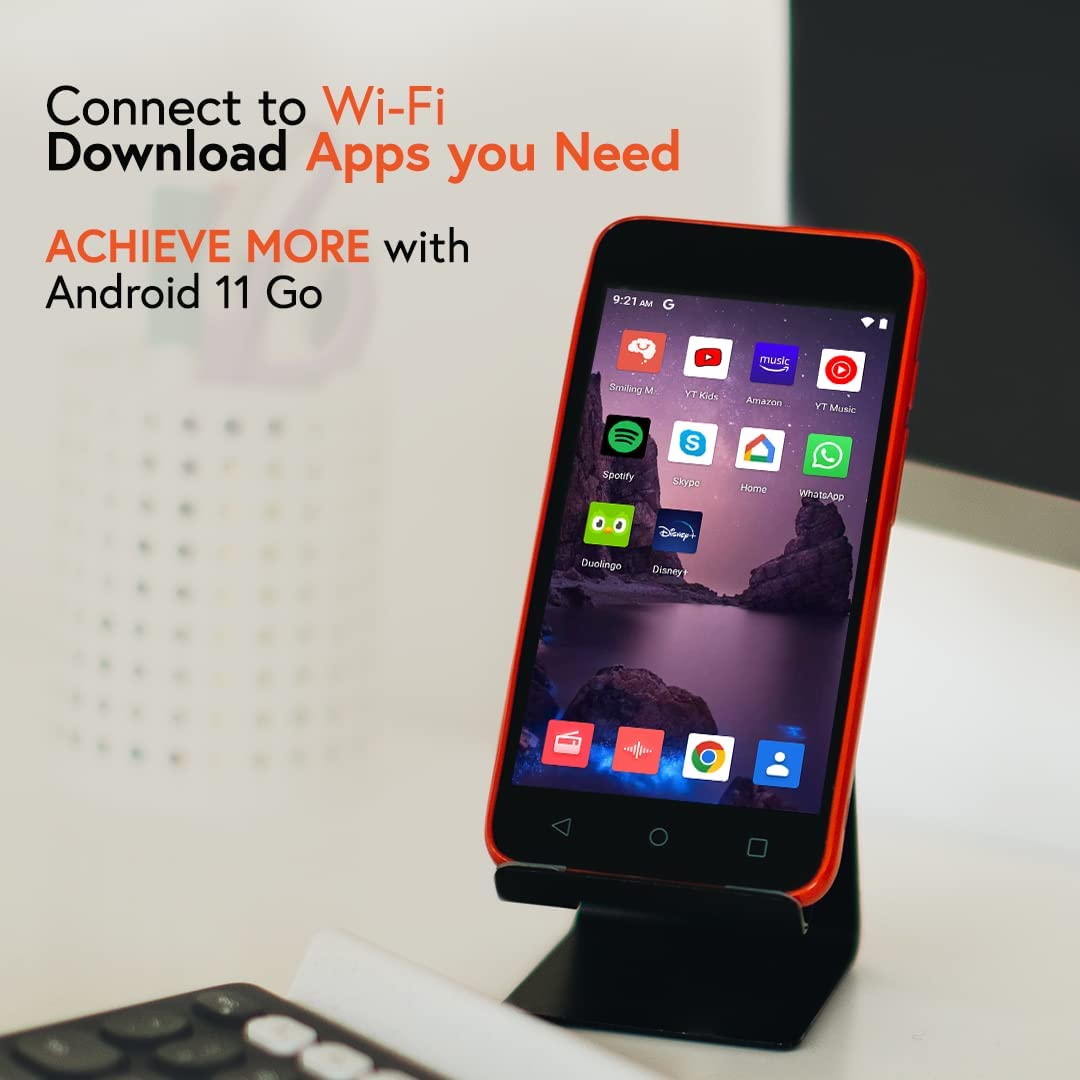
"Yeoodop" MP3 and MP4 music player features built-in leader-level offline music player Musicolet,unlimited custom playlists. No matter how many songs you have, no matter how complicated the classification management of songs is, it is handy to make music at your fingertips; Through mainstream online music streaming platforms such as Spotify, Pandora, AudioMack, etc., you can enjoy unlimited music resources on the Internet, and make music a social and lifestyle.

Astell&Kern SR25 is a true high-resolution music player, bit-perfect playback up to 32bit/384kHz. The player’s quad-core CPU with a dedicated Performance Mode ensures the best real-time processing of your loaded music tracks, producing a full-bellied and balanced sound that rings true through any pair of headphones. And with Wi-Fi and Bluetooth support, you can even link up your favorite wireless earbuds to the SR25. Supported Audio Formats: WAV, FLAC, WMA, MP3, OGG, APE, AAC, ALAC, AIFF, DFF, DSF, MQA. The Astell & Kern SR25's 21 hours of playback guarantees continuous listening for almost the entire day, and 64GB of internal memory means you can store close to 15,000 songs without additional SD storage.
The Open APP Service enables you to install specific APK music streaming apps to the device, such as Amazon Music, Qobuz, Tidal, Spotify, Apple Music and many more!

Requirements : Spotify Free or Premium
How to install Spotify on Astell & Kern SR25?
1. On your computer, go to https://apkpure.com .
2. In the APKpure search box, type "Spotify" and press enter.
3. Click on "Spotify" to take you to the app page. Then, click on the green button "Download APK" to initiate the download of the app file to your computer.
4. Connect your A&K player to your computer. Then, drag the downloaded Spotify file into the file named "OpenService" on the player.
5. Once complete, safely disconnect the A&K player from your computer.
6. On the main menu of the A&K player select "Service" folder.
7. Now you will see the apps that have been downloaded to the player and you will need to install the app by tapping on the icon to the right.
8. Next, select "INSTALL" to initiate the install process.
9. Once the install is complete you are ready to start streaming!
However, there are also many cheap but excellent mp3 players that don't support Spotify app. Downloaded Spotify songs can't be transferred to mp3 player since the songs are DRM protected. Most MP3 players still can not play Spotify directly. If you have an MP3 player but cannot work with Spotify, you may want to extract MP3 Files from Spotify Music , then you can use Pazu Spotify Converter.
Pazu Spotify Converter supports downloading all kinds of Spotify content offline at a faster speed. It converts Spotify to MP3 , M4A, WAV, etc. in batch. Pazu Spotify Converter uses the most advanced downloading technology to convert Spotify songs. So, it will keep the lossless audio quality of Spotify songs for you. The ID3 tags, metadata such as the year, album cover, etc. will be kept also. Follow the below steps to use Pazu Spotify Converter to download and convert Spotify to MP3.

Download, install and run Pazu Spotify Converter on your Mac or Windows. Log in your Spotify account with the built-in Spotify web player.

Pazu Spoitfy Converter features built-in Spotify web player for you to browse or search Spotify songs, albums and playlists you want to download directly on the interface. You don’t need to install Spotify app. Click the album or playlist you want to download and then click the red icon to load all songs.
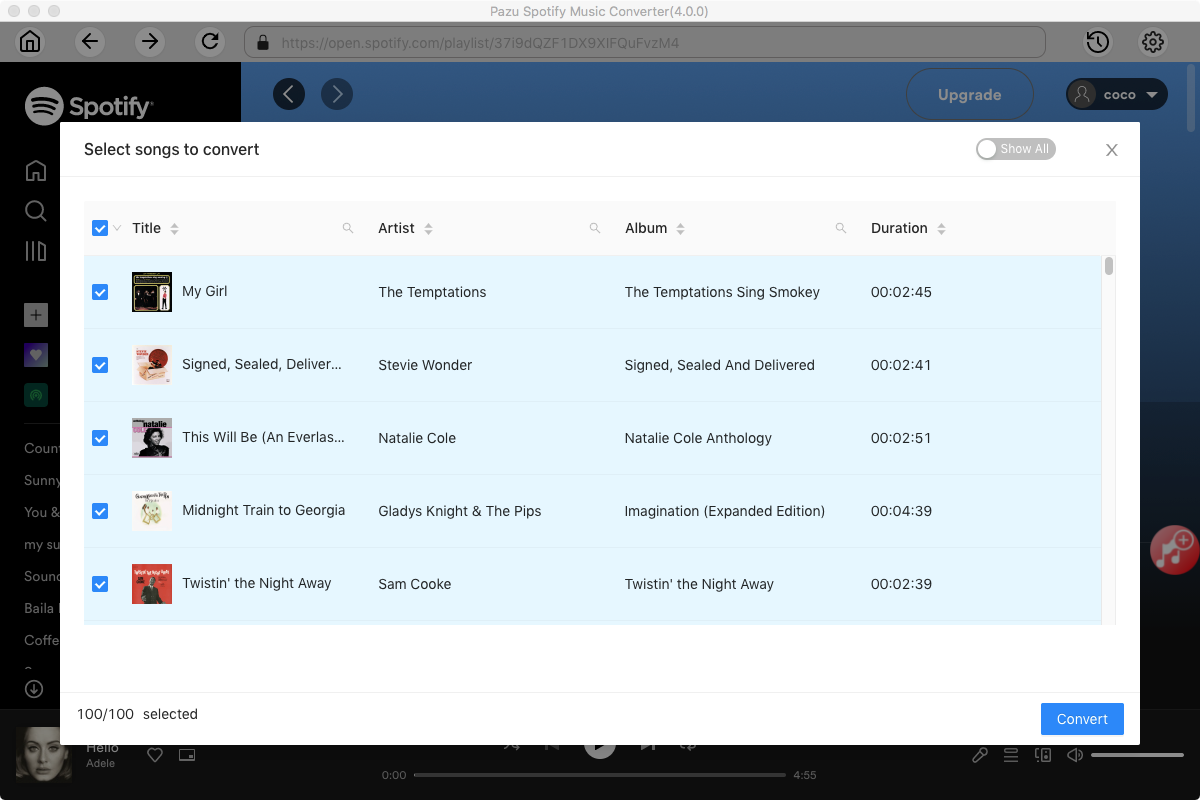
The default output format is M4A. Pazu Spotify Converter also supports MP3, AAC, FLAC, WAV, and AIFF. Click the gear icon on the top right corner to change output format or output quality. You can also change output folder and following:

Haga clic en el botón Convertir para comenzar a descargar canciones de Spotify en formato MP3.

Una vez realizada la conversión, haga clic en el icono de la carpeta para encontrar las canciones de Spotify convertidas.

Nota: La versión de prueba gratuita de Pazu Spotify Converter te permite convertir los primeros tres minutos de cada canción. Puede eliminar la limitación de la prueba comprando la versión completa.
Comprar ahora Comprar ahora
Descargue y convierta cualquier canción, álbum, lista de reproducción de Spotify a MP3/M4A, etc.
Leer más