

Songs from the Apple Music streaming service are not supported in third-party DJ apps. Files from this streaming service are DRM protected, and won’t be playable in any other software, hence why these files do not show in DJ software unless you purchased and downloaded them.
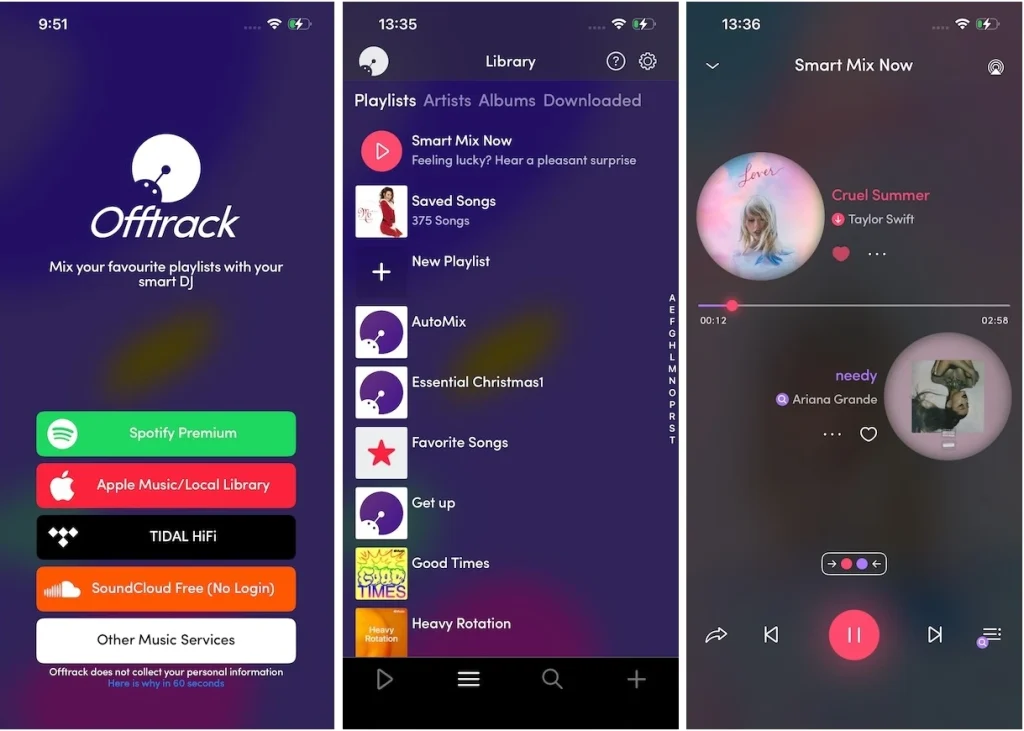
However, finally, there is a DJ app that is compatible with Apple Music and allows you to listen to seamless mixing of Apple Music DRM content – Offtrack (Mixonset) for iOS picks the best fade-in and fade-out points, then seamlessly transitions automatically between tracks. Since most songs are too long, Offtrack plays the best 25-50% of a song as a highlight. Swipe to the queue page and you’ll see that the song order has already been optimized for you.
Contents
For Mac, iPad, and iPhone, the Android version is limited to Spotify and Soundcloud
The Offtrack (formerly Mixonset) AI DJ app for iPhone and iPad is compatible with Spotify, SoundCloud Free, Apple Music, and TIDAL. It works on MacBooks (2020 onwards) too. The user-friendly and smooth interface allows you to create a personalized party experience wherever you are.
The music mixing app, with its Smart Mix feature, expertly combines your preferred songs, artists, and playlists, enabling you to seamlessly shorten tracks with professional transitions similar to those of a DJ. Moreover, you can explore fresh music daily, as the app suggests new songs that seamlessly integrate into your queue.
You can use Offtrack for free to DJ with the supported streaming services. To upgrade your DJ experiences, Offtrack Pro costs $4.99/month or $39.99/year.
For Mac, iPad, iPhone, Android, Windows
Apple Music is now integrated with djay in 167 countries across iPhone, iPad, Mac, Apple Vision Pro, Windows, and Android. Connect your Apple Music account directly within djay for immediate access to a catalog of over 100 million songs, including your personal library, in the cloud.
If you’ve purchased and downloaded music on your iPhone, iPad, or Mac computer, then you can also use djay’s Music app integration to easily access your music in djay’s music library. djay offers the option to browse your music library by Playlist, Artist, Album, Genre, Key, and more.
djay offers a comprehensive DJ software solution for DJs of all levels. It seamlessly merges with your music library, granting you immediate access to a vast collection of tracks. Whether you’re performing live, recording mixes on the fly, or utilizing Automix mode, djay caters to your needs. It’s an excellent choice for both casual and mobile DJs. Additionally, djay Pro is tailored for professional DJs, providing advanced features for their craft.
Related: How to use Apple Music with djay?

For Windows, Mac, iOS, and Android
Playable music file: ALAC, FLAC, WAV, AIFF, MP3, AAC
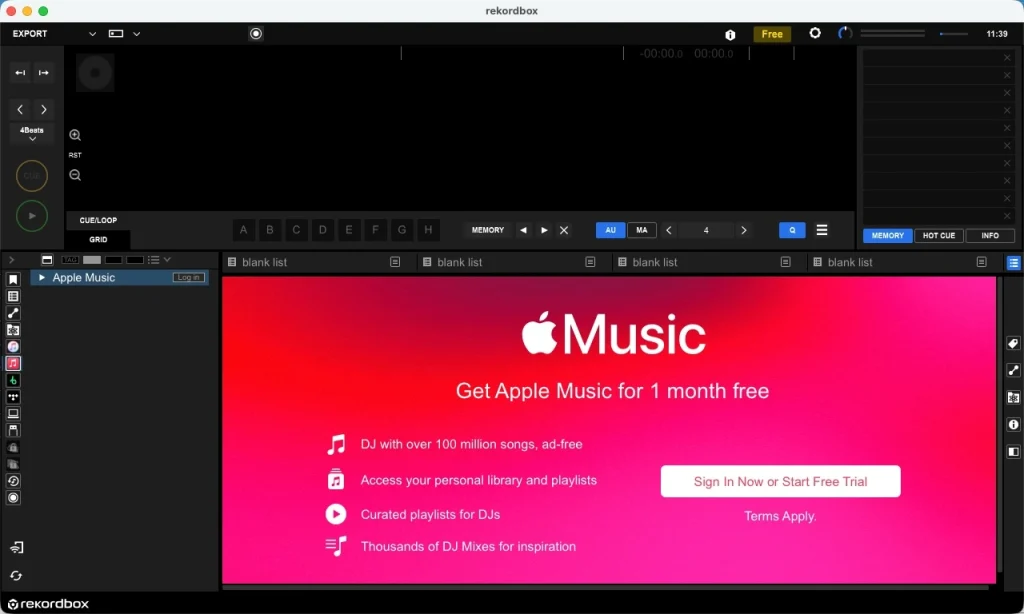
Starting in March 2025, Apple Music integration has been available for rekordbox, allowing DJs to access over 100 million tracks and thousands of DJ mixes for inspiration. To enable Apple Music support, ensure your software and hardware are updated to rekordbox for Mac/Windows (ver. 7.1.0), rekordbox for iOS (ver. 4.4.0), OMNIS-DUO firmware (ver. 1.21), and XDJ-AZ firmware (ver. 1.21).
Rekordbox DJ is a well-known piece of DJ software that is meant for organizing one’s music library, creating playlists, and preparing tracks to be exported to a USB drive. It can also be used for performing live with a dedicated Pioneer DJ controller. Editing and creating playlists is what Rekordbox DJ is great at. However, it goes beyond that. The software can be set up to auto-sync with your iTunes playlists, as well as your storage devices.
Related: How to use Spotify in rekordbox?
For Windows, Mac
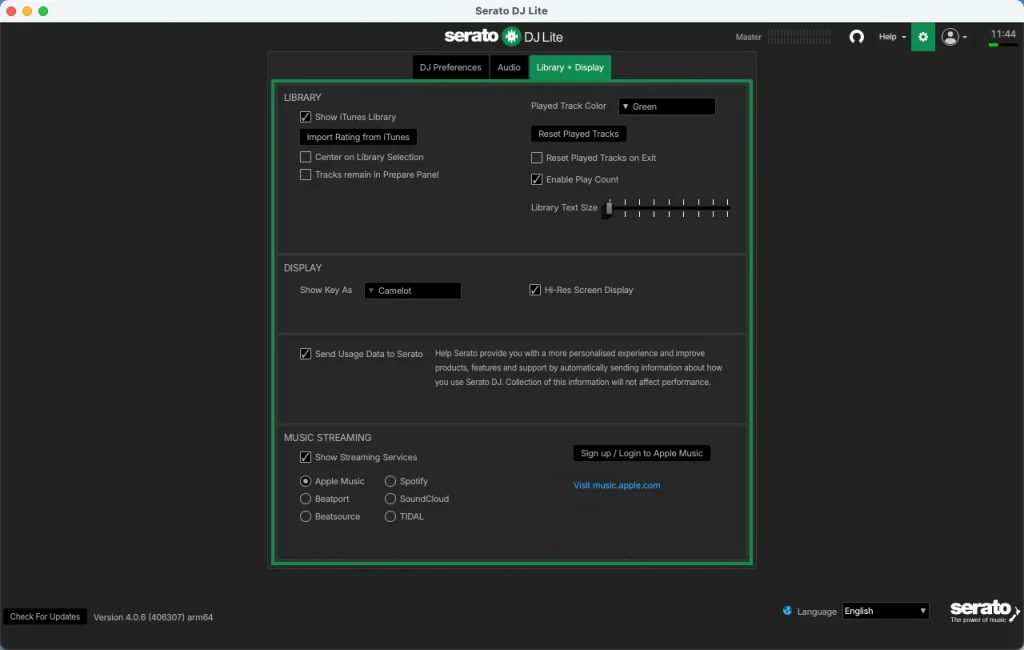
At the end of March 2025, the Apple Music streaming service began to be supported in Serato DJ Pro or Serato DJ Lite. Serato DJ can import your Apple Music library, allowing you to play your iTunes music and access playlists. To enable this feature, go to the Setup screen, open the Library + Display tab, and select Apple Music from the streaming services.
For several years, Serato has been a prominent figure in the digital DJ market, offering two software versions: Serato DJ Pro and Serato DJ Lite (formerly known as Serato Intro). Originally aimed at replicating the traditional vinyl DJing experience, Serato DJ has evolved to embrace both controllerism and turntablism.
This software empowers DJs to mix music on up to four virtual decks, dependent on their hardware and setup. Over time, it has expanded to include various performance modes that have evolved from basic effects to encompass sampler options and the ability to stream music from diverse platforms such as Soundcloud, Tidal, Beatport Link, and Beatsource.
Related: How to use Apple Music in Serato DJ?
Some DJ apps still cannot support Apple Music streaming. While they may integrate with the Music/iTunes app for easy access to your music library, only DRM-free songs you’ve purchased or downloaded will be displayed. Songs from the Apple Music streaming catalog will not be displayed.
The only method to use Apple Music in any DJ app is to download Apple Music to MP3 and then add to DJ software as local music files.
For Windows, Mac
Supported Audio Formats: MP3, WAV, AIFF, Audio CD, FLAC, Ogg Vorbis, non-DRM AAC
For over two decades, TRAKTOR has led the way in digital DJing, offering unmatched sound quality and seamless control over your preferred tracks. The TRAKTOR software lineup features options for all levels, from the beginner-friendly TRAKTOR Play to the advanced TRAKTOR Pro. With precise beat-matching, time stretching, and modern effects, TRAKTOR empowers you to mix, remix, and craft creative sets that elevate your DJing game.
Related: How to import Apple Music to Traktor DJ Software?

For Windows, Mac
VirtualDJ brings DJing to a new level with advanced technology and modern computing power. Its Real-time stem separation redefines the norm for dynamic and creative DJ sets. This standout feature allows live mashups and smooth transitions. You can mix different parts of your tracks in real-time – vocals, instruments, kicks, hihats, and more.
VirtualDJ is designed for both beginners and pros. It offers smart DJ tech and easy-to-use features, perfect for new DJs to learn and enjoy. And if you’re not using it professionally, it’s free.
Related: How to Add Apple Music to Virtual DJ?

It’s a common understanding that Apple Music songs are safeguarded by DRM (Digital Rights Management) and can only be played within the Apple Music app or web player. Consequently, you cannot directly use songs downloaded from Apple Music in DJ apps, unless you have purchased those tracks.
An alternative approach involves converting Apple Music songs into DJ app compatible audio formats, such as MP3. To achieve this, we recommend utilizing Pazu Apple Music Converter, a popular tool for converting Apple Music for use in DJ setups.
Pazu Apple Music Converter lets you download any Apple Music songs, albums and playlists to MP3, AAC, WAV, FLAC, M4A, AIFF without any loss in quality. One of the distinguishing features of Pazu Apple Music Converter is that it can download and convert Apple Music at a really fast speed – almost 10 times faster than any other similar software. It is integrated with the Apple Music web player, so you can batch convert any Apple Music playlist or album to the format you choose without the Apple Music or iTunes app. The following tutorial will show you how to download Apple Music to MP3 and get Apple Music for free.
Download, install and run Pazu Apple Music Converter on your Mac or Windows.
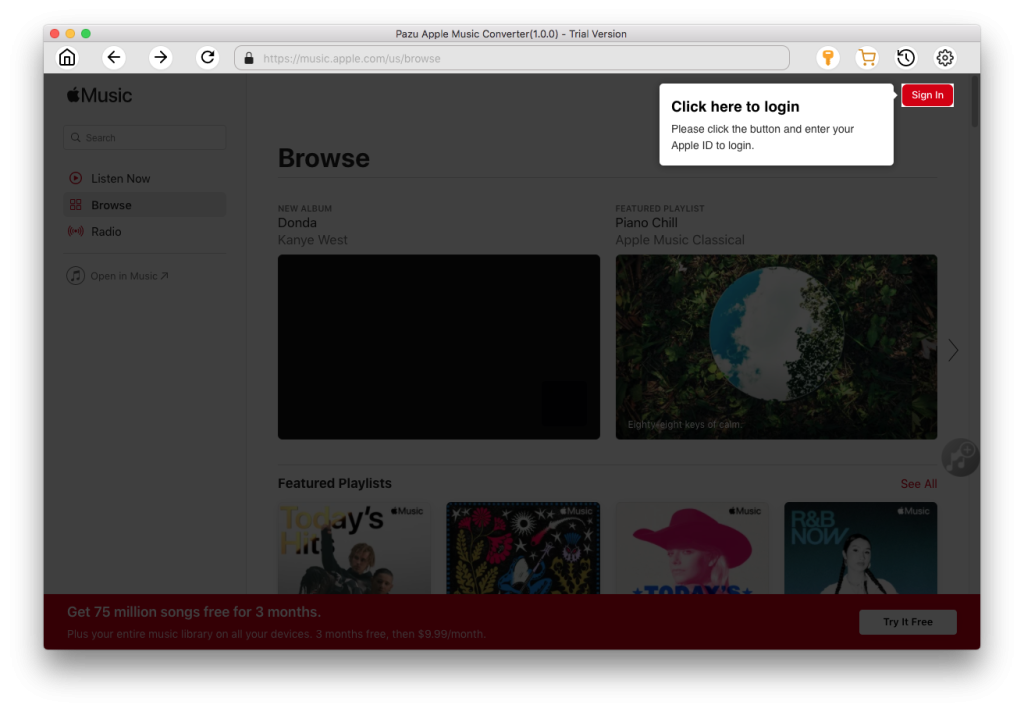
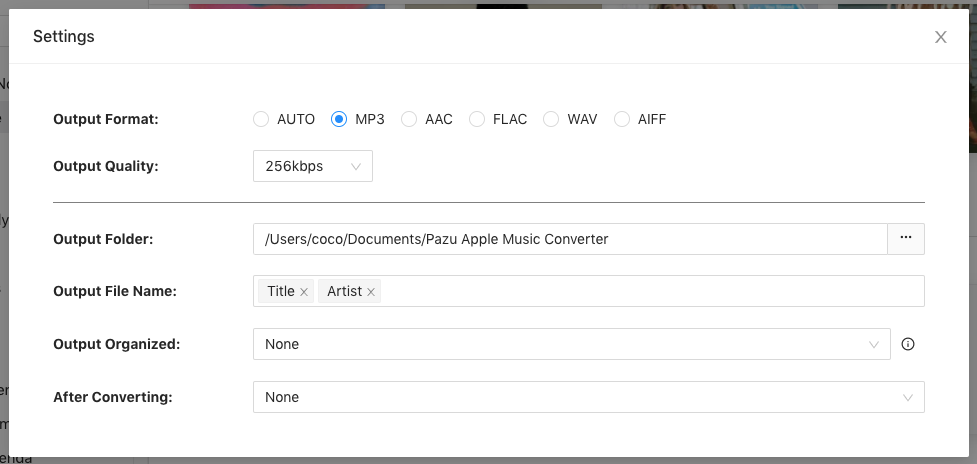
The default format is M4A. Apple Music Converter also supports MP3, AAC, FLAC, WAV and AIFF. Click the gear icon if you want to change output format or output folder.
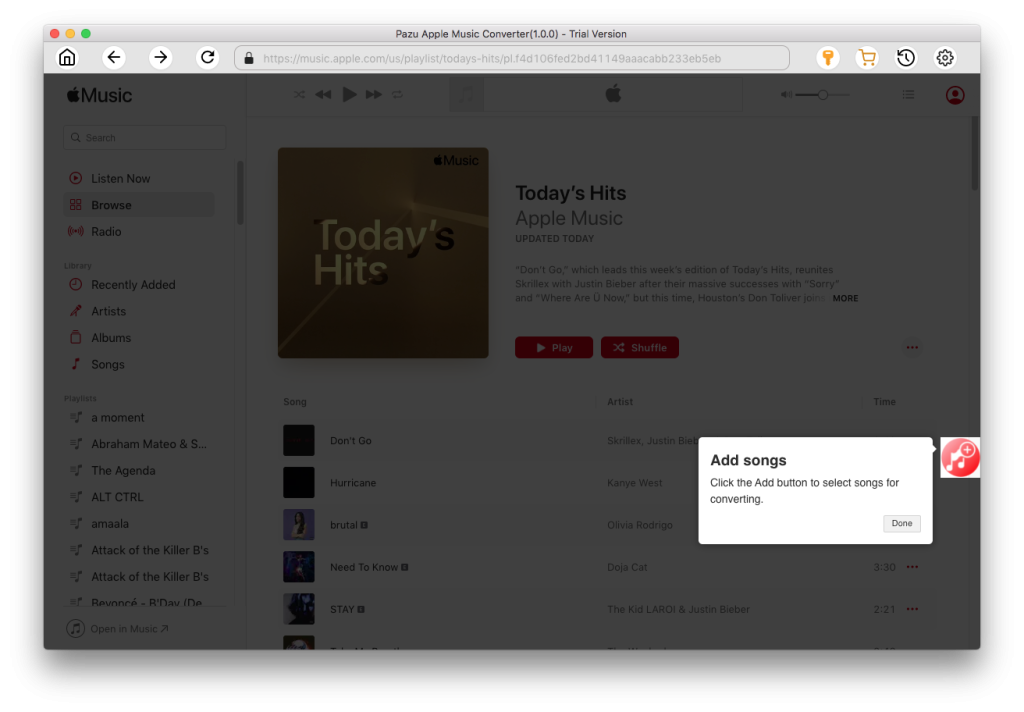
Follow the on-screen instructions to choose a playlist, artist, or album that you want to download.
Click the “Convert” button to download Apple Music songs, albums, and playlists to MP3.
Once downloaded, click the folder icon to find the tracks and add them to your DJ app as local songs.
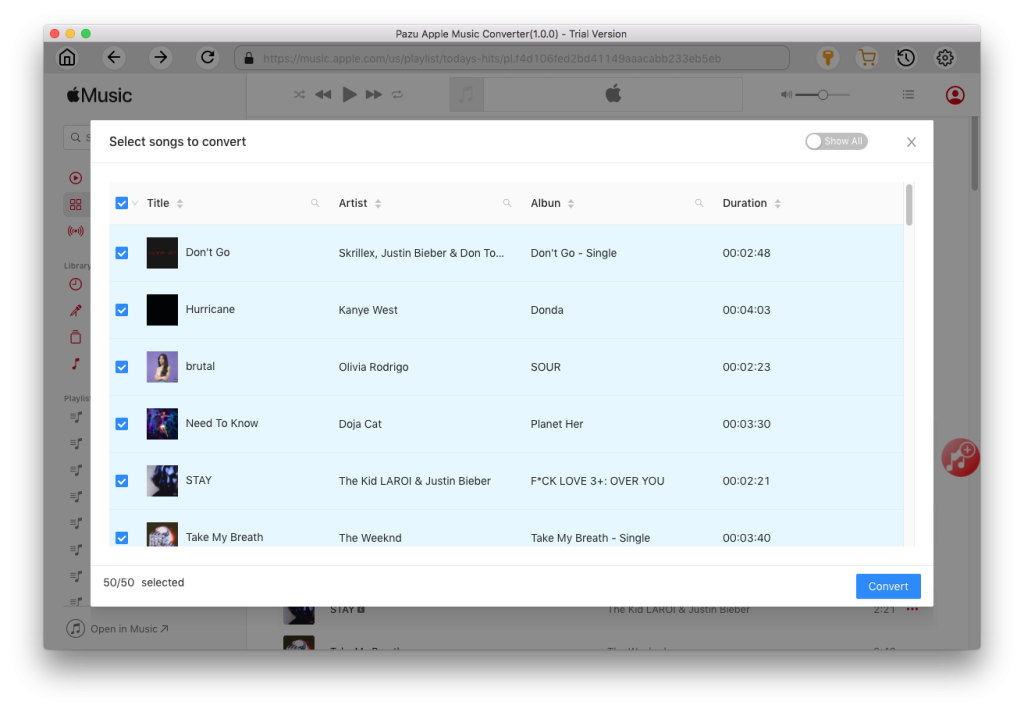

Download Apple Music to MP3, M4A, etc.