
For many game enthusiasts, a game session doesn't feel right unless having otheir favorite tunes playing in the background. Luckily, Sony PlayStation gaming consoles offer the option to fire up a music player while we race, explore, or do battle. You can listen to music while playing compatible PS5 and PS4 games. This feature is not available on PS3.
(Not available on PlayStation Now or Remote Play)
The song or podcast that's playing appears as a card in the control centre. Select the card to pause and access other playback controls. Press the PS button to return to the game that you were playing. While in a game or an app, you can press the PS button twice to return to your most recent card without going through the control centre.
You May Like:
However, it will be annoying to hear ads while playing games if you only have Spotify free. Is there any way to block ads except subscribing to Spotify premium? Of course. PS5 and PS4 also allows you to play music from a USB drive. With the right tool, you can download Spotify songs, albums, playlists and podcasts to MP3 and then transfer them to USB drive to play on PS5/PS4 without ads.
Pazu Spotify Converter supports downloading any Spotify songs, albums, playlists and podcasts offline at a faster speed. It converts Spotify to MP3, M4A, WAV, FLAC, OGG, AIFF in batch. Pazu Spotify Converter uses the most advanced downloading technology to convert Spotify songs. So, it will keep the lossless audio quality of Spotify songs for you. The ID3 tags, metadata such as the year, album cover, etc. will be kept also. Follow the below steps to use Pazu Spotify Converter to download and convert Spotify to MP3.

Download, install and run Pazu Spotify Converter on your Mac or Windows. Log in your Spotify account with the built-in Spotify web player.

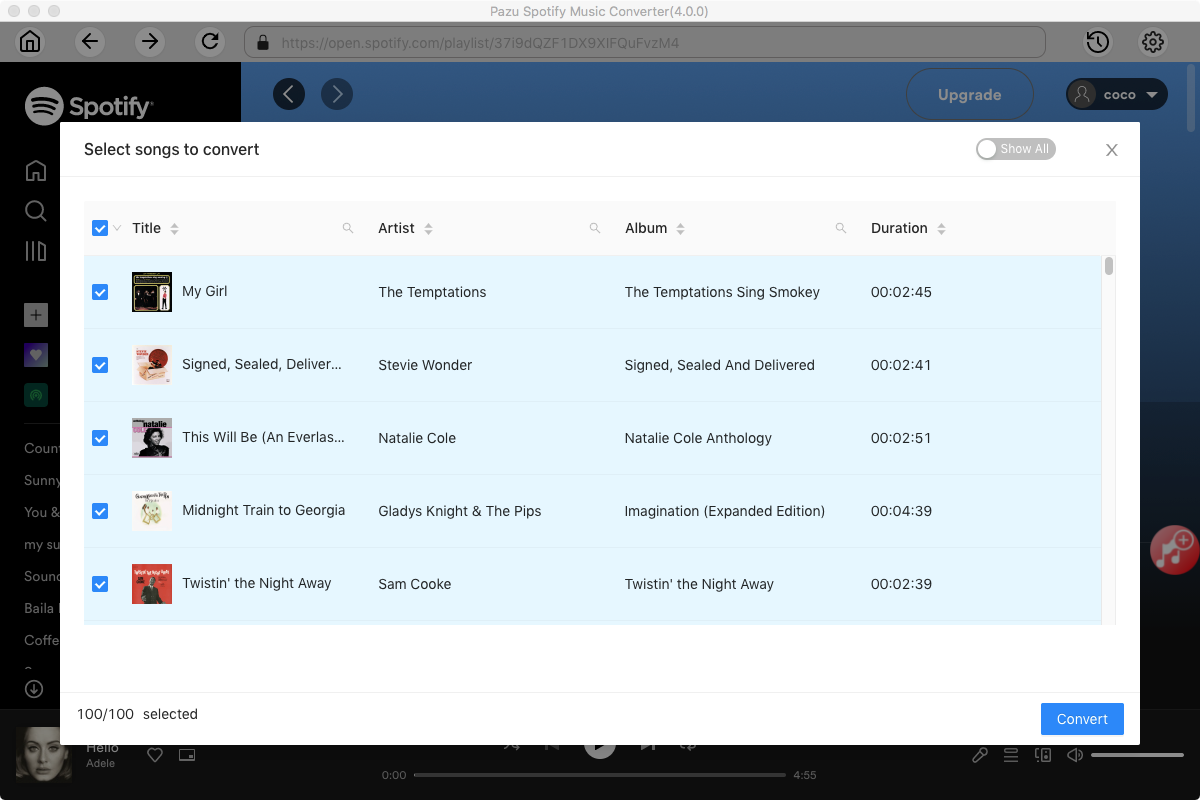
Pazu Spoitfy Converter features built-in Spotify web player for you to browse or search Spotify songs, albums and playlists you want to download directly on the interface. You don’t need to install Spotify app. Click the album or playlist you want to download and then click the red icon to load all songs.
The default output format is M4A. Pazu Spotify Converter also supports MP3, AAC, FLAC, WAV, and AIFF. Click the gear icon on the top right corner to change output format or output quality. You can also change output folder and following:

Click the Convert button to start downloading Spotify songs in MP3 format.

Once the conversion is done, click the folder icon to find the converted Spotify songs.

Transfer the downloaded Spotify songs to your USB drive. Make sure the USB drive is formatted with either the exFAT or FAT32 file system.
Play music from a USB drive on PS5 consoles
Play music from a USB drive on PS4 consoles
Note: The free trial version of Pazu Spotify Converter enables you to convert the first three minutes of each song. You can remove the trial limitation by purchasing the full version.
Buy Now Buy Now
Download and convert any Spotify songs, albums, playlists to MP3/M4A etc.