
Spotify++, now renamed to Spotilife for Spotify, is a hacked version of the original application, offering you the features of Spotify Premium for free.
The best feature of Spotify++ is that you can play any song on-demand without ads on iOS. Moreover, the non-premium version of Spotify does not let you download music for offline listening, but, in Spotify++ you can download your favorite music to your local storage for offline listening.
With Spotify++, you can get to experience Spotify premium features for free: no ads, unlimited skips. The only drawback is that you won’t be able to use the Offline mode.
In January 2024, Spotilife, the only tweak to get Spotify Premium, stopped working on new Spotify versions. Programmer whoeevee decompiled Spotilife, reverse-engineered Spotify, intercepted requests, etc., and created EeveeSpotify.
Spotify++ used to be available and free in AppValley, however, currently it requires VIP to install EeveeSpotify.
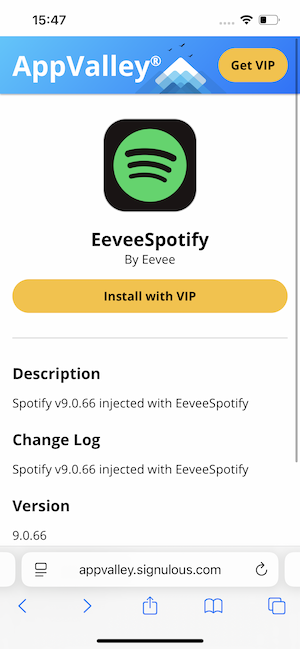
Currently EeveeSpotiy can be installed with Sideloadly, SideStore and AltStore. Sideloadly is easy to set up, but it requires the computer to be running and connected to the same Wi-Fi for app refresh.
Sidestore is complex to setup, but you can refresh app without computer after initial setup. Some users report that SideStore automate refreshing drains battery like crazy. Learn how to install EeveeSpotify with Sidestore.
If you don’t have a PC you can use something like ESign or Feather which are fully on-device, however, they are not free.
1. Download( https://sideloadly.io ) and install Sideloadly on your Mac or Windows.

2. Download EeveeSpotify ipa (the .ipa file) or Spotilife ipa . EeveeSpotify is the new version of Spotilife.

3. Connect your iPhone to your Mac/Windows with USB cable. Run Sideloadly.

4. Drag and drop EeveeSpotify ipa into Sideloadly. Enter your Apple ID. Press start and wait.

5. Now EeveeSpotify is successfully installed on your iPhone.

6. Go to Settings - General - VPN & Device Management, and trust your Apple ID.
7. Go to Settings- Privacy & Security, and at the bottom turn on Developer Mode.
8. Restart iPhone.
9. Open Spotify mod app, log in your account and start ad-free streaming.
Another way to get Spotify premium for free is to download Spotify to mp3 and then transfer them to your iOS devices. Then you can play the songs offline with any music player, without ads.
Pazu Spotify Converter is a professional Spotify downloader specialized in downloading and converting Spotify songs to MP3, M4A, WAV, FLAC, OGG and AIFF in high quality. With the advanced converting processor, it has the ability to convert Spotify songs while remaining all ID3 tags and other metadata info. It brings a great nice listening experience for you. Here is the detailed guide to download Spotify songs with Pazu Spotify Converter.
You May Like:

Download, install and run Pazu Spotify Converter on your Mac or Windows. Log in your Spotify account with the built-in Spotify web player.

Pazu Spoitfy Converter features built-in Spotify web player for you to browse or search Spotify songs, albums and playlists you want to download directly on the interface. You don’t need to install Spotify app. Click the album or playlist you want to download and then click the red icon to load all songs.
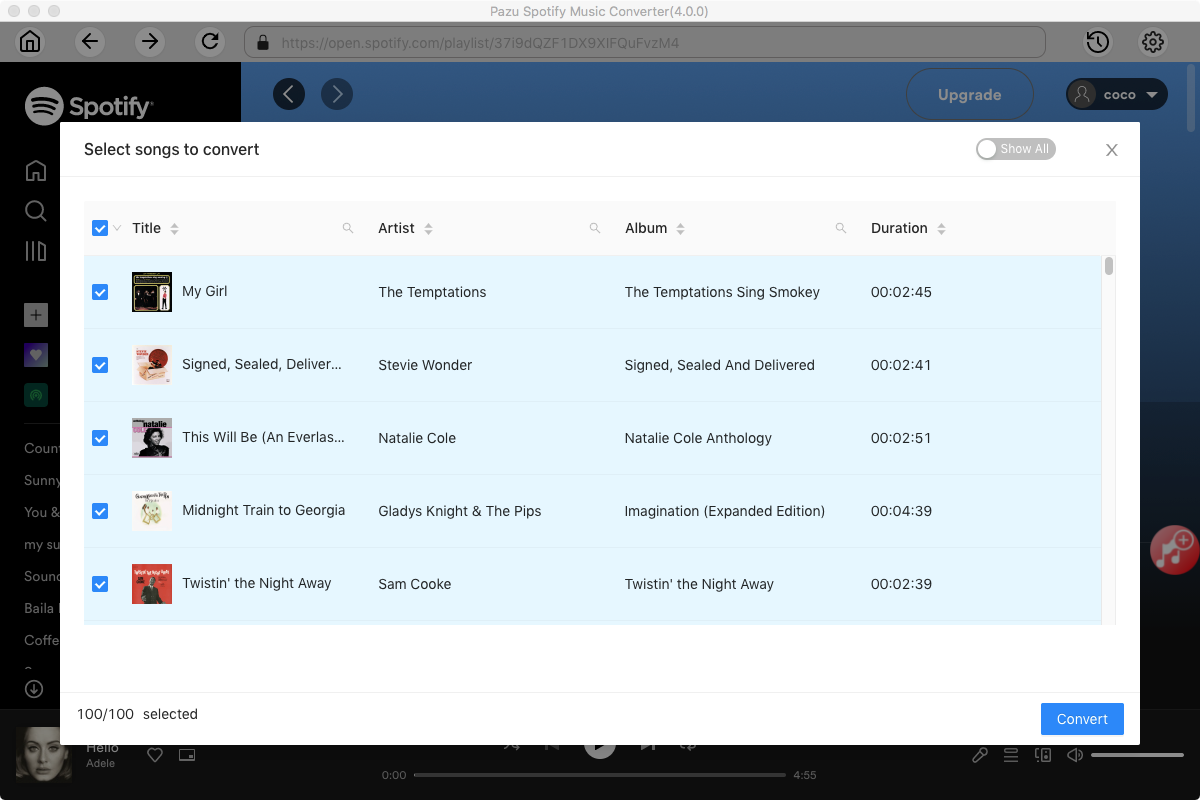
The default output format is M4A. Pazu Spotify Converter also supports MP3, AAC, FLAC, WAV, and AIFF. Click the gear icon on the top right corner to change output format or output quality. You can also change output folder and following:

Click the Convert button to start recording Spotify music to the format you choose.

After conversion, click the History icon to quickly locate the DRM-free Spotify song.

Note: The free trial version of Pazu Spotify Converter enables you to convert the first three minutes of each song. You can remove the trial limitation by purchasing the full version.
Buy Now Buy Now
Download and convert any Spotify songs, albums, playlists to MP3/M4A etc.