
Any iPhone or Android phone is an audio player that works with subscription music apps like Spotify, Apple Music, Tidal, Amazon Music or YouTube Music. Although it has become very popular to play music on cell phones, Mp3 player still has a certain market. After all, listening to songs with mp3 player will not take up your phone memory and will not consume your phone power. You can also use your phone to do other things without interfering with listening to the songs.
Maybe the above reasons are not enough to attract you, if I say that some mp3 players already support music streaming apps, like Spotify, will you want to try it? Here will show you 3 mp3 players with Spotify app, including Mighty Vibe, iPod touch and Android-powered Sony Walkman.
Mighty plays your Spotify and Amazon Music playlists without a phone, screen, or Internet connection. No data or WiFi is needed for playback. Mighty works with all Bluetooth headphones, speakers, and car entertainment systems. Use the Mighty mobile app to wireless sync your playlists and podcasts to Mighty, no cords or computer needed. Mighty is smaller than a box of matches (1.4” x 1.4”), and lighter than four quarters (0.7 ounces). Water, sweat, and drop resistant. Mighty’s screenless design and physical buttons makes it the perfect companion for any workout and for your kid’s playtime. No more broken smartphone screens.

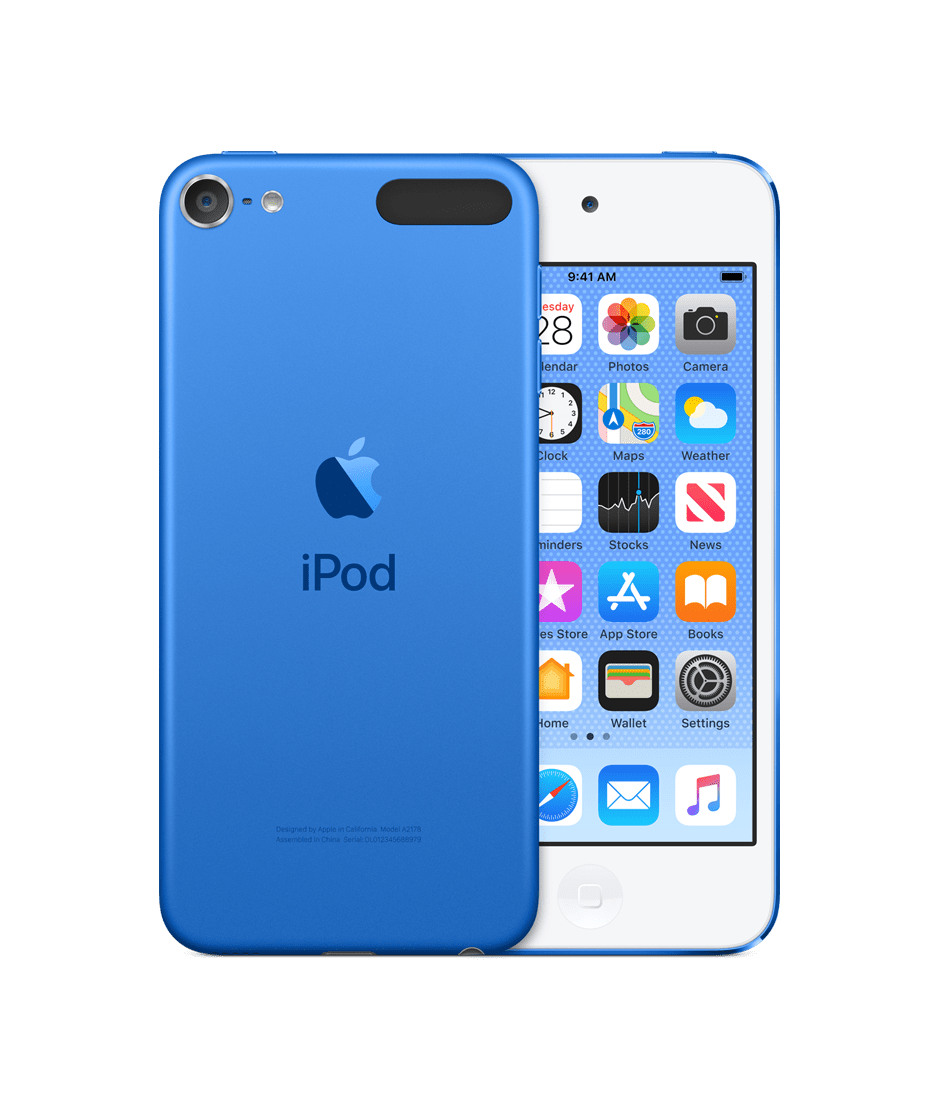
The iPod touch is Apple's only iPod running iOS, offering access to the App Store, so you can install Spotify app and use it just like on iPhone. The latest seventh-generation iPod touch was updated on May 28, 2019, with an A10 Fusion chip and the same 4-inch Retina display found on the company's iPhone 5 and 5s. Priced starting at $199, the new iPod touch offers 32, 128, or 256GB of storage, with the latter option new in 2019. 128GB of storage costs $299, and 256GB of storage costs $399.
As Sony's first Walkman device with built-in Android, the Sony NW-A105 is not only great for listening to music, it's also a great replacement for your phone on long vacations. Supported by Android and compatible with Wi-Fi, the NW-A105 offers even more ways to listen to your music. Enjoy your favorite streaming & music apps right on your Walkman – use platforms like Spotify , Pandora, YouTube music, Tidal, or Apple Music, or connect to a PC to access your music collection. On this Sony Walkman, you can play offline Spotify tracks or straight up streaming through a hotspot.

However, if your mp3 player is not in above Spotify-supported mp3 player list, such as iPod shuffle, iPod nano, Sandisk, Eclipse Fit Clip , AGPTEK, etc. You can refer to this method: download and convert Spotify music to MP3, so as to enjoy Spotify music on any of your mp3 players.
This workaround is feasible for both Spotify Free and Spotify Premium listeners. All you need is a powerful Spotify music downloader. I recommend using Pazu Spotify Converter.
Pazu Spotify Converter supports downloading any Spotify songs, albums, playlists and podcasts offline at a faster speed. It converts Spotify to MP3, M4A, WAV, FLAC, OGG, AIFF in batch. Pazu Spotify Converter uses the most advanced downloading technology to convert Spotify songs. So, it will keep the lossless audio quality of Spotify songs for you. The ID3 tags, metadata such as the year, album cover, etc. will be kept also. Follow the below steps to use Pazu Spotify Converter to download and convert Spotify to MP3.

Download, install and run Pazu Spotify Converter on your Mac or Windows. Log in your Spotify account with the built-in Spotify web player.

Pazu Spoitfy Converter features built-in Spotify web player for you to browse or search Spotify songs, albums and playlists you want to download directly on the interface. You don’t need to install Spotify app. Click the album or playlist you want to download and then click the red icon to load all songs.
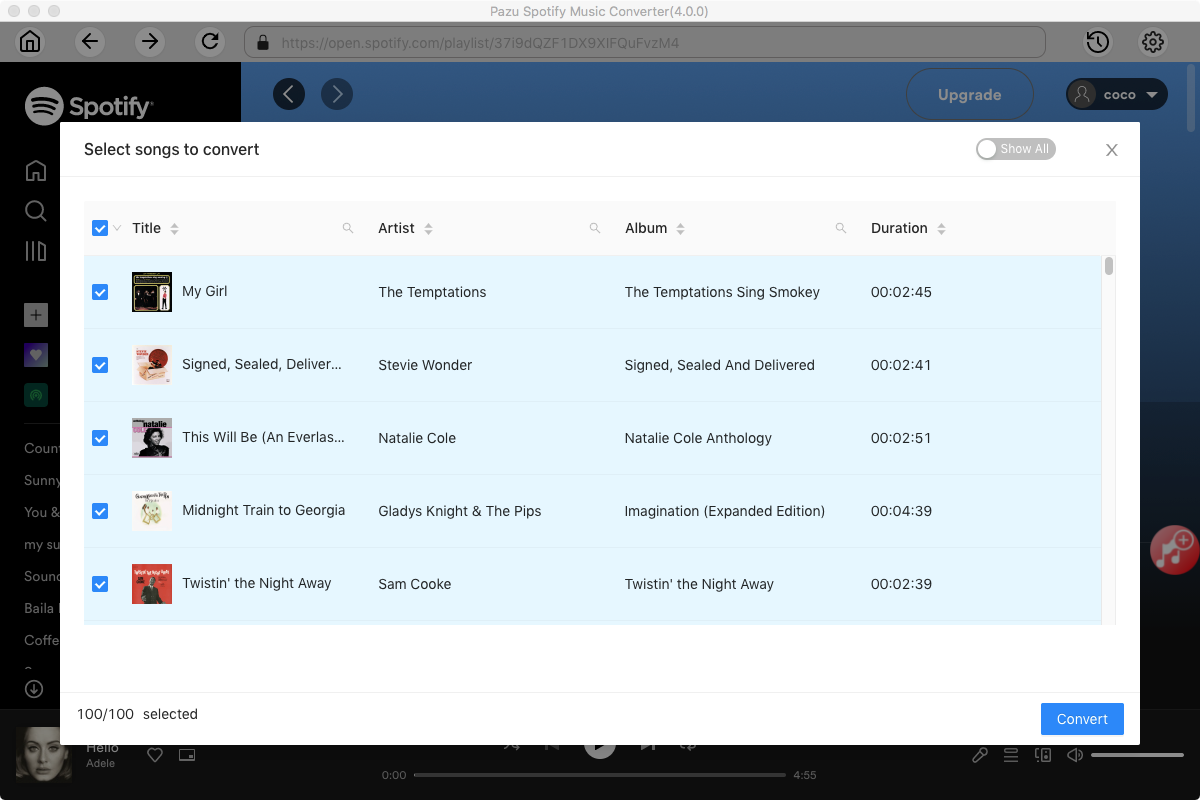
The default output format is M4A. Pazu Spotify Converter also supports MP3, AAC, FLAC, WAV, and AIFF. Click the gear icon on the top right corner to change output format or output quality. You can also change output folder and following:

Click the Convert button to start downloading Spotify songs in MP3 format.

Once the conversion is done, click the folder icon to find the converted Spotify songs.

Note: The free trial version of Pazu Spotify Converter enables you to convert the first three minutes of each song. You can remove the trial limitation by purchasing the full version.
Buy Now Buy Now
Download and convert any Spotify songs, albums, playlists to MP3/M4A etc.