
Spotify allows users to stream audio from Spotify directly within Facebook. This new feature is available on both iOS and Android devices. The mini player will allow users to listen to audio from Spotify when inside the Facebook app, eliminating the need to switch between the two platforms.
Both Spotify free and premium users can get access to the feature but free users will need to bear accompanying ads from Spotify.
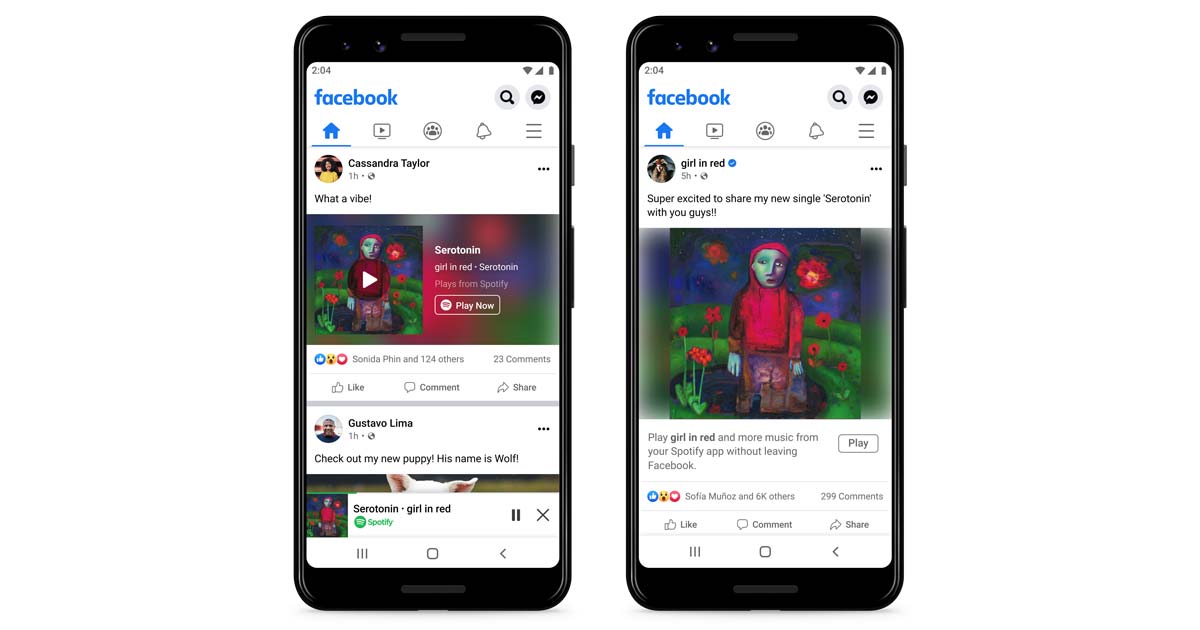
Now, when Spotify users are listening to content they want to share to Facebook, they’ll be able to tap the existing “Share” menu (the three-dot menu at the upper right of the screen) and then tap either “Facebook” or “Facebook News Feed.” When a user posts an individual track or podcast episode to Facebook through this sharing feature, the post will now show up in a new mini player, allowing others who see their post to also play the content as they continue to scroll, or to re-share it.
If you are tired of listening to frequent ads which totally ruin your experience and you want to get rid of them without getting your Spotify account into any unnecessary trouble, because we all know that Spotify's terms and conditions state in the user guide section that circumventing or blocking ads on the Spotify service is not allowed.
Don't worry, here we will show you how to get rid of Spotify ads by downloading Spotify music to mp3 and then play them with any music player.
Pazu Spotify Converter is the top tool to download Spotify music to MP3 for playing on any device without Spotify app. With powerful features and advantages, it can download songs from the Spotify free and premium account and convert them to DRM-free formats like MP3.
You May Like:

Download, install and run Pazu Spotify Converter on your Mac or Windows. Log in your Spotify account with the built-in Spotify web player.

Pazu Spoitfy Converter features built-in Spotify web player for you to browse or search Spotify songs, albums and playlists you want to download directly on the interface. You don’t need to install Spotify app. Click the album or playlist you want to download and then click the red icon to load all songs.
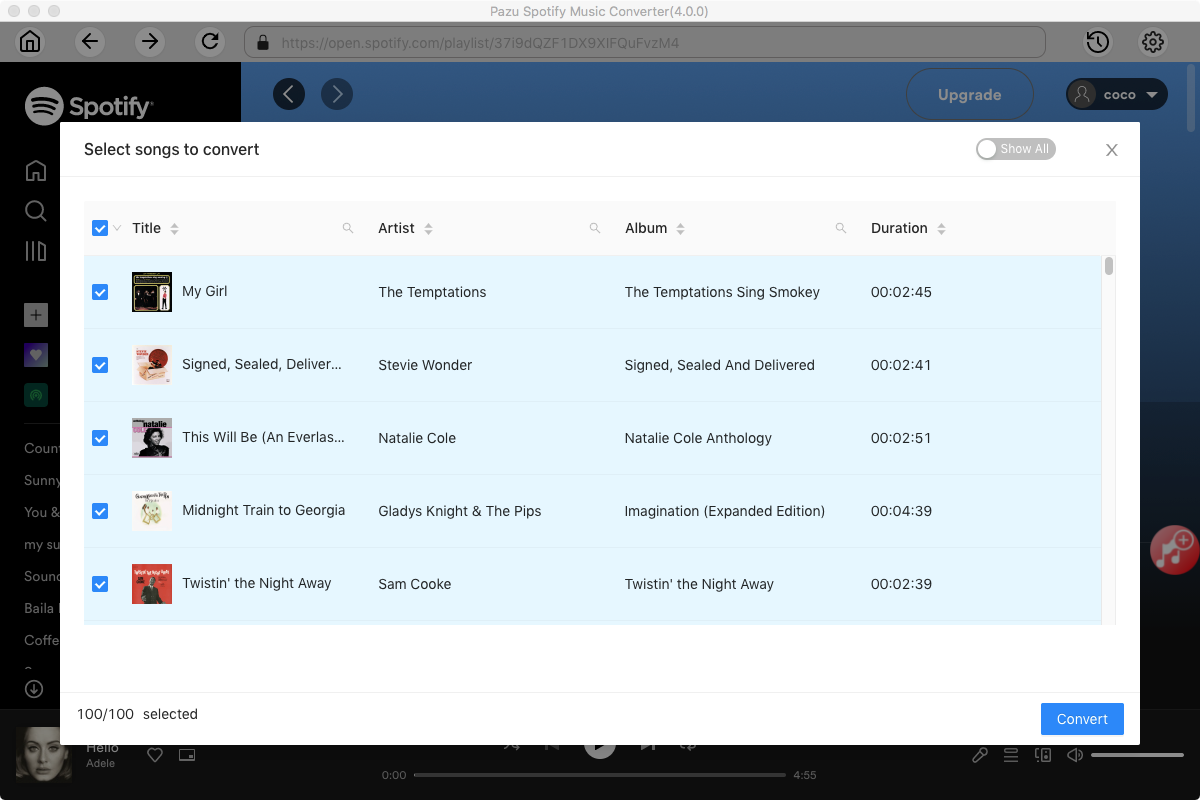
The default output format is M4A. Pazu Spotify Converter also supports MP3, AAC, FLAC, WAV, and AIFF. Click the gear icon on the top right corner to change output format or output quality. You can also change output folder and following:

Click the Convert button to start recording Spotify music to the format you choose.

After conversion, click the History icon to quickly locate the DRM-free Spotify song.

Note: The free trial version of Pazu Spotify Converter enables you to convert the first three minutes of each song. You can remove the trial limitation by purchasing the full version.
Buy Now Buy Now
Download and convert any Spotify songs, albums, playlists to MP3/M4A etc.