
Most often it is hard for the users to understand the words here and there while listening to some of the songs especially for the ones who are new to the genre, so lyrics are very important. From NOVEMBER 18, 2021, lyrics are available to all Spotify Free and Premium users globally across iOS and Android devices, desktop, gaming consoles, and TV by partnering with Musixmatch.
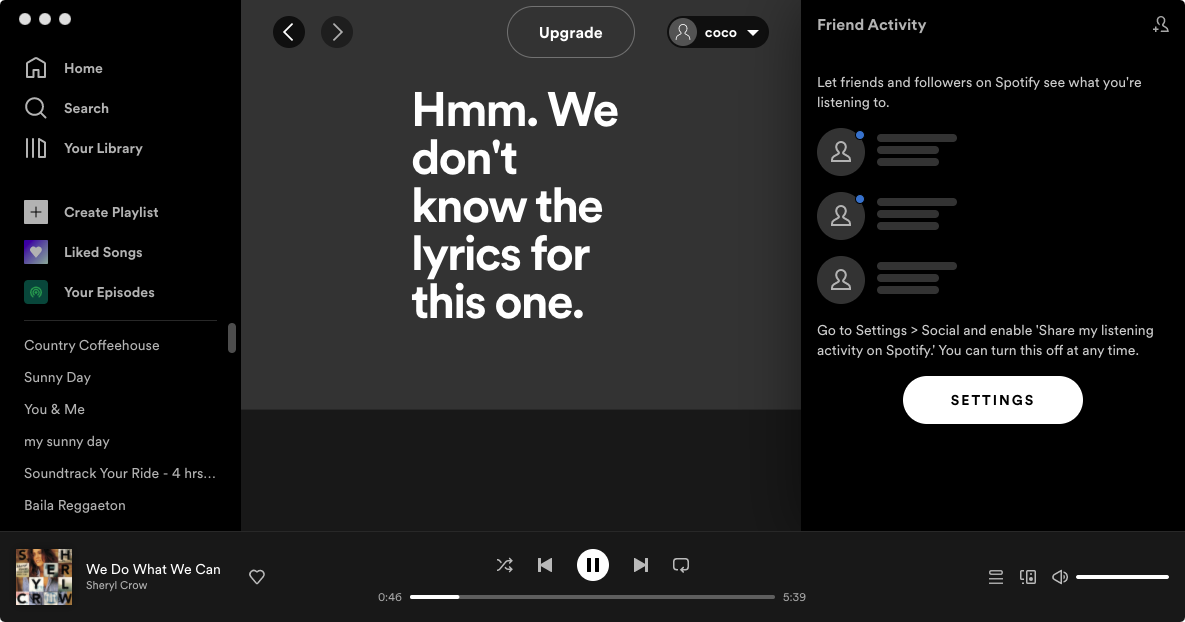
Spotify lyrics feature is not always there. It at first worked with Musixmatch to display song lyrics until it parted ways with the company in 2016. After that, users can get some lyrics plus the story behind them with Spotify and Genius . However, lyric is not available to all songs. If you don’t see it, it’s not available for the song.
On Jun 30, 2020, Spotify added the feature of displaying real-time lyrics on the app, however, this feature is not officially released. It is only available to 26 countries , not including the US.
You May Like:
On the Spotify mobiel app
On the Spotify desktop app
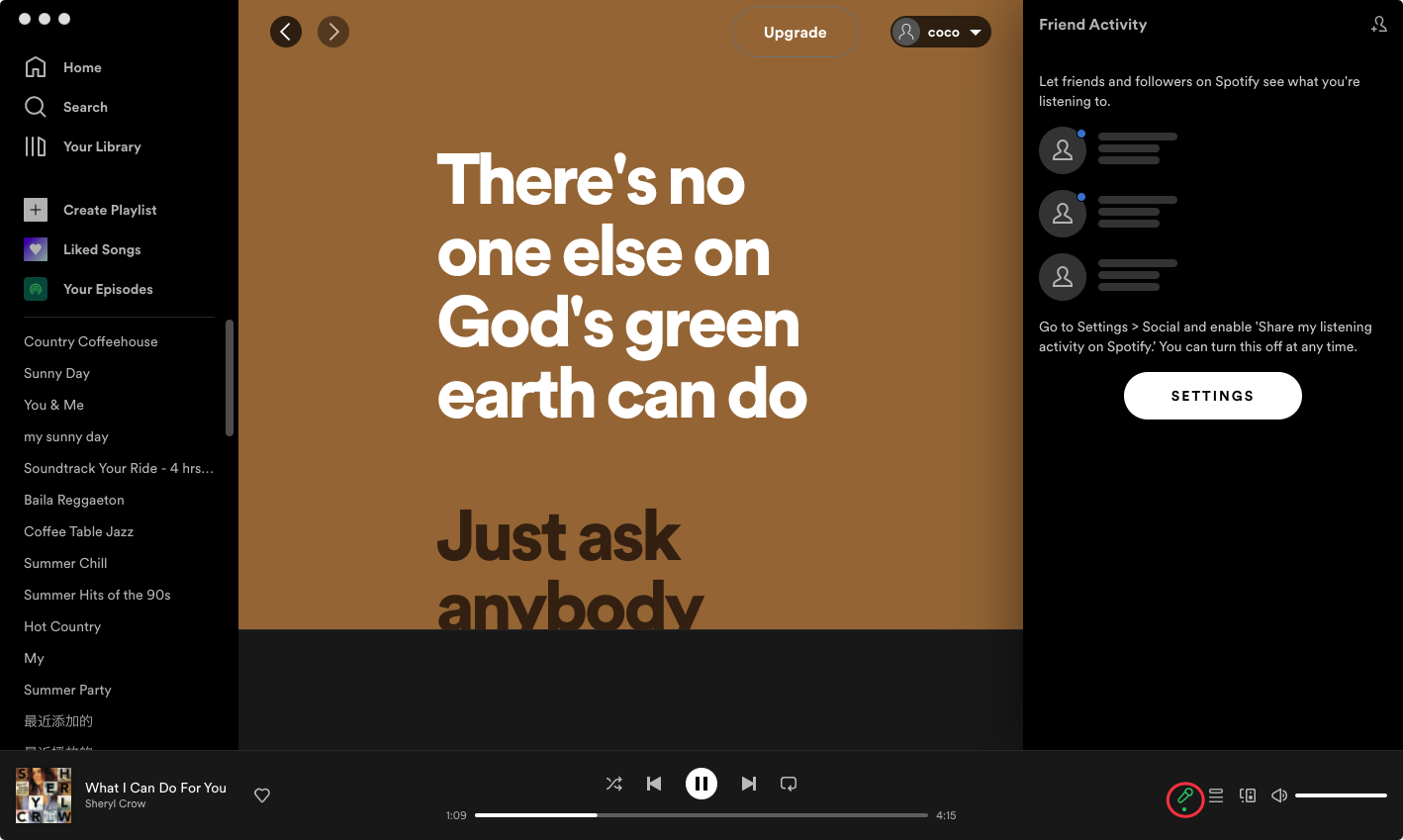
On the SpotifyTV app
Musixmatch is the world’s largest collection of song lyrics used by millions of people to get instant time synced lyrics for Youtube, Spotify, Pandora and more. Musixmatch lets you enjoy song lyrics with music from Spotify, Youtube, Pandora, Apple Music, SoundCloud, Google Play Music and all your other favourite streaming services. But the catch is that your phone should have an active data connection all the time.
Spotify has made the lyrics feature available for everyone globally since 11/18/2021. If lyrics aren't showing up on your Spotify there could be two different reasons: either that song doesn't have lyrics available or you Spotify app is too old. Check to see if you can find lyrics on other songs. If you can, it's an issue with that song. If you can't, it's likely because your Spotify app is not updated. Make sure to update the Spotify app on your smartphone or computer and start singing along! Or try logging out and back into Spotify and even uninstalling and reinstalling the app to see if it appears then, but you might just have to be patient. You can also clear Spotify cache .
As mentioned earlier, lyrics on Spotify are sourced from MusixMatch. If the lyrics can't be found on MusixMatch, then the lyrics won't display.
If you can play Spotify music with offline music player that support lyrics, you do not need to venture outside the player to search for lyrics. Such music players includes Music player - MP3 player for Android. Music Player - MP3 Player is the best music player for Android with Lyrics Support(embedded lyrics). This free mp3 player with eq and high volume app allows you to play music with best sound and minimal usage without draining battery. Its outstanding features make it Top Mp3 Player of 2021 . To play Spotify music with Music Player – MP3 Player, all you need to do is download Spotify music to Music Player – MP3 Player supported format, such as MP3.
Pazu Spotify Converter is a prefessional Spotify music downloader tool for Windows and Mac that allows you to download Spotify songs, albums, playlists and podcasts offline at a faster speed. It converts Spotify to MP3 , M4A, WAV, FLAC, OGG, AIFF in batch. Pazu Spotify Converter uses the most advanced downloading technology to convert Spotify songs. So, it will keep the lossless audio quality of Spotify songs for you. The ID3 tags, metadata such as the year, album cover, etc. will be kept also. Follow the below steps to use Pazu Spotify Converter to download and convert Spotify to MP3.

Download, install and run Pazu Spotify Converter on your Mac or Windows. Log in your Spotify account with the built-in Spotify web player.

Pazu Spoitfy Converter features built-in Spotify web player for you to browse or search Spotify songs, albums and playlists you want to download directly on the interface. You don’t need to install Spotify app. Click the album or playlist you want to download and then click the red icon to load all songs.
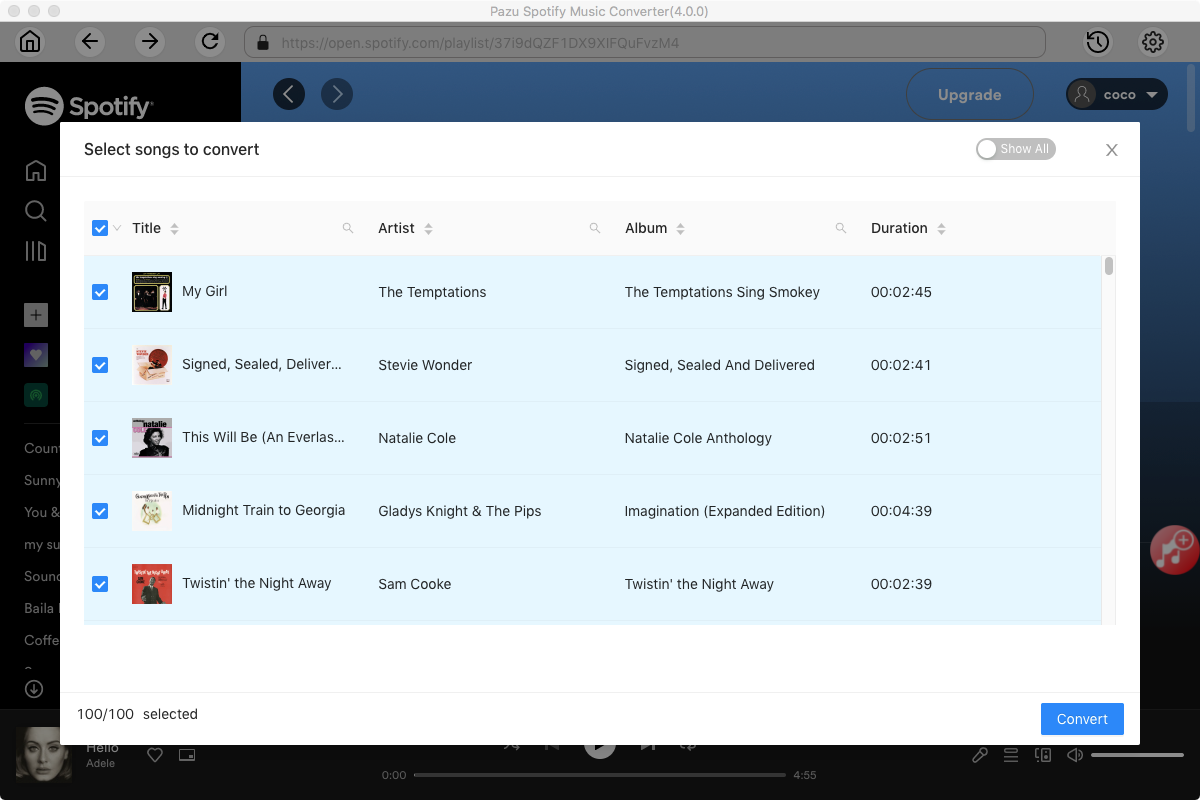
The default output format is M4A. Pazu Spotify Converter also supports MP3, AAC, FLAC, WAV, and AIFF. Click the gear icon on the top right corner to change output format or output quality. You can also change output folder and following:

Click the Convert button to start downloading Spotify songs in MP3 format.

Once the conversion is done, click the folder icon to find the converted Spotify songs.

Note: The free trial version of Pazu Spotify Converter enables you to convert the first three minutes of each song. You can remove the trial limitation by purchasing the full version.
Buy Now Buy Now
Download and convert any Spotify songs, albums, playlists to MP3/M4A etc.